"best solution for remote teams"
"improves productivity!"
"so easy to use"
Monitask is a remote work software that helps teams stay productive and connected from anywhere. It offers time tracking, activity monitoring, and task management—ideal for remote and hybrid teams.
Unlock productivity and optimize performance by monitoring remote workers with data-driven insights and transparent oversight
4.8 on G2
4.8 on Capterra
Remote workforce management software for distributed and hybrid SMB teams — Monitask gives managers one place to see workloads, balance capacity, schedule shifts, handle time off, and prove work. Automatic time tracking, activity insight and optional proof-of-work screenshots — built around management, not surveillance. Tracking only runs while people are clocked in, screenshots can be blurred, and no keystrokes are ever logged. Rated 4.8/5 on Capterra, Software Advice, GetApp and Crozdesk.
1000+ clients worldwide increase workforce productivity with Monitask





From sign-up to your first report in four steps — no setup headaches.
Invite employees by email and group them by team, project, or client. Each person installs the app with consent and gets their own privacy settings.
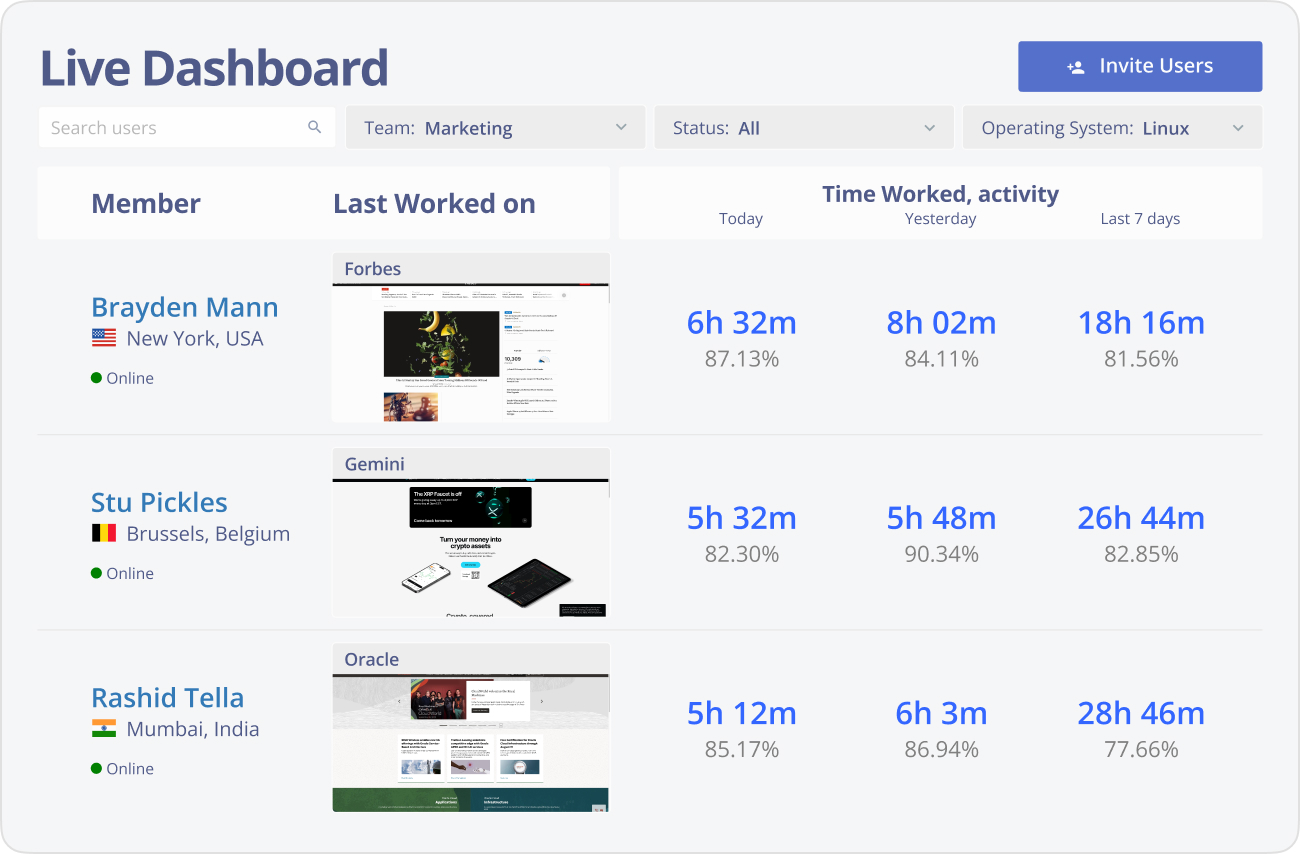
The live dashboard shows who's clocked in, who's overloaded, and where there's room — so you can rebalance before deadlines slip.
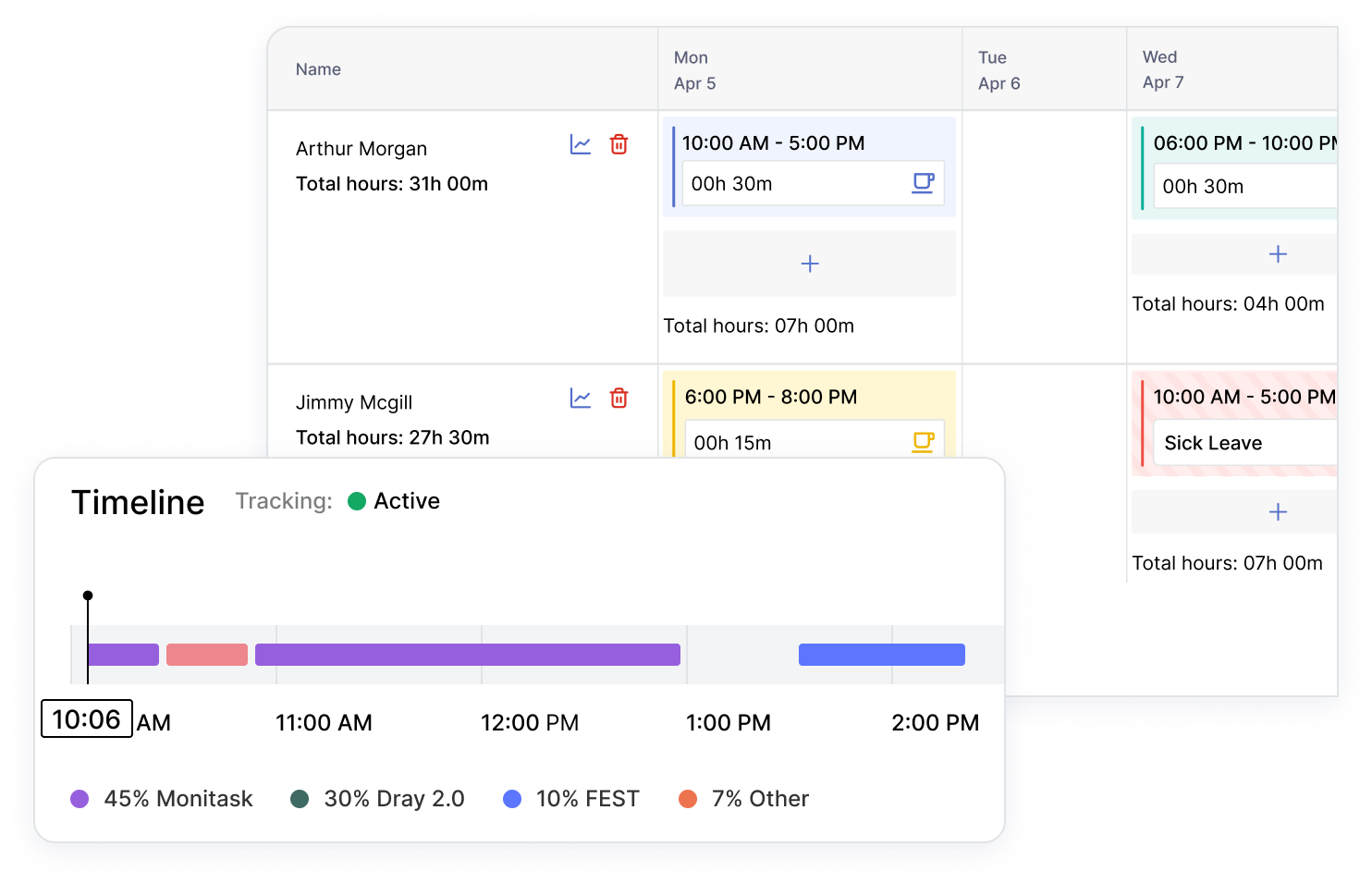
Build shifts across time zones, assign projects and tasks, and track attendance and time off in one place.
Use timesheets, activity levels, and optional screenshots to confirm progress and support people — not to police every minute.
Most remote management tools either skip the management layer or replace it with surveillance. Monitask gives you both — real workload visibility and the discipline of time tracking — without crossing into keystroke logging or off-the-clock monitoring.
Workload, scheduling, attendance and proof-of-work in one place — so managers lead the team instead of policing minutes.
Tracking only runs while employees are clocked in, screenshots can be blurred, and no keystrokes are ever logged.
Use the data to spot overload, balance capacity and coach — not to police every minute of the day.
Each employee has their own privacy settings. Sensitive apps blur automatically, so visibility never means exposure.
A fraction of what enterprise HCM suites cost — built for small and mid-sized distributed teams that don’t need a heavyweight platform.
It is not a full HR/payroll platform. Pair it with Deel or QuickBooks when you need native payroll or HRIS.
Real results from teams that switched to transparent time tracking.
"As a Sales and Marketing Manager on FBA Prep 4U. I am using Monitask 5 days a week because I need not extend 40 hours of my weekly working hour. Monitask made it easy for me to monitor time and show my productivity thru their screenshot features. It helps me to gain the trust of my boss who is also checking my timeline. I would highly recommend this software to my colleagues who are looking for reliable employee timesheet monitoring."
"It is a must-have tool for companies allowing remote work. 80% of our employees work from remote locations, and tracking their work efficiency was a big challenge for us. we had at a point also decided to create a tool for time tracking, however, once we heard about monitask, and used it for 10 days with the free trail. it was an instant GO for us ad we have been using the same since then."
"As an entrepreneur, I often feel guilt that I'm not spending "enough" time working on various projects. Once I started using Monitask, everything became objective and my time has started to become more valuable. Things that get measured get improved. This objective feedback on how I'm spending my time has given me so much encouragement and motivation. I can see progress happen, and I'm able to feel better about the work I do."
A side-by-side look at the remote workforce tools teams shortlist most. Monitask focuses on transparent, lightweight management for SMBs — not enterprise HCM, not stealth surveillance.
| Monitask | Hubstaff | ActivTrak | Apploye | |
|---|---|---|---|---|
| Best for | Lightweight transparent WFM (SMB) | Remote & field, payroll | Analytics & coaching | SMB remote, stealth |
| Workload / capacity | ✓ | ✓ | ✓ | ✓ |
| Scheduling & time off | ✓ | ✓ | Limited | ✓ |
| Proof-of-work screenshots | ✓ | ✓ | — | ✓ |
| No keystroke logging | ✓ | ✓ | ✓ | Optional |
| Native payroll processing | No (Deel / QB) | ✓ | — | ✓ |
| Starting price (user/mo) | $6.49 /user/mo | ~$4.99–7 /user/mo | Free / $10+ | ~$2.5–5 /user/mo |
| Free trial | 10 days, no card | 14 days | Free plan | Trial |
Competitor pricing and feature notes are based on public sources and are indicative as of July 2026. Verify before any decisions.
Monitask gives distributed and hybrid teams one place to see workloads, balance capacity, schedule shifts, manage time off, and prove work — with automatic time tracking, activity insight, and proof-of-work screenshots. Transparent by design: it runs only while people are clocked in, and never logs keystrokes.
Everything you need to manage a distributed team in one place — see workloads, plan shifts, track time off, and prove work, without hovering over anyone.
Get real-time visibility into who’s overloaded and who has room to take on more, across every time zone your team works in. Rebalance projects and tasks before deadlines slip and keep the whole team on track — regardless of location — instead of finding out when it’s already too late.
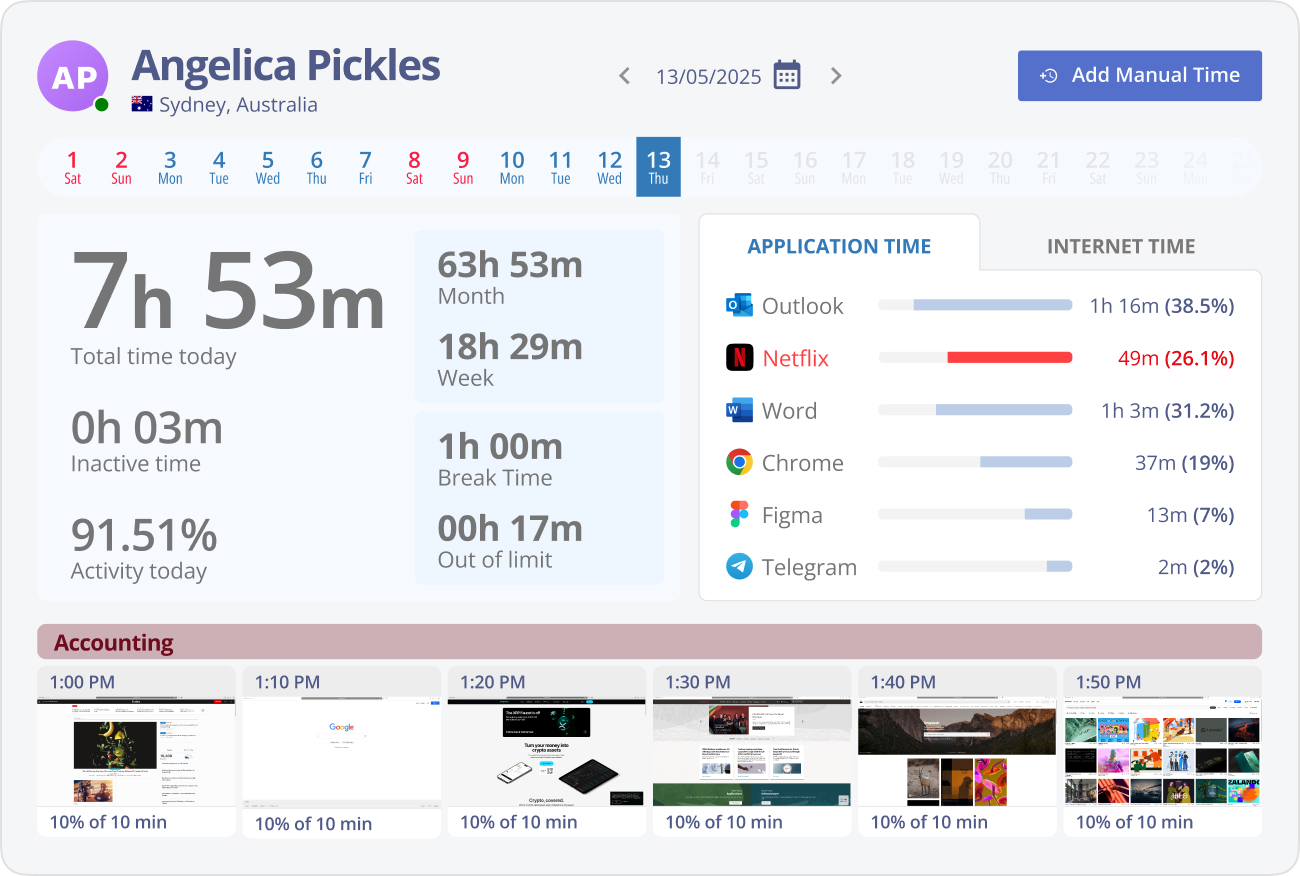
Build schedules, assign projects and tasks, and keep distributed shifts organized so everyone knows what they own. Monitask automatically records work hours and shows how time is spent across tasks, so you can coordinate overlap hours across time zones, streamline payroll, and keep the team aligned from one dashboard.
Track attendance, clock-ins, and time off so remote availability is always clear at a glance. Timesheets stay payroll-ready and you always know who’s working today and who’s out — the accurate work-hour tracking distributed teams depend on.
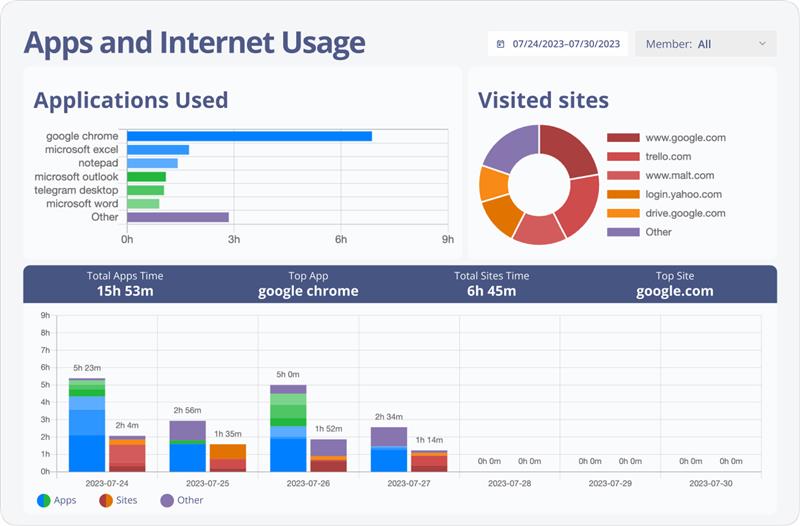

Automatic screenshots and activity levels give you real visibility into what’s getting done, without micromanaging. See which apps and websites the team engages with to understand workflow and support focus — and everything runs only while employees are clocked in, screenshots can be blurred, and no keystrokes are ever logged.
Access comprehensive performance statistics and generate custom reports to evaluate team productivity and surface areas to improve. These insights let managers make data-driven decisions and optimize workflows across distributed teams, so you can act on overload and bottlenecks early — not after the fact.
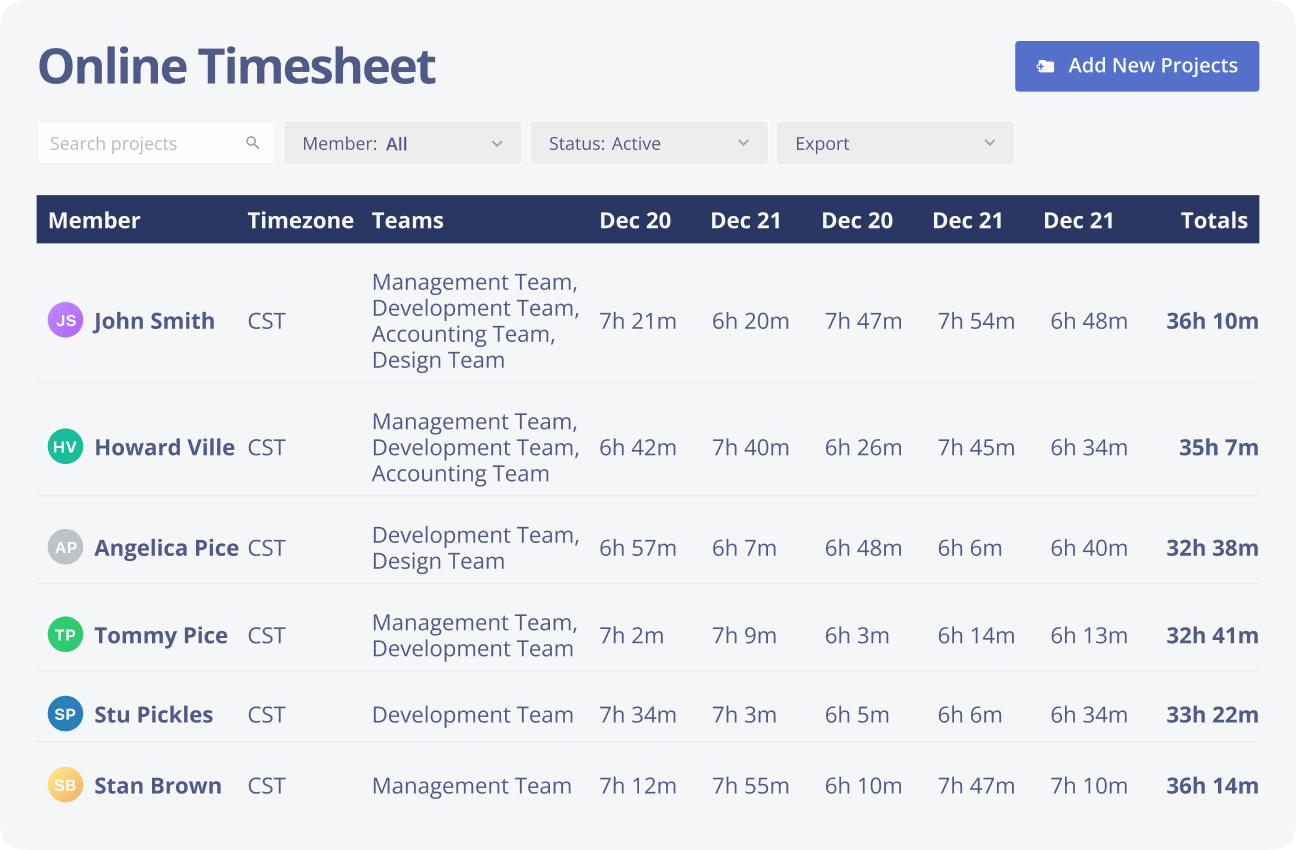

A remote employee management tool tracks activity to identify inefficiencies and improve workflow, boosting team productivity.

Remote work software provides real-time data to optimize team performance and resource allocation for better decisions.

Performance insights from Monitask help motivate employees and improve job satisfaction.

Ensure efficient task assignments to meet deadlines with Monitask, improving resource management.

Secure tracking in remote workforce management software fosters trust, transparency, and accountability across teams.

Monitor work hours and attendance with remote employee management tools to stay compliant and avoid legal risks.
Remote management breaks in predictable ways: work happens across time zones, “idle” time gets misread on thinking-heavy tasks, and constant check-ins erode trust. Monitask is built to avoid that. Tracking runs only while employees are clocked in, screenshots can be blurred, and each person gets their own privacy settings — so managers get real visibility and teams keep their autonomy.
Use the data to spot overload and bottlenecks early and coach people — not to police every minute.
Monitask replaces scattered spreadsheets, manual timesheets, and guesswork about who’s working on what. It gives you time tracking, workload and capacity visibility, scheduling, attendance, and proof-of-work in one place.
It is not a full HR/payroll platform. If you need native payroll runs, benefits administration, or an HRIS of record, pair Monitask with a system like Deel or QuickBooks — Monitask handles the visibility and management layer, they handle payroll. And if you manage a field crew that needs GPS, or a large contact center that needs enterprise workforce management, Monitask isn’t the right fit.
Free 10-day trial — full access, no credit card. Paid plans start at $6.49 per user/month (billed annually) — a fraction of enterprise HCM suites. See current plans →
Native integrations with Jira, Asana, ClickUp, Basecamp, Trello, monday.com, Microsoft Teams and QuickBooks, plus Zapier for 1,000+ more apps — and a Deel integration for payroll workflows.
Set up your distributed team in minutes. First 10 days free, no credit card required.