Turn everyday work activity into clear productivity analytics. See where time goes, spot trends across teams, and make decisions from data — not gut feel.
Unlock productivity and optimize performance with data-driven insights and transparent workforce monitoring.
 4.8 on G2
4.8 on Capterra
4.8 on G2
4.8 on Capterra
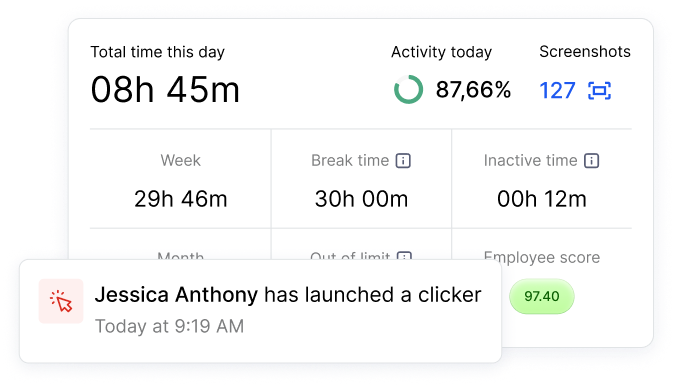
Monitask is workforce analytics software that turns how your team works into clear, visual data. It captures activity levels, app and website usage, productivity scores and time across projects, then turns them into dashboards, trends and reports — so you can see where time goes, balance workloads and make decisions from data, not guesswork.
1000+ clients worldwide increase workforce productivity with Monitask





From sign-up to your first report in four steps — no setup headaches.
Sign up for a free 10-day trial.
Add members by email. Unlimited employees on every plan.
They install the app and work; Monitask captures activity, app and website usage and time in the background while clocked in.
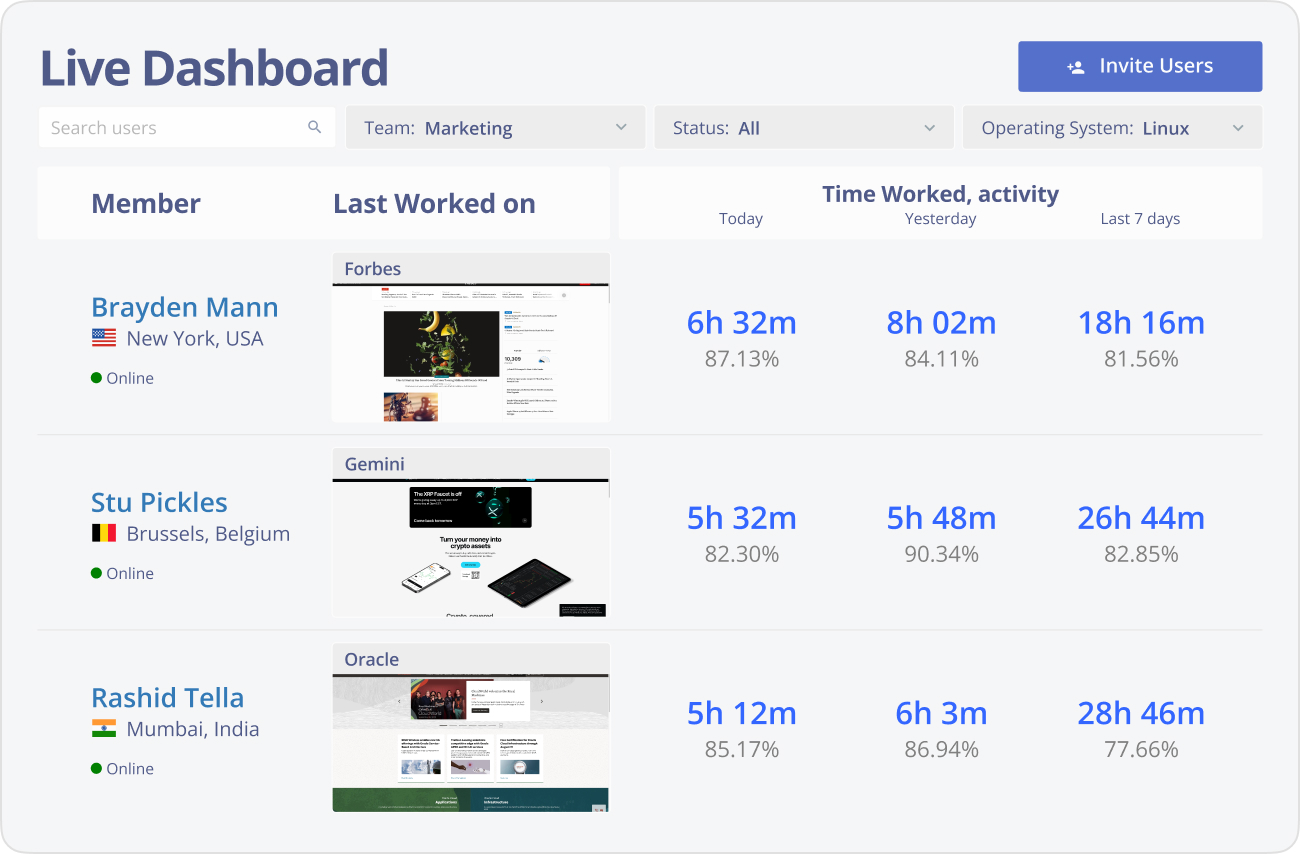
Open the Live Dashboard and reports to see activity levels, productivity scores, top apps and trends across people and teams.
Dashboards, trends and reports built on the data your team already generates.
See who's active, idle or offline right now, with top activities and time entries — live, from any browser.
Quantify productive vs idle time per person and team, so effort is measured by data, not impressions.
See which apps and sites take up the day, spot distractions and find underused or wasteful tools.
Compare activity by day, week and month to spot patterns and track whether changes actually help.
See where hours really go by project and task, and compare them to estimates and budgets.
Daily email summaries plus time-entry and usage reports turn raw activity into a clear picture in seconds.
Export reports to share insights with managers and leadership — no extra tooling.
Analytics without keystroke logging; employees can see their own data. Insight, not surveillance.
Most "analytics" tools are surveillance with a dashboard. Monitask gives you the data without the creep factor.
Activity-based analytics with no keystroke logging. Employees stay in control.
Live dashboards and trends turn activity into decisions.
Plans from $6.49/user/month, billed annually.
Six languages and apps for every major OS.
Native integrations plus Zapier for 1,000+ more apps.
Teams that want to understand how work really happens.
Real results from teams that switched to transparent time tracking.
"As a Sales and Marketing Manager on FBA Prep 4U. I am using Monitask 5 days a week because I need not extend 40 hours of my weekly working hour. Monitask made it easy for me to monitor time and show my productivity thru their screenshot features. It helps me to gain the trust of my boss who is also checking my timeline. I would highly recommend this software to my colleagues who are looking for reliable employee timesheet monitoring."
"It is a must-have tool for companies allowing remote work. 80% of our employees work from remote locations, and tracking their work efficiency was a big challenge for us. we had at a point also decided to create a tool for time tracking, however, once we heard about monitask, and used it for 10 days with the free trail. it was an instant GO for us ad we have been using the same since then."
"As an entrepreneur, I often feel guilt that I'm not spending "enough" time working on various projects. Once I started using Monitask, everything became objective and my time has started to become more valuable. Things that get measured get improved. This objective feedback on how I'm spending my time has given me so much encouragement and motivation. I can see progress happen, and I'm able to feel better about the work I do."
A side-by-side look at the workforce analytics platforms teams shortlist most. Monitask focuses on privacy-aware productivity insight — without the surveillance overhead.
| Monitask | ActivTrak | Teramind | Insightful | Time Doctor | |
|---|---|---|---|---|---|
| Best for | Privacy-aware productivity analytics for SMB teams | Mid-market & enterprise analytics | Insider-risk & user behavior monitoring | Productivity & workforce optimization | Time tracking with productivity scores |
| Starting price | $6.49 /user/mo | Free · paid (5-user min, annual) | $15+ /user/mo | $6.40+ /user/mo | $7+ /user/mo |
| Free trial | 10 days | Free tier + 14 days | Demo only | 7 days | 14 days |
| Real-time activity dashboard | ✓ | ✓ | ✓ | ✓ | ✓ |
| Productivity scores & activity levels | ✓ | ✓ | ✓ | ✓ | ✓ |
| App & website usage | ✓ | ✓ | ✓ | ✓ | ✓ |
| Trends by day / week / month | ✓ | ✓ | ✓ | ✓ | ✓ |
| Proof-of-work screenshots | ✓ | — | ✓ | ✓ | ✓ |
| No keystroke logging | ✓ | ✓ | — | ✓ | — |
| Desktop apps (Win / Mac / Linux) | ✓ | ✓ | ✓ | ✓ | ✓ |
Competitor details are indicative and current as of June 2026.
From $6.49 / user / month
Free 10-day trial · No credit card required · Cancel anytime
See all plansWorkforce analytics software collects digital work activity — hours, app and website use, activity levels — and turns it into insights about how work actually happens. Instead of guessing where time goes, leaders get dashboards and trends that show productivity, focus and workload across teams.
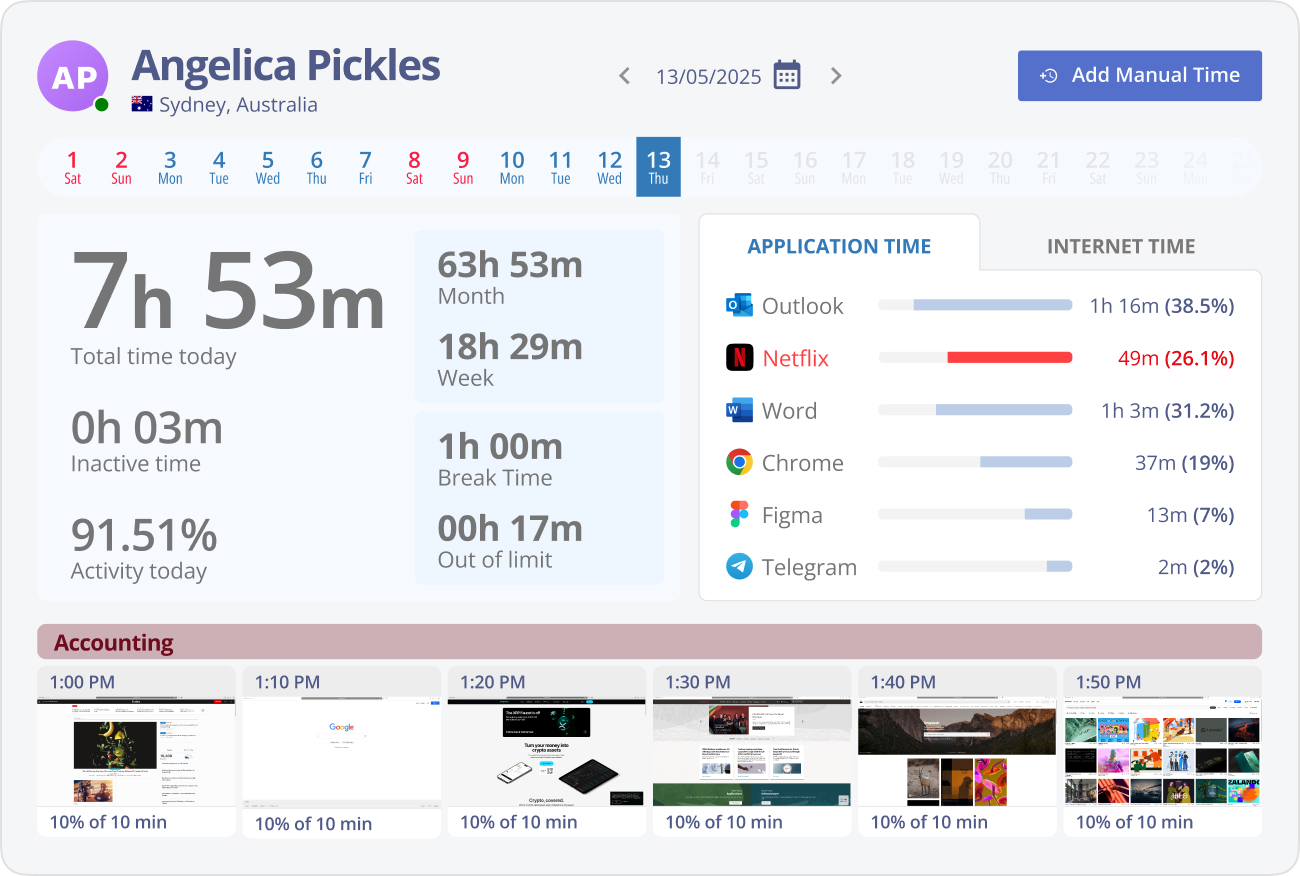
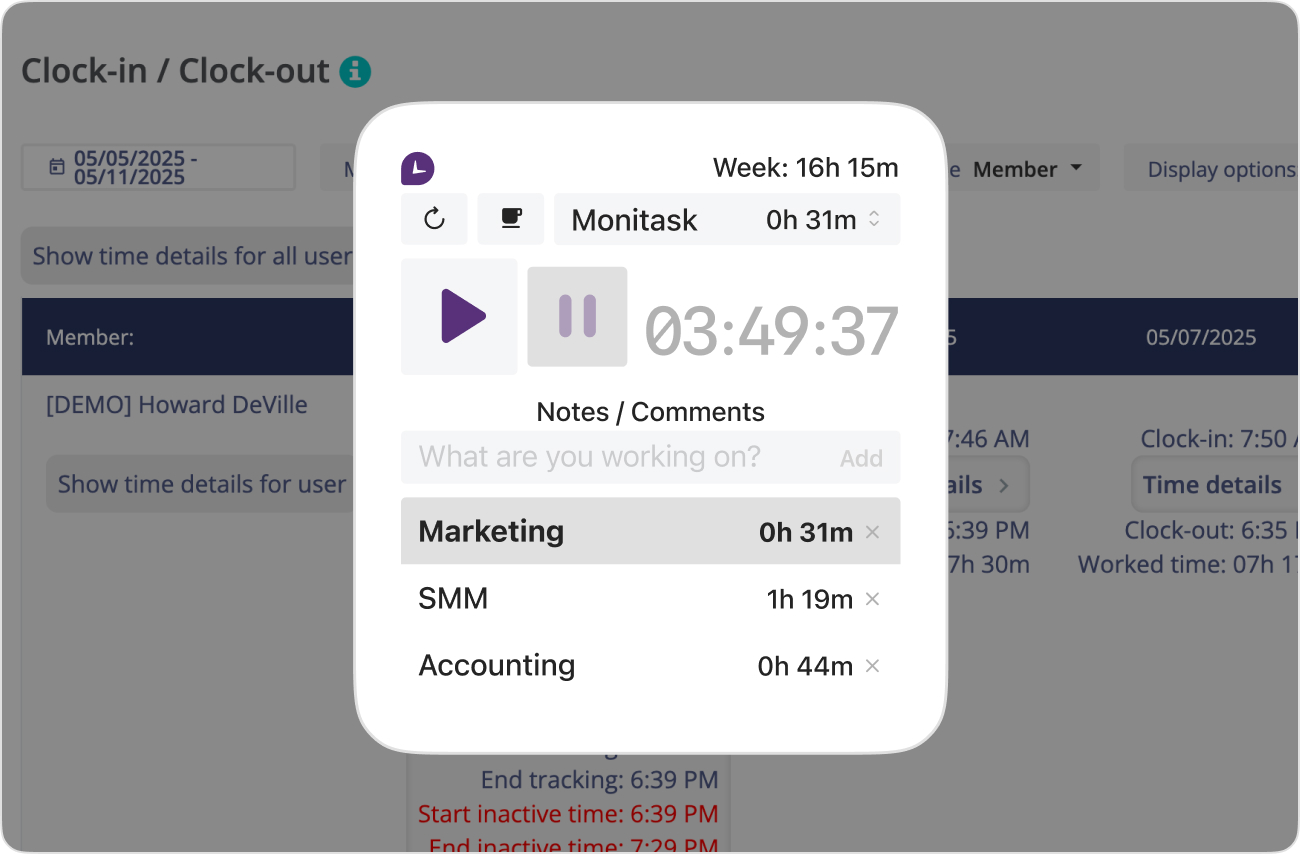
Monitask runs as a lightweight app each employee installs and controls. While they work, it captures time, activity levels, productivity scores and the apps and websites used — then rolls everything into a live dashboard and reports. Managers see the picture in real time from any browser, no setup or data team required.
The two overlap, but the goal is different. Monitoring asks “what is this person doing right now?” Analytics asks “how does work happen, and how do we make it better?” Monitask is built for the second question: aggregate trends and team-level insight, gathered transparently and without keystroke logging.
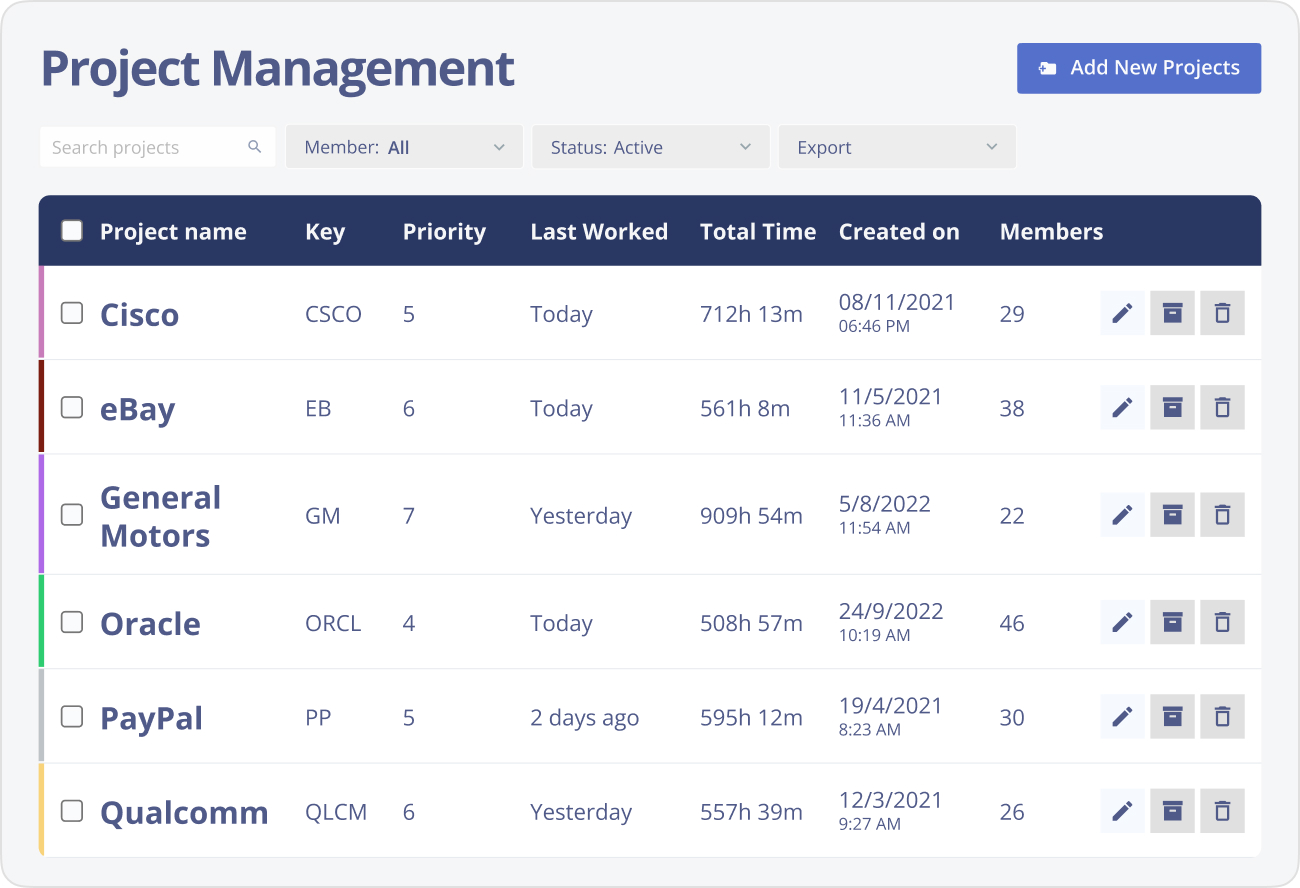
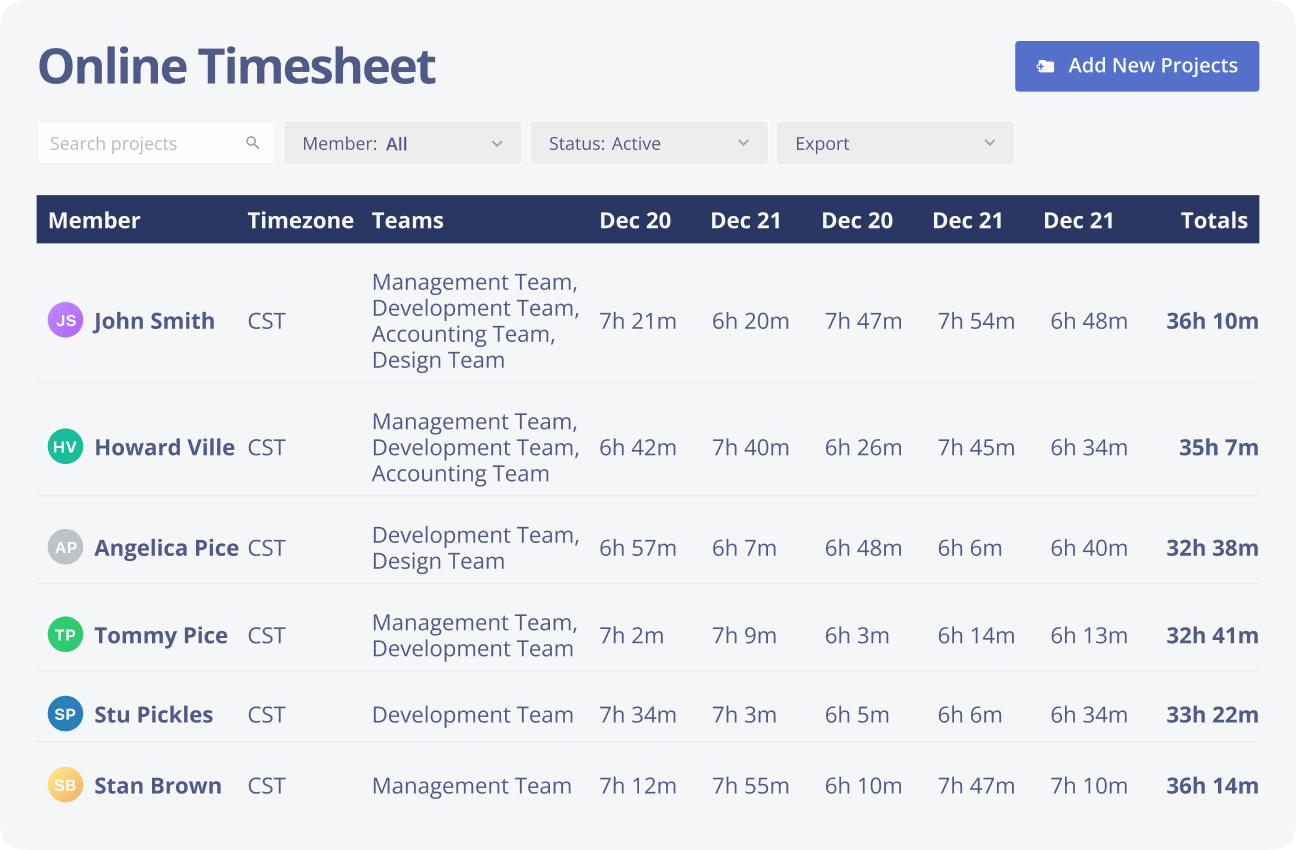
The point of analytics isn’t the charts — it’s the decisions. Teams use Monitask to balance workloads, catch projects drifting over budget, justify staffing, and replace “I think” with “the data shows”. It pairs with Monitask’s online timesheets, attendance tracking and productivity reporting when you need to go deeper.
Get workforce analytics in minutes. First 10 days free, no credit card.