Time Tracking and Timesheet Software for Staffing Agencies

Monitask is recruitment agency timesheet software and time tracker in one: collect accurate hours from every placement, prove remote work to clients and turn timesheets into invoices.

10-day free trial · No credit card required

Monitask timesheet software for staffing agencies: hours by client and placement

Trusted by thousands of users

Carrier Datalytics Global FIMA AXSource Legal Nodes Mack

Why temporary staffing timesheets cause disputes

Paper and email timesheets

Paper and email timesheets

Hours arrive as photos, spreadsheets and emails from dozens of workers, and someone has to retype them every week.

Clients who dispute the hours

Clients who dispute the hours

"Your contractor wasn't working on Tuesday" is hard to answer without a record of what happened.

Remote placements you can't see

Remote placements you can't see

More contract workers work from home, and the client still expects the agency to vouch for every hour.

Late payroll and late invoices

Late payroll and late invoices

Every day spent chasing and fixing timesheets delays both the worker's pay and the client's invoice.

Time tracking for staffing companies, from placement to payroll

Monitask gives every placed worker a simple timer, records hours against the right client and assignment and turns them into timesheets, invoices and payroll exports. For remote and computer-based placements it adds proof of work, so you can stand behind every hour you bill.

Online timesheets for temporary staff

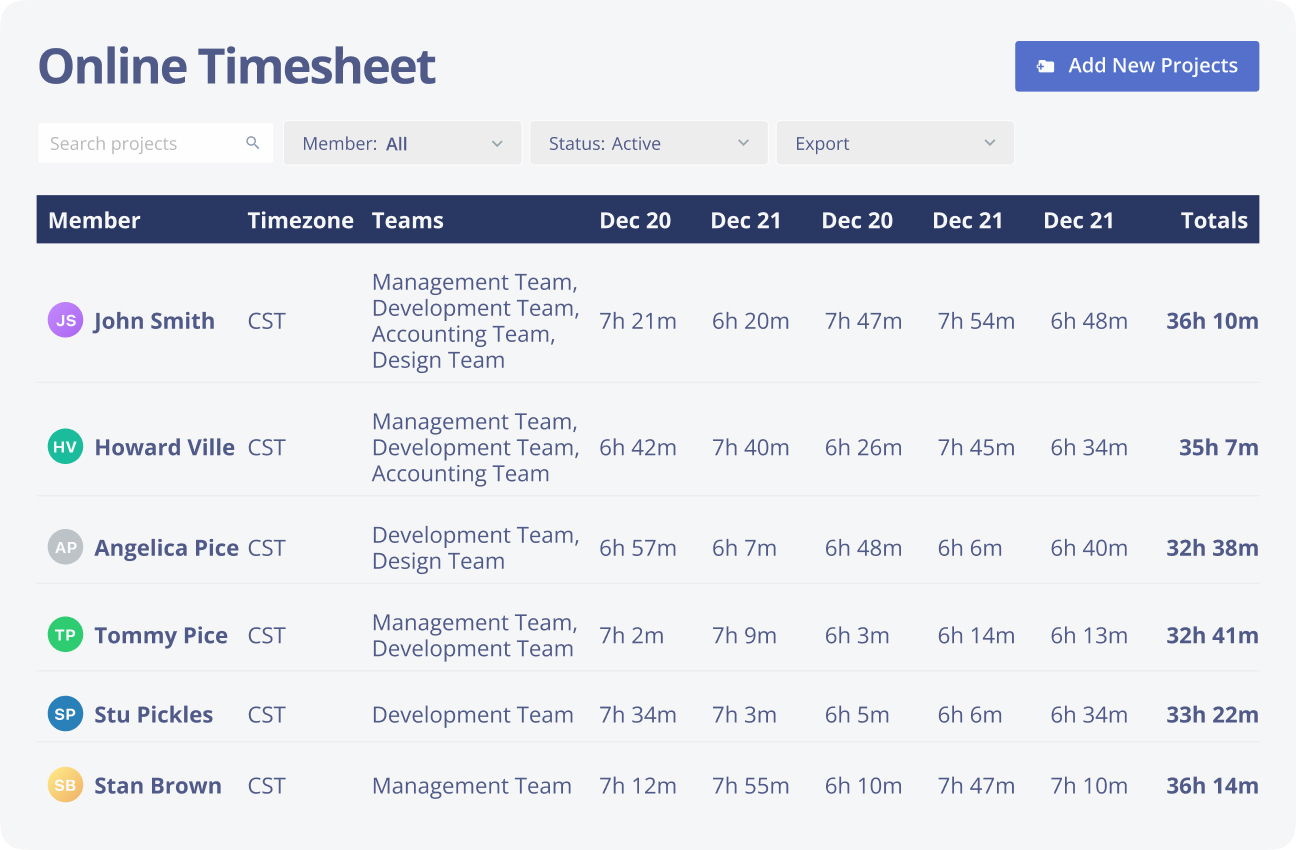
Placed workers start the timer when they begin and stop it when they finish, on Windows, Mac or Linux. Their hours become online timesheets automatically, by day and by week, so there is nothing to collect or retype. Workers see their own hours, and you see everyone's in one cloud dashboard.
  • One-click timer for every placed worker
  • Daily and weekly timesheets built automatically
  • Workers see their own hours
Learn more about online timesheets
Online timesheet for a temporary worker in Monitask

Hours by client and assignment

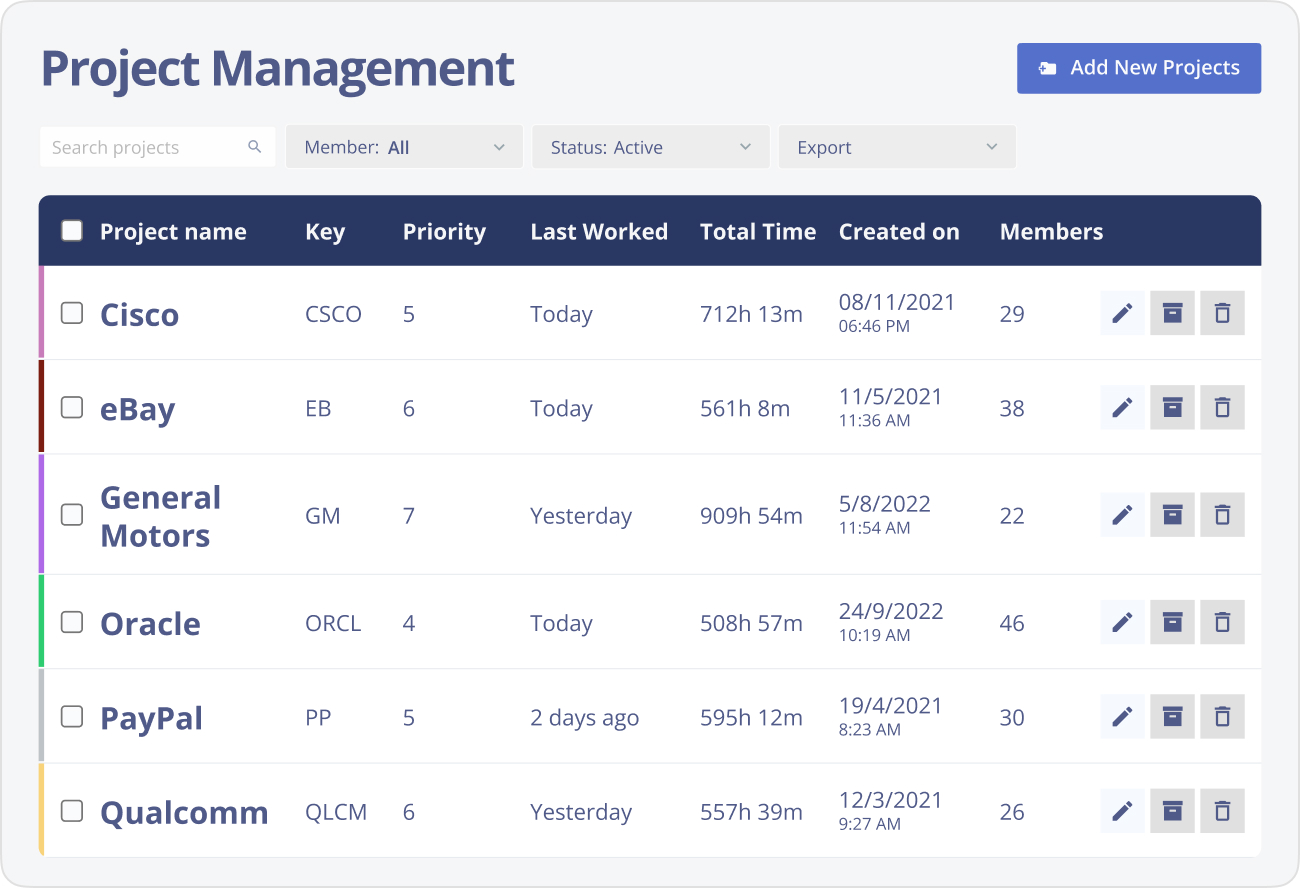
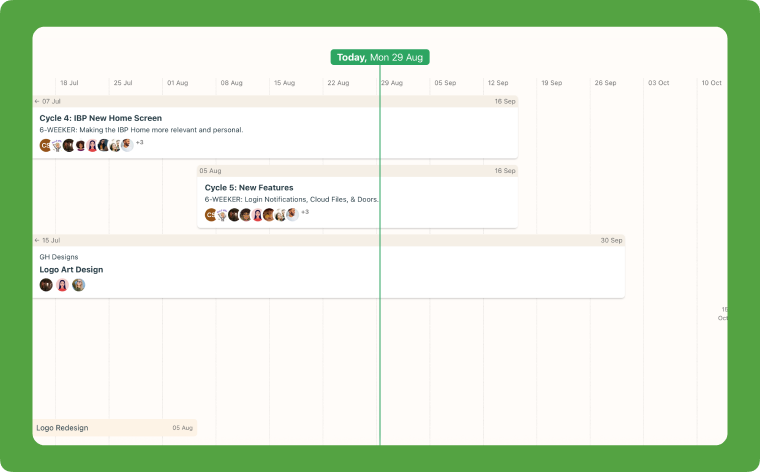
Set up each client as a project and each placement or assignment inside it. When a worker moves to a new client, their time follows the new assignment, and reports show hours per client, per assignment and per worker for any pay period.
  • A project per client, tasks per assignment
  • Hours per client, assignment and worker
  • Clean data for each pay period
Learn more about time tracking
Staffing agency hours by client and assignment in Monitask

Proof of work for remote placements

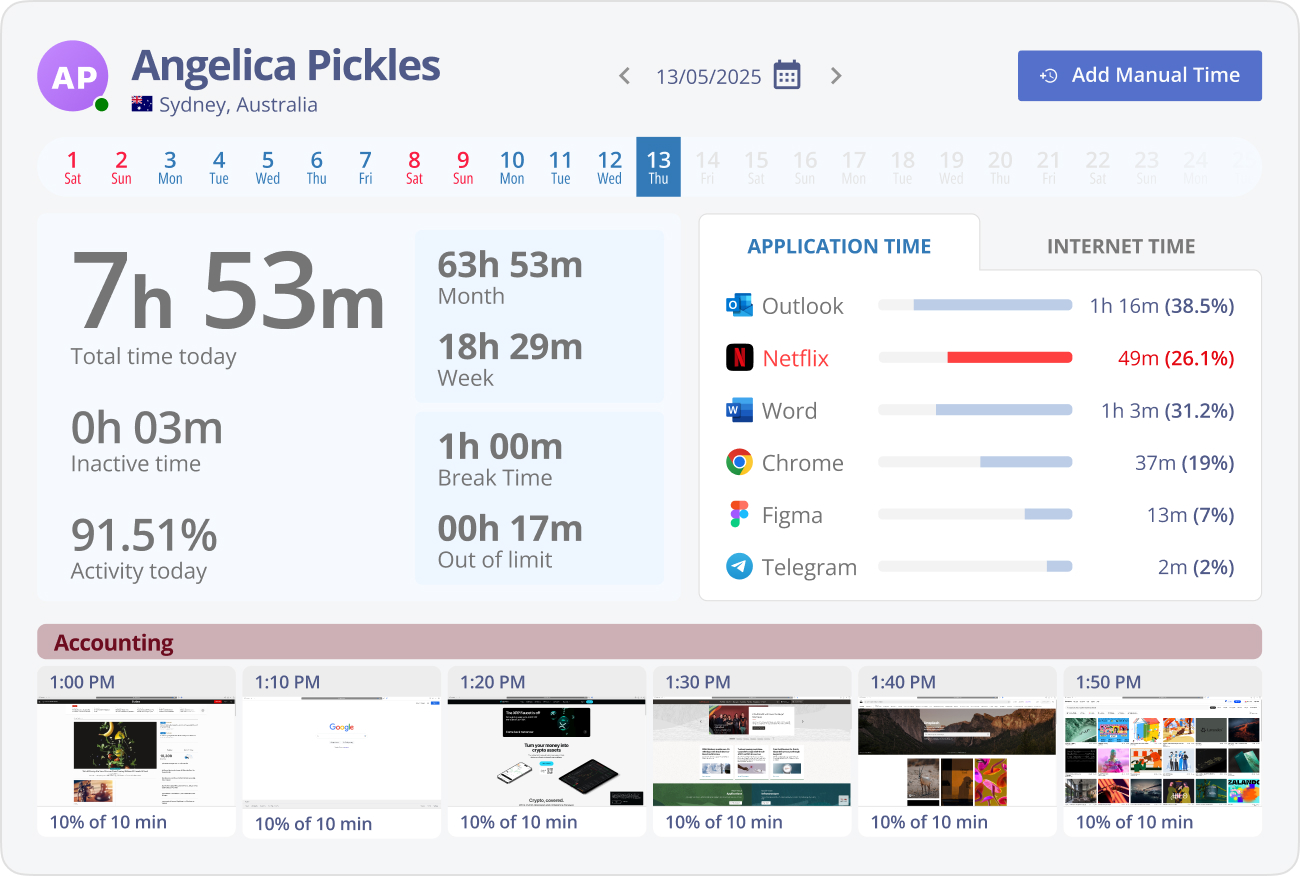
For placements where the work happens on a computer, Monitask can add screenshots at random intervals, activity levels and a timeline of the day. When a client questions a day's hours, you have the record to show them. Screenshots are optional and can be turned off for roles where they are not appropriate, and Smartblur blurs them when the client's data is confidential.
  • Screenshots and activity when you need them
  • Timeline of each worker's day
  • Off by role, blurred with Smartblur
Learn more about remote employee monitoring
Daily timeline and screenshots for a remote contract worker in Monitask

Activity and app reports for every placement

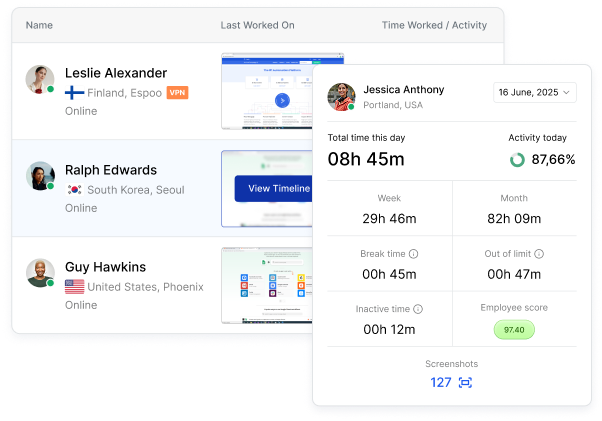
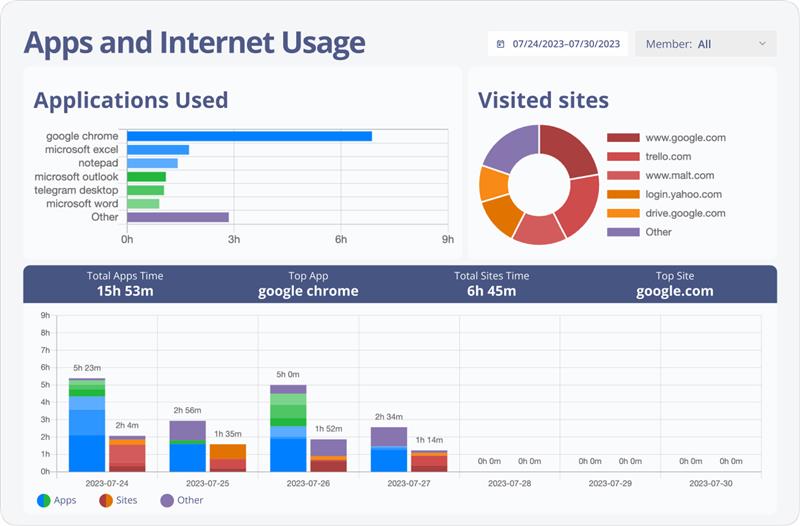
See which apps and websites each worker used during tracked time and how active they were. Share the summary with the client as part of a monthly report, coach workers who struggle, and catch mouse jigglers that fake activity before they cost you a client.
  • Apps and websites per worker
  • Monthly summaries for clients
  • Mouse jiggler detection
Learn more about mouse jiggler detection
App and website usage report for placed workers in Monitask

Review timesheets, invoice clients, export payroll

Managers review each worker's hours before the pay period closes. With hourly rates set per client or assignment, the reviewed time becomes client invoices, and the same hours export for payroll. Clients get a timesheet behind every invoice, and workers are paid for exactly the hours they worked.
  • Timesheet review before pay day
  • Invoices from tracked hours
  • Payroll exports from the same data
Staffing agency dashboard with timesheets ready for invoicing and payroll in Monitask

Attendance and hour records for compliance

Monitask's clock-in board shows who is working right now, and every timesheet keeps a dated record of daily and weekly hours. That record helps you apply overtime rules correctly and answer questions from clients, workers or auditors. Rules differ by country and state, so use the data together with your own payroll and legal advice.
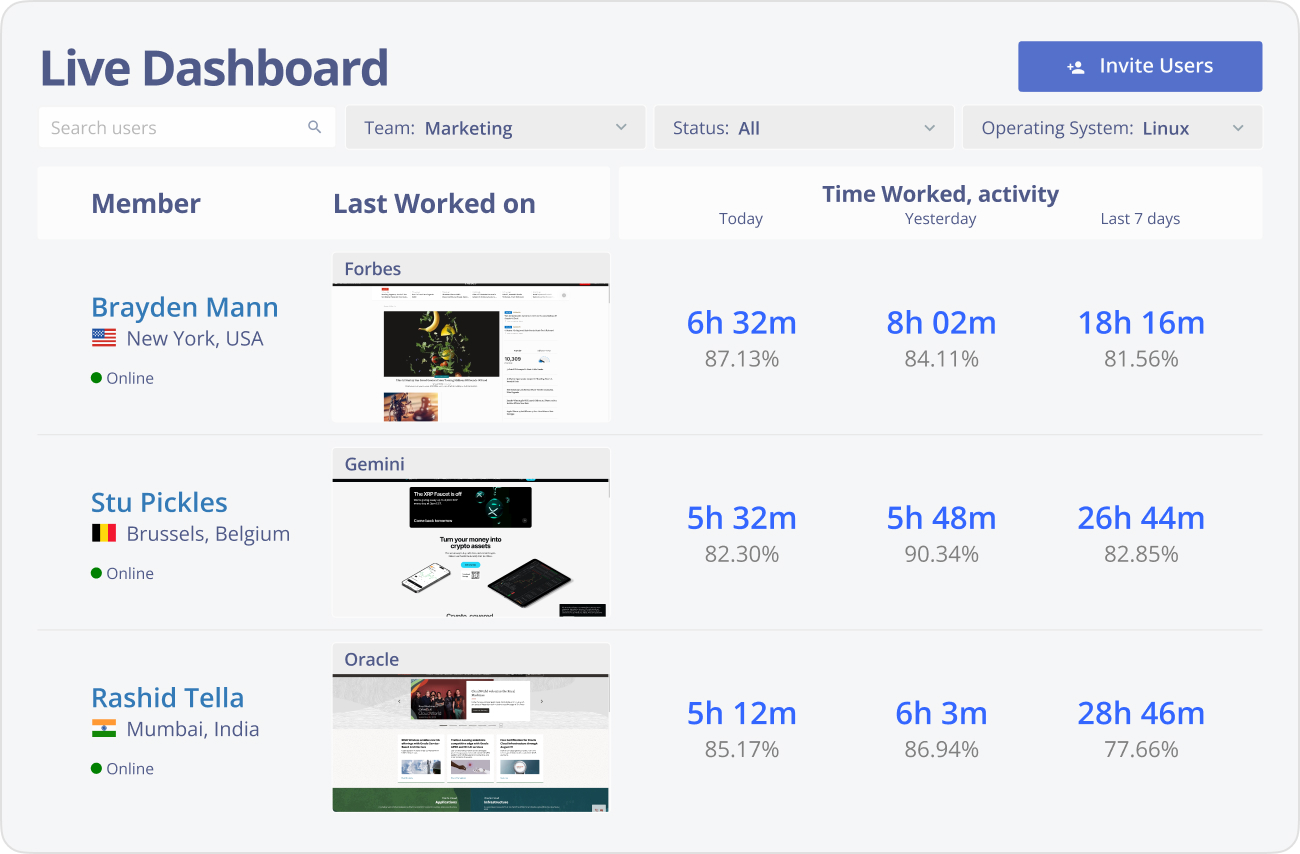
  • Clock-in board with who is working now
  • Daily and weekly hour records
  • Data to apply overtime rules
Learn more about attendance tracking
Weekly hours and attendance records for temporary staff in Monitask

Without Monitask vs with Monitask

Without Monitask

  • Timesheets retyped from photos and emails
  • Clients disputing contractor hours
  • Remote placements nobody can vouch for
  • Payroll delayed by missing hours

With Monitask

  • Online timesheets built automatically
  • Screenshots and activity behind every hour
  • Proof of work for remote placements
  • Reviewed hours ready for payroll

Connect your accounting and project tools

Privacy and security

Client data stays confidential: Smartblur blurs screenshots taken on placed workers' computers.

What Monitask records

  • Time entries, timesheets and project or task assignments
  • Optional screenshots at random intervals
  • Activity levels, including keyboard and mouse activity
  • Apps and websites used during tracked time

What Monitask never records

  • Keystrokes, typed text or passwords
  • Private messages and personal files
  • Webcam, microphone or continuous screen recording
  • Data from devices outside the tracked work account

Smartblur blurs sensitive details on screenshots. Monitask is GDPR-ready and has an EU representative through prighter.com.

How to start time tracking for staffing companies

  1. Create your account

    Start the 10-day free trial. No credit card needed.

  2. Add clients and placements

    Create a project for each client and an assignment for each placement.

  3. Invite your workers

    Workers install the desktop app and see their own hours.

  4. Review, invoice and pay

    Review timesheets, send invoices and export hours for payroll.

Frequently asked questions about timesheet software for staffing agencies

What is timesheet software for staffing agencies?

Timesheet software for staffing agencies records the hours placed workers spend on each client assignment and turns them into timesheets, client invoices and payroll data. Monitask does this automatically from a desktop timer and adds proof of work for remote placements.

What is the best recruitment agency timesheet software?

Look for online timesheets workers can't lose, hours tied to client and assignment, a review step before payroll, invoices from tracked hours and, for remote roles, proof of work. Monitask covers all of these in one cloud-based app.

How do staffing agencies track temporary workers' hours?

Each worker tracks time in an app against the client assignment they are on. The agency reviews the hours before the pay period closes, invoices the client and exports the same hours for payroll, without retyping paper or emailed timesheets.

How can I prove a remote contractor's hours to a client?

Use time tracking with optional screenshots, activity levels and app reports. When a client questions a day, you can show what the worker did. Monitask also flags mouse jigglers that fake activity.

Does Monitask integrate with payroll and accounting software?

Yes. Monitask connects natively to QuickBooks, so tracked hours appear as time activities for each client, and to Deel, so you can send contractor hours for approval and payout. It does not integrate with ADP or Gusto; for those, export timesheets from Monitask.

Can timesheet data help with overtime compliance?

Yes, as a record. Monitask keeps dated daily and weekly hours for every worker, which you can use to apply overtime rules. The rules themselves differ by country and state, so check them with your payroll provider or legal adviser.

Is there a free trial?

Yes. Monitask offers a 10-day free trial with no credit card required. Add a client, invite a few workers and test timesheets and invoices before choosing a plan on the pricing page.

Start collecting accurate timesheets today

10-day free trial. No credit card required.