Time Tracking Software for BPO Companies

Monitask is a BPO time tracking solution for outsourcing teams: track agent hours by client account, prove SLA delivery with activity reports and keep every billed hour honest.

10-day free trial · No credit card required

Monitask time tracking software for BPO companies: hours by client account

Trusted by thousands of users

Carrier Datalytics Global FIMA AXSource Legal Nodes Mack

Why time tracking for BPO decides client trust

Hours billed across many clients

Hours billed across many clients

Agents switch between accounts during a shift, and hours end up on the wrong client or nowhere at all.

SLAs you can't prove

SLAs you can't prove

Clients ask for evidence of delivery, and a spreadsheet of hours is no longer enough.

Teams across sites and time zones

Teams across sites and time zones

Night shifts, home-based agents and offshore sites make supervision patchy.

Idle time and fake activity

Idle time and fake activity

Mouse jigglers and long idle gaps inflate billed hours and put the account at risk.

BPO employee tracking for every client account

Monitask tracks agent time by client account and task, records activity and app usage, adds optional screenshots and turns it all into reports you can share with clients. It suits back-office, data entry, claims processing, collections, chat and email support teams, from ten agents to several hundred. For voice teams, see our call center monitoring software.

Track hours by client account and task

Set up each client as a project and each process as a task: data entry, claims processing, collections, chat support. Agents start the timer on the account they're working on and switch when they move to another. At the end of the month every hour is attributed to the right client, ready for billing and margin analysis.
  • A project per client, tasks per process
  • Hours per client, process and agent
  • Clean data for billing each account
Learn more about time tracking
BPO agent hours by client account and process in Monitask

Live view of every shift

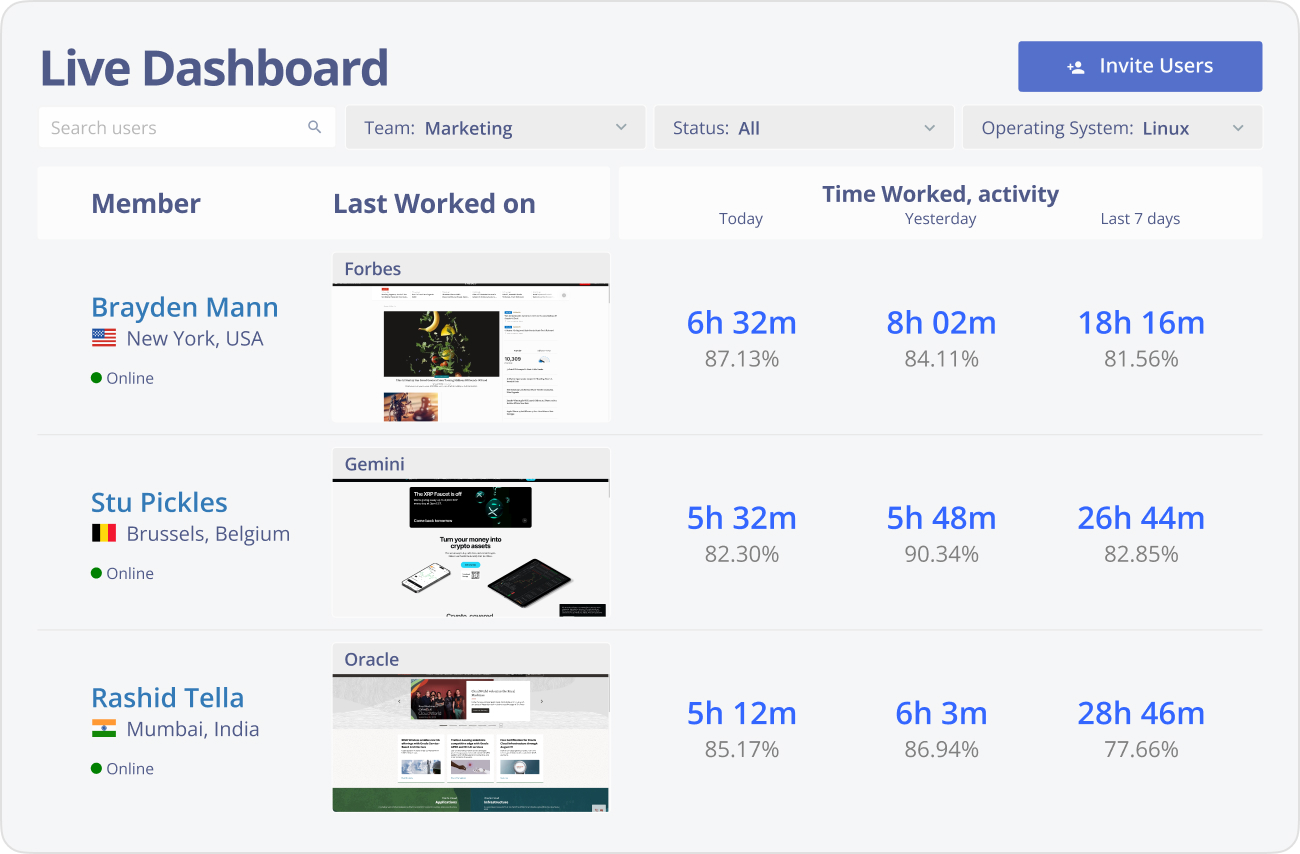
The clock-in board and daily timelines show who is working, who is idle and who hasn't started their shift, across sites and time zones. Team leads see gaps as they happen and can rebalance work before an SLA is missed, instead of finding out from the client.
  • Who is working, idle or late
  • Timelines across sites and time zones
  • Action before an SLA is missed
Learn more about the clock-in board
Live shift timeline for BPO agents in Monitask

Proof of work your clients can trust

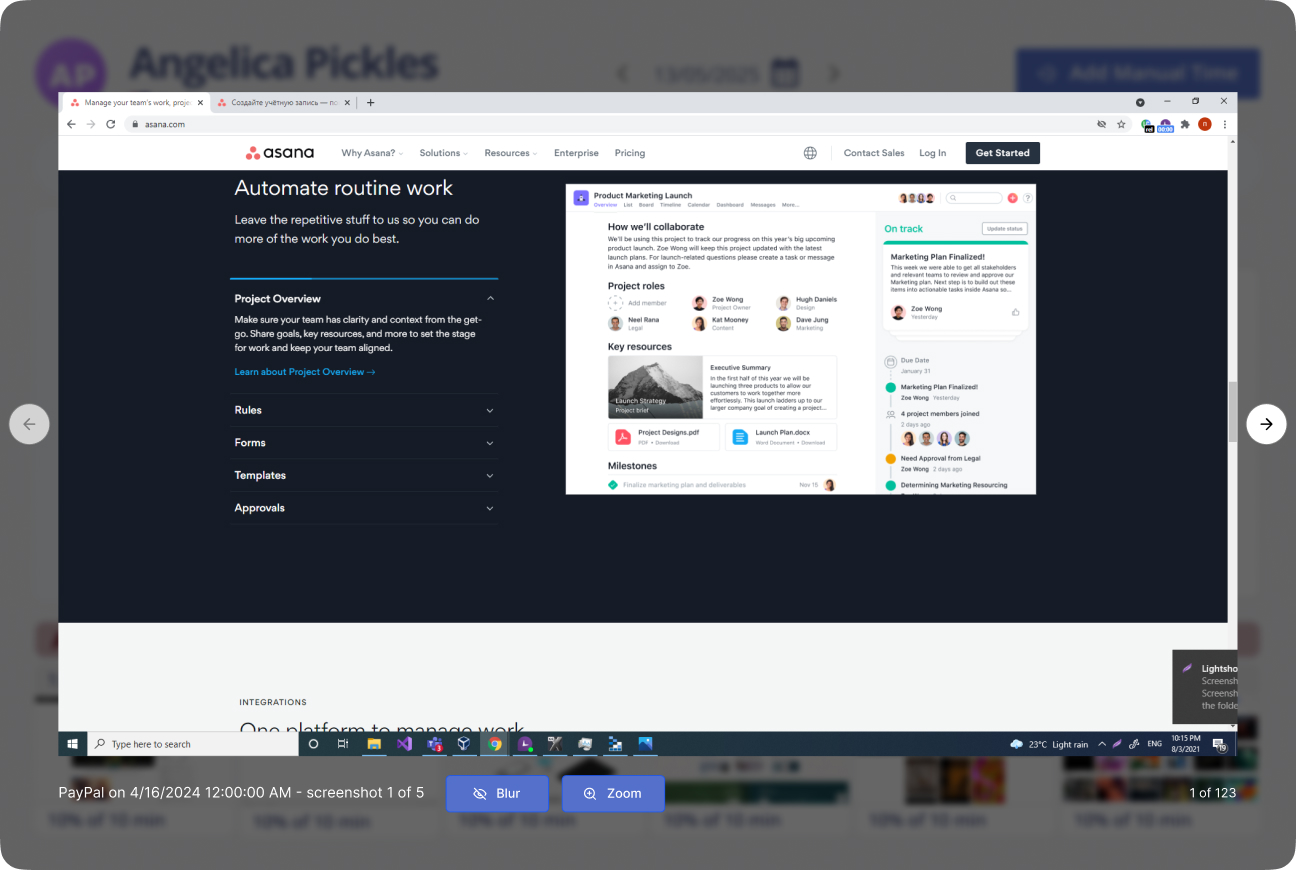
Screenshots at random intervals, activity levels and app usage give clients concrete evidence that billed hours were spent on their work. Settings can differ by team or client, and Smartblur blurs screenshots when agents handle personal or financial data.
  • Screenshots, activity and app usage
  • Settings per team or client
  • Smartblur for sensitive data
Learn more about screen monitoring
Screenshots as proof of work for a BPO client in Monitask

Employee productivity software for BPO companies

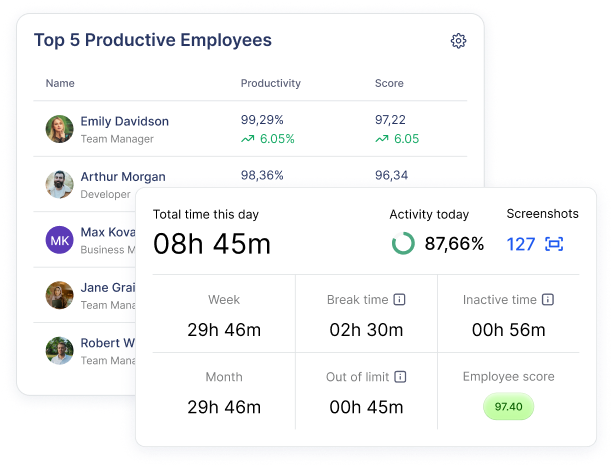
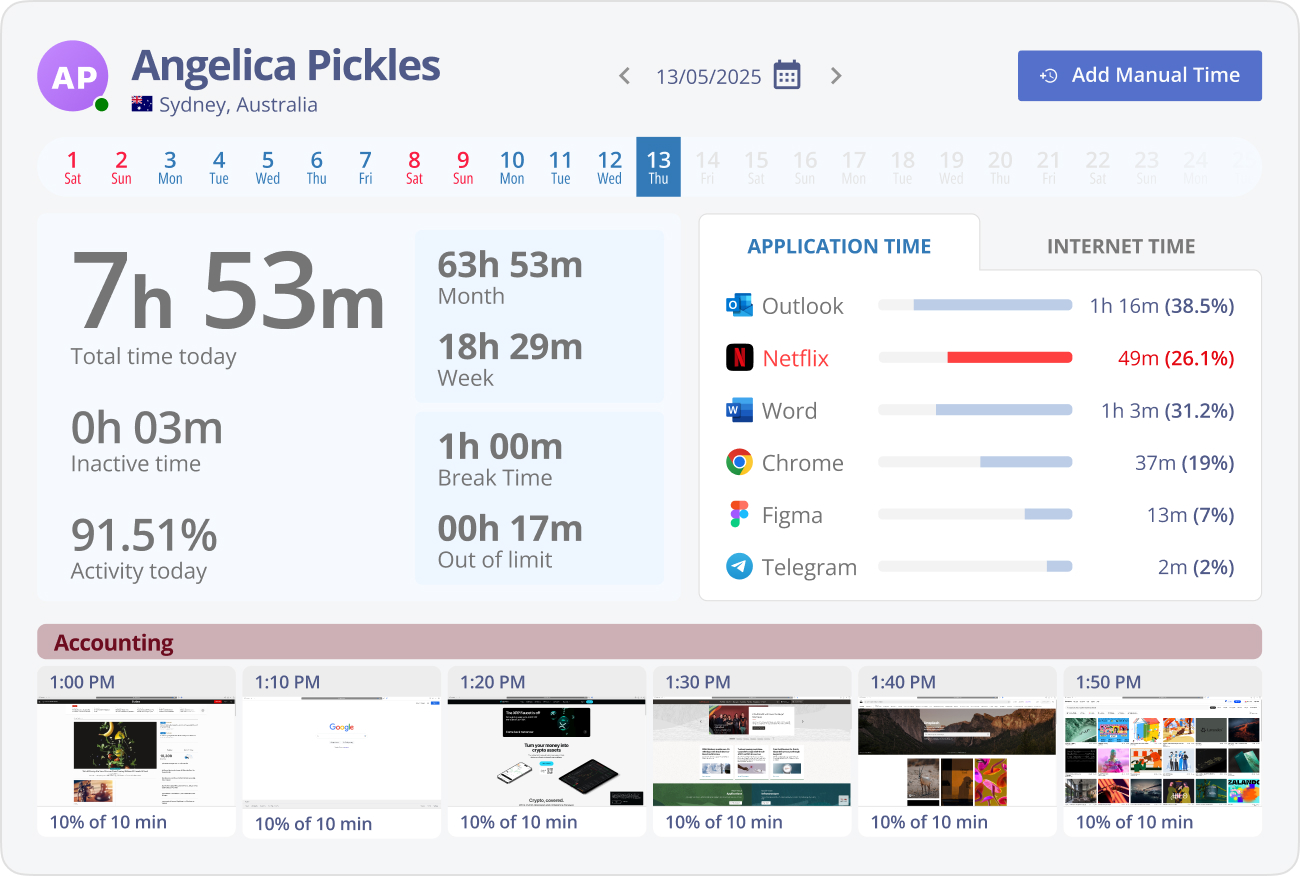
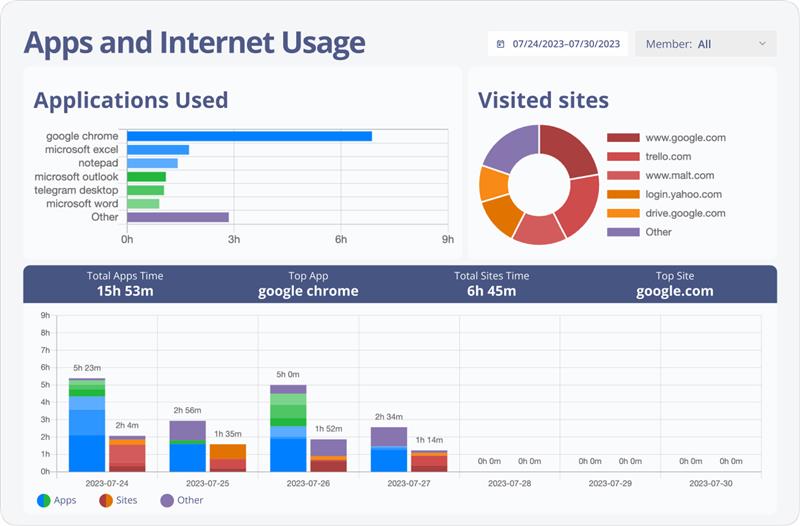
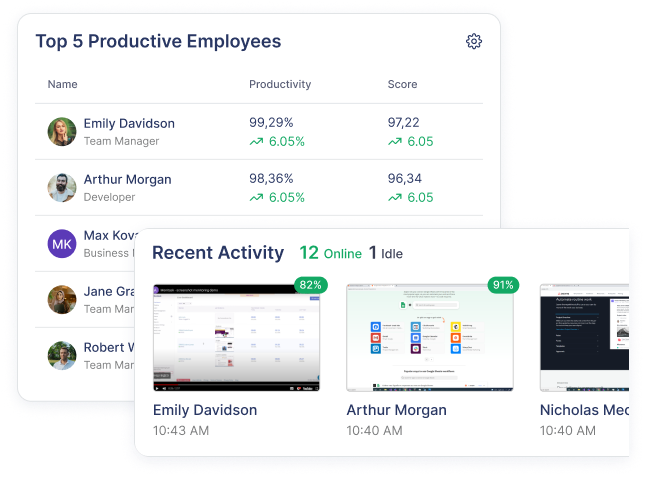
See active and idle time, the apps and websites used and how each agent compares with the team. Use the data to coach new agents, spot process bottlenecks and catch mouse jigglers before they inflate a client's invoice.
  • Active and idle time per agent
  • Apps and websites used on each account
  • Mouse jiggler detection
Learn more about mouse jiggler detection
Agent productivity and app usage report for a BPO in Monitask

Client-ready reports and billing

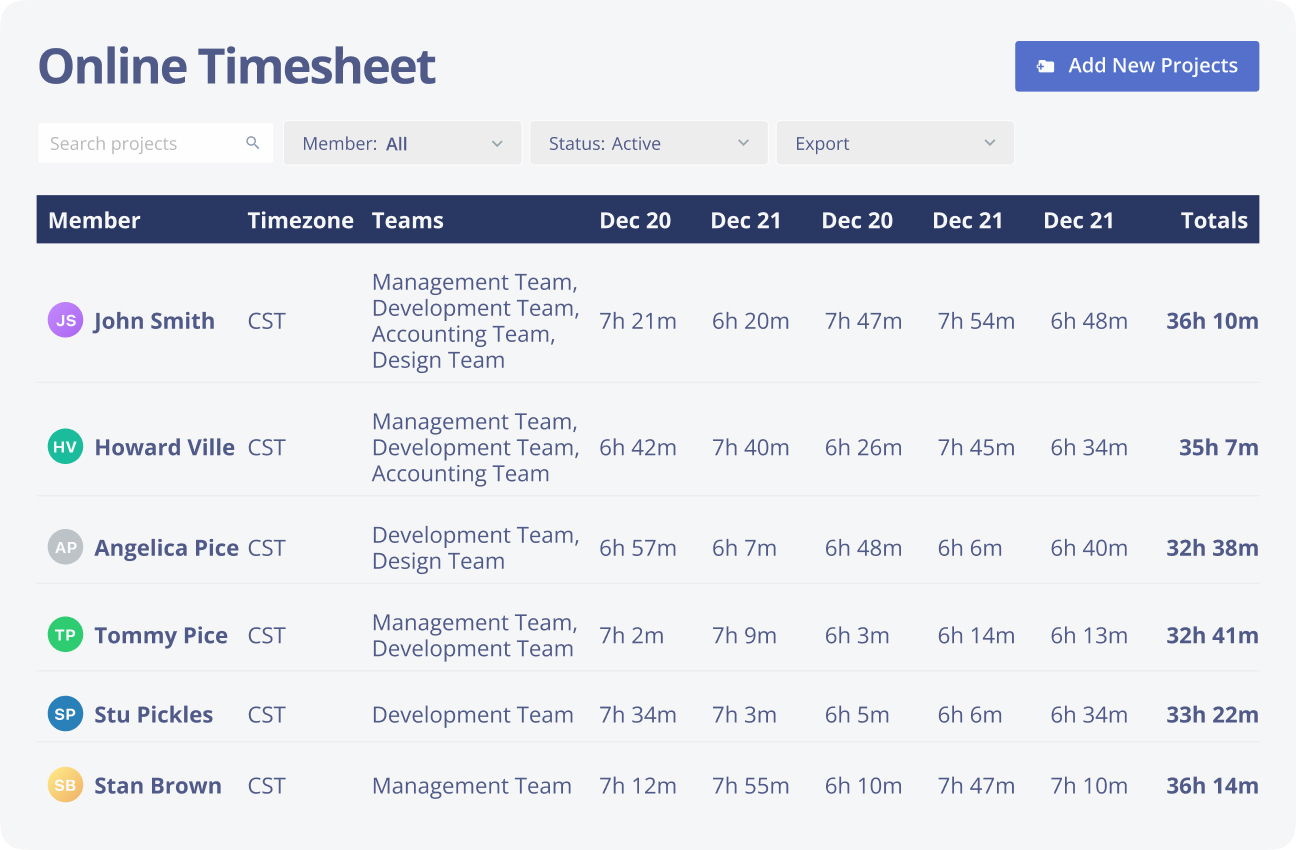
Export reports by client, team, agent and period to share with clients as part of SLA reviews. With hourly rates set per client, tracked hours become invoices, and the same timesheets go to payroll. Operations, finance and the client all work from one source of truth.
  • Reports by client, team and agent
  • Invoices from tracked hours
  • Timesheets for payroll
Learn more about online timesheets
Client report and timesheets for a BPO account in Monitask

Deploy on company or agent-owned computers

On computers your BPO owns, Monitask can run in stealth mode in line with company policy and local law, so tracking is consistent across every seat. Home-based agents and subcontractors on their own computers start and stop the timer themselves and see their own data. Permissions keep each team lead focused on their own agents and clients.
  • Stealth mode for company-owned seats
  • Timer control for home-based agents
  • Permissions by team and client
Learn more about stealth monitoring
BPO deployment across company and home-based computers in Monitask

Without Monitask vs with Monitask

Without Monitask

  • Hours billed to the wrong client
  • SLA reviews without evidence
  • Supervisors who see only half the floor
  • Mouse jigglers inflating invoices

With Monitask

  • Hours tracked per client account
  • Activity reports for every SLA review
  • A live view of every shift and site
  • Jiggler detection and idle time flags

Privacy and security

Customer data stays protected: Smartblur blurs screenshots so personal and financial details can't be read.

What Monitask records

  • Time entries, timesheets and project or task assignments
  • Optional screenshots at random intervals
  • Activity levels, including keyboard and mouse activity
  • Apps and websites used during tracked time

What Monitask never records

  • Keystrokes, typed text or passwords
  • Private messages and personal files
  • Webcam, microphone or continuous screen recording
  • Data from devices outside the tracked work account

Smartblur blurs sensitive details on screenshots. Monitask is GDPR-ready and has an EU representative through prighter.com.

How to start time tracking for BPO teams

  1. Create your account

    Start the 10-day free trial. No credit card needed.

  2. Add client accounts

    Create a project for each client and tasks for each process.

  3. Roll out to agents

    Install the desktop app on company or agent computers and set permissions.

  4. Report to clients

    Share activity reports and invoices for each account.

Frequently asked questions about time tracking for BPO

What is time tracking for BPO?

Time tracking for BPO records the hours agents spend on each client account and process, with activity data that proves the work was done. BPOs use it to bill clients accurately, prove SLA delivery and manage teams across sites. Monitask adds screenshots, app reports and mouse jiggler detection.

What is the best platform for managing BPO teams?

Look for time tracking by client account, live shift visibility, proof of work clients accept, reports you can share and controls for both company-owned and home-based computers. Monitask covers these in one app for teams of ten to several hundred agents.

How does employee productivity software help BPO companies?

It shows active and idle time, apps used and output per agent, so team leads can coach the right people, fix process bottlenecks and keep billed hours honest. Clients see the same data as evidence of delivery.

How can a BPO prove SLA compliance to clients?

Share reports that show hours, activity and attendance on the client's account for the SLA period, with screenshots where the client requires them. Monitask exports these reports per client, team or agent.

Does Monitask work for back-office and non-voice BPO teams?

Yes. It suits data entry, claims processing, collections, chat and email support and other computer-based processes. Voice teams can use the same tracking; see our call center monitoring page for agents on calls.

Can Monitask run on company-owned computers?

Yes. On computers your company owns, Monitask can run in stealth mode, in line with your policy and local law. Home-based agents on their own computers start and stop tracking themselves.

Is there a free trial?

Yes. Monitask offers a 10-day free trial with no credit card required. Set up one client account, roll out to a pilot team and test reports before choosing a plan on the pricing page.

Start tracking your BPO team's hours today

10-day free trial. No credit card required.