Using Screenshot Monitoring Software to Streamline Agency Operations

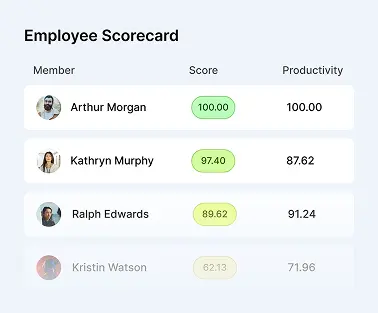
For businesses that rely heavily on computer-based work, productivity depends on more than the number of hours employees spend online. Managers also need visibility into how projects are progressing, whether workloads are distributed effectively, and where processes may be creating unnecessary delays.
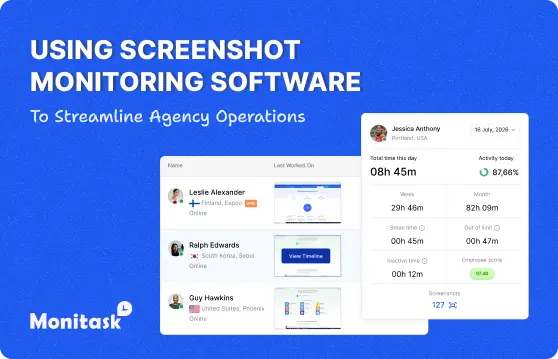
Screenshot monitoring software can support this visibility by capturing periodic images of an employee’s screen while time tracking is active. Used responsibly, it can provide additional context about work activity, help managers understand how time is being spent, and support more accurate project planning.
However, screenshot monitoring should not be treated simply as a way to watch employees. Its value depends on how transparently it is introduced, what information is collected, how long that information is retained, and how managers use it. Excessive or poorly explained monitoring can damage trust instead of improving productivity.
When combined with clear policies, appropriate privacy protections, and other performance information, screenshot monitoring can become one part of a broader approach to project management, time management, and employee management.
Silent versus Transparent monitoring
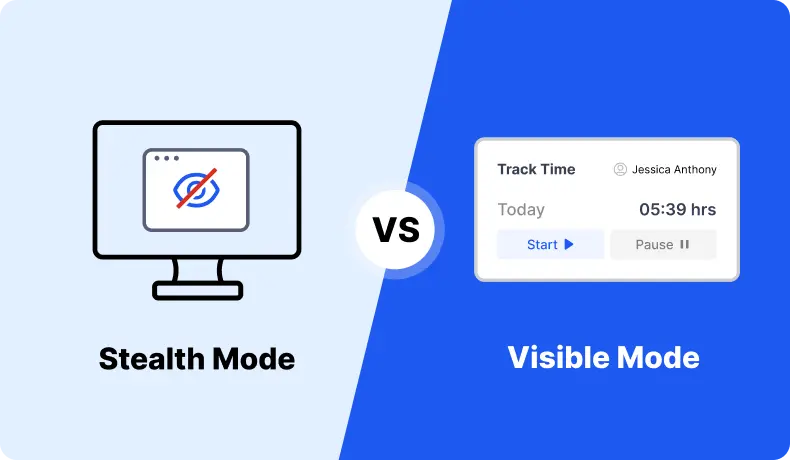
Silent monitoring occurs when employees have little or no visibility into what information is being collected about their work activity. This approach can create significant problems because employees may feel that monitoring is intrusive, unpredictable, or disconnected from legitimate business needs.
Legal requirements for workplace monitoring vary by jurisdiction, so organizations should understand the rules that apply to their employees and locations. In many situations, employers should clearly explain monitoring practices and obtain consent where required.
Transparent monitoring takes a different approach. Employees know that monitoring is being used, understand when it operates, and have clear information about the type of data being collected.
For screenshot monitoring, transparency can include explaining how often screenshots are captured, whether employees can pause tracking, who has access to images, how long they are stored, and what purposes the information may be used for.
Establish clear monitoring boundaries
Screenshot monitoring should be limited to periods when employees are working and tracking their time. Monitoring outside scheduled working hours or during personal activities can create unnecessary privacy concerns.
Employers should also define which applications, devices, or work environments are covered. If employees use personal devices for work, additional care may be necessary because screenshots could capture information unrelated to the organization.
Clear boundaries make the monitoring process more predictable for both employees and managers.
Give employees visibility into collected data
When possible, employees should be able to review the screenshots and activity information associated with their own work.
This can reduce misunderstandings and make monitoring more useful as a productivity tool. Employees may identify incorrectly captured information, explain unusual activity, or use the data to understand how their own time is distributed.
Visibility also reinforces the idea that monitoring is intended to support accountability and work management rather than hidden surveillance.
Protect sensitive information
Screenshots can occasionally capture confidential business information, personal messages, passwords, customer details, financial records, or other sensitive data.
Organizations should therefore establish access controls and limit screenshot visibility to people who genuinely need the information for management or administrative purposes.
Retention periods should also be considered. Keeping screenshots indefinitely may create unnecessary security and privacy risks. Organizations should determine how long the information is actually needed and remove it when there is no longer a legitimate purpose for retaining it.
Once employees understand what is being monitored, why monitoring is necessary, and how their information is protected, screenshot monitoring can be introduced in a much more responsible and predictable way.
Now let’s look at several business processes that can benefit from this type of monitoring.
Project management and screenshot monitoring
Screenshot monitoring is often included as part of broader time tracking software. Instead of relying exclusively on self-reported progress, managers can use screenshots as additional context when reviewing how work is progressing.
The goal is not to inspect every minute of an employee’s day. The information becomes more useful when managers look for broader patterns across projects, tasks, and working periods.
Improving project estimates
Accurate project estimation can be difficult when managers do not know how long different activities actually take.
Time tracking combined with screenshots can provide additional context about how working hours are distributed across different tasks. Over time, this information can help managers compare planned project durations with actual working patterns.
For example, a team may discover that certain tasks consistently require more time than expected because employees need to switch frequently between applications, wait for approvals, or perform additional administrative work.
Managers can use these insights to create more realistic timelines for similar projects in the future.
Understanding project progress
Screenshots can also provide a visual indication of the type of work being performed during tracked periods.
This can be useful for distributed teams where managers cannot observe work directly. A project manager may be able to see whether an employee is working in design software, reviewing documents, developing code, communicating with clients, or performing another project-related activity.
However, screenshots should complement normal project communication rather than replace it. Progress should still be evaluated through completed tasks, milestones, deliverables, and conversations with team members.
Identifying workflow problems
Monitoring data can sometimes reveal problems that have little to do with employee performance.
Employees may be spending large amounts of time switching between systems, waiting for information, repeating manual processes, or searching for files. These patterns may indicate inefficient workflows rather than poor productivity.
Managers can use this information to simplify processes, improve documentation, automate repetitive tasks, or introduce better tools.
In this way, screenshot monitoring can contribute to project management by helping organizations understand not only what employees are doing, but also how the work environment affects their ability to complete tasks efficiently.
Time management and screenshot monitoring
Time management is another area where screenshot monitoring can provide useful context.
Time tracking shows how long an employee has been working, while screenshots can help explain what was happening during different periods of tracked time. Together, these tools can provide a more complete picture of how working hours are distributed.
Identifying distractions
Occasional distractions are normal during any workday. Problems arise when interruptions become frequent enough to interfere with important tasks or deadlines.
Screenshots may help employees and managers identify patterns such as excessive switching between work and non-work activities, frequent interruptions, or long periods spent on activities that are not related to current priorities.
The appropriate response should not automatically be disciplinary. Managers should first understand why the pattern exists. Distractions can sometimes be connected to unclear priorities, excessive workload, poor task planning, or a lack of engagement.
Improving time estimates
Employees and managers often underestimate how long tasks actually take.
Screenshot monitoring combined with time tracking can provide historical information that helps teams create more realistic estimates. If a task that was expected to require two hours consistently takes four, the organization can investigate why.
Better estimates make it easier to plan workloads, establish deadlines, communicate expectations to clients, and reduce unnecessary pressure on employees.
Supporting time audits
A time audit involves reviewing how working hours are actually used over a specific period.
Time tracking data and screenshots can support this process by showing how much time is spent on different applications, tasks, projects, or types of activity.
The purpose of a time audit should be to identify opportunities for improvement. Employees may discover repetitive activities that could be automated, meetings that could be shortened, or processes that require unnecessary manual work.
Avoiding excessive micromanagement
More information does not necessarily lead to better management.
If managers review screenshots constantly or question every small activity, monitoring can quickly become counterproductive. Employees may focus more on appearing busy than on producing meaningful results.
A better approach is to review monitoring information when there is a specific reason, such as investigating project delays, improving estimates, understanding workload problems, or verifying tracked hours.
Screenshot monitoring works best when it supports time management decisions rather than becoming the main measure of employee performance.
Employee management and screenshot monitoring
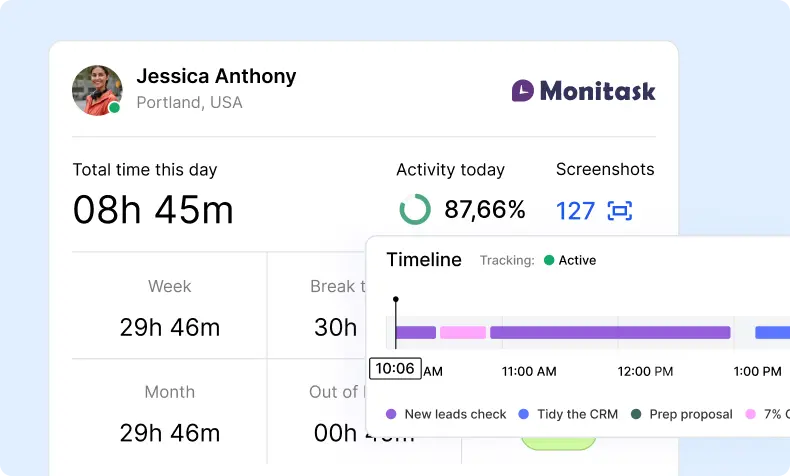
Effective employee management depends on understanding workloads, individual strengths, performance expectations, and the resources employees need to complete their responsibilities.
Time tracking and screenshot monitoring can provide managers with additional information about how employees approach different types of work. This information can support management decisions when it is considered alongside results, communication, skills, and other performance indicators.
Understanding employee strengths
Different employees may complete the same type of task in very different ways.
Over time, managers may notice that certain employees work particularly efficiently with specific software, project types, clients, or responsibilities. These patterns can help identify strengths that may not be immediately visible through traditional performance reviews.
Managers can use this information when assigning future projects or identifying development opportunities.
However, monitoring data should not be treated as a complete representation of an employee’s abilities. Quality, creativity, collaboration, problem solving, and communication cannot always be measured through screenshots or tracked time.
Improving task allocation
Assigning the right work to the right person can improve both project performance and employee experience.
Historical time and activity data may help managers understand which types of tasks require more effort from particular team members and where workloads may be unevenly distributed.
This information can support better task allocation, particularly when teams manage multiple projects simultaneously.
Managers should still communicate directly with employees because monitoring data cannot reveal every factor affecting workload. An employee may be working slowly because a project is unusually complex, requirements are unclear, or necessary resources are unavailable.
Supporting remote and distributed teams
Screenshot monitoring can be especially relevant for organizations with remote employees, freelancers, contractors, or distributed teams.
Managers do not have the same physical visibility they may have in a traditional office, so digital tools can provide additional information about project activity and tracked working time.
That does not mean remote employees require more surveillance. The same principles of transparency, proportionality, and privacy should apply regardless of where employees are located.
Remote teams generally perform best when monitoring is combined with clear goals, defined deliverables, regular communication, and trust.
Using monitoring data in performance conversations
Monitoring information can sometimes support discussions about productivity or workload, but it should rarely be used in isolation.
If a manager notices an unusual pattern, the first step should usually be a conversation. There may be a reasonable explanation that is not visible in the screenshot data.
Performance discussions should consider completed work, quality, deadlines, communication, collaboration, and other relevant measures alongside monitoring information.
This approach creates a more balanced assessment and reduces the risk of making decisions based on incomplete data.
Boost your business productivity
Track performance and streamline teamwork
Conclusion: Screenshot Monitoring Software
Screenshot monitoring software can provide useful visibility into computer-based work, particularly when organizations need additional context around project progress, tracked time, and workload distribution.
Its effectiveness, however, depends heavily on how it is implemented. Employees should understand when monitoring occurs, what information is collected, why the organization needs it, who can access the data, and how long that information will be retained.
The information collected can support project estimates, time audits, task allocation, workflow improvements, and management conversations. At the same time, screenshots should not become the sole measure of productivity. Completed work, quality, collaboration, communication, and business outcomes remain essential indicators of employee performance.
Organizations should also avoid using monitoring as a substitute for good management. Clear expectations, realistic deadlines, appropriate workloads, regular communication, and trust remain fundamental regardless of which technology is used.
When screenshot monitoring is transparent, limited to legitimate business purposes, and combined with appropriate privacy protections, it can provide useful information without turning employee management into constant surveillance.
The Monitask Team
FAQ: About Screenshot Monitoring Software
How can screenshot monitoring help agency operations?
Screenshot monitoring can help agencies improve project visibility, time estimates, workload planning, and task allocation. It may also help managers identify inefficient workflows, repeated interruptions, or processes that take longer than expected.
For agencies managing remote teams, freelancers, or multiple client projects, this additional visibility can support more accurate planning and clearer accountability.
Is screenshot monitoring legal?
The legality of screenshot monitoring depends on the jurisdiction, the type of monitoring used, and how employees are informed about it.
Organizations should clearly explain what is being monitored, when monitoring occurs, how the data will be used, and who can access it. Employers should also review applicable privacy, labor, and data protection requirements before implementing monitoring software.
Should employees be able to see their screenshots?
Allowing employees to review their own screenshots can make the monitoring process more transparent and reduce misunderstandings.
It also gives employees an opportunity to identify incorrectly captured information, explain unusual activity, and better understand how their tracked time is being recorded.
Can screenshot monitoring replace performance management?
No. Screenshot monitoring should not be used as the sole measure of employee performance.
Managers should also consider completed work, quality, deadlines, communication, collaboration, client outcomes, and other relevant indicators. Monitoring data is most useful when it provides additional context for broader performance and operational decisions.