Daily Schedule Template: Free Excel Shift Roster and Hourly Planner

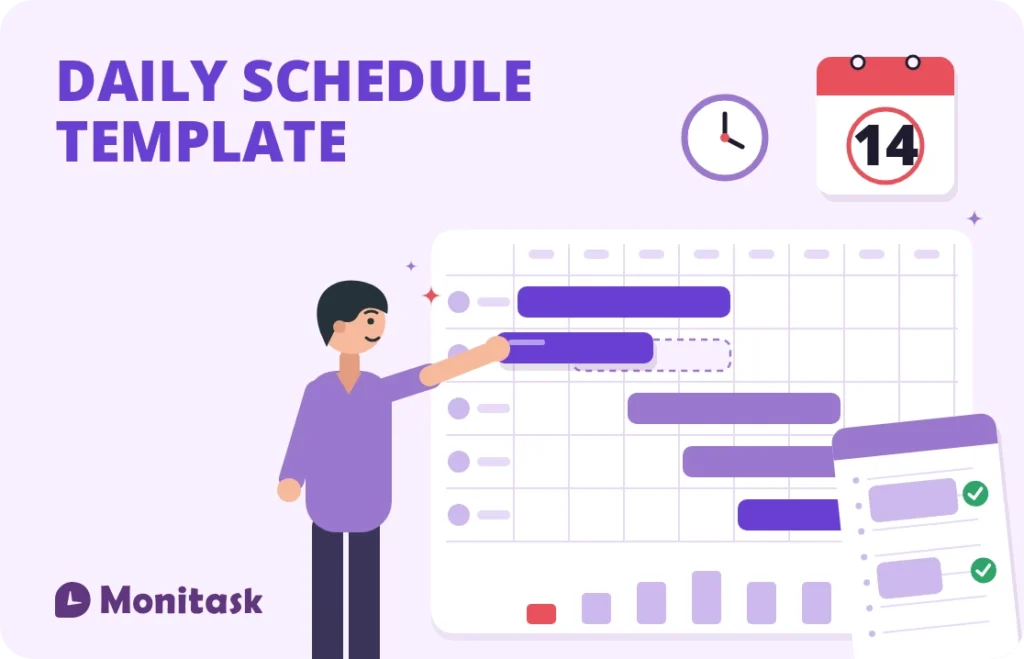
A daily schedule template does one of two things depending on who is using it. A manager uses it to put the right number of people on shift at the right hours. An individual uses it to block out a day by the hour. The template below covers both, in one Excel file.
The manager version totals hours, calculates shift cost, and shows how many people are on shift during each hour of the day, which is the number most schedule templates never surface. It also flags a schedule posted less than 14 days ahead, because in Oregon and ten US cities that timing carries a legal cost.
What’s in the template
Three tabs, no macros, no sign-up. Works in Excel and Google Sheets.
Daily Shift Schedule. One row per person: role, start, end, break, hourly rate. Hours worked and shift cost calculate themselves, the day totals at the bottom, and a coverage strip below shows headcount on shift for every hour from 06:00 to 22:00. Enter the date the schedule was posted and the sheet tells you whether you cleared 14 days’ notice.
Hourly Planner. Half-hour blocks from 06:00 to 22:00 with a task column, a priority dropdown and a done column. This is the personal-planning version.
How to Use. Which cells to edit, what the coverage row counts, and why the notice check is there.
Amber cells are the ones you fill in. Formula columns are marked. One example row shows the expected format.
Schedule by coverage, not by hours
The most common scheduling error is balancing the wrong number. A manager checks that total scheduled hours match the labour budget, publishes the schedule, and discovers the day was overstaffed at 07:00 and short at 13:00.
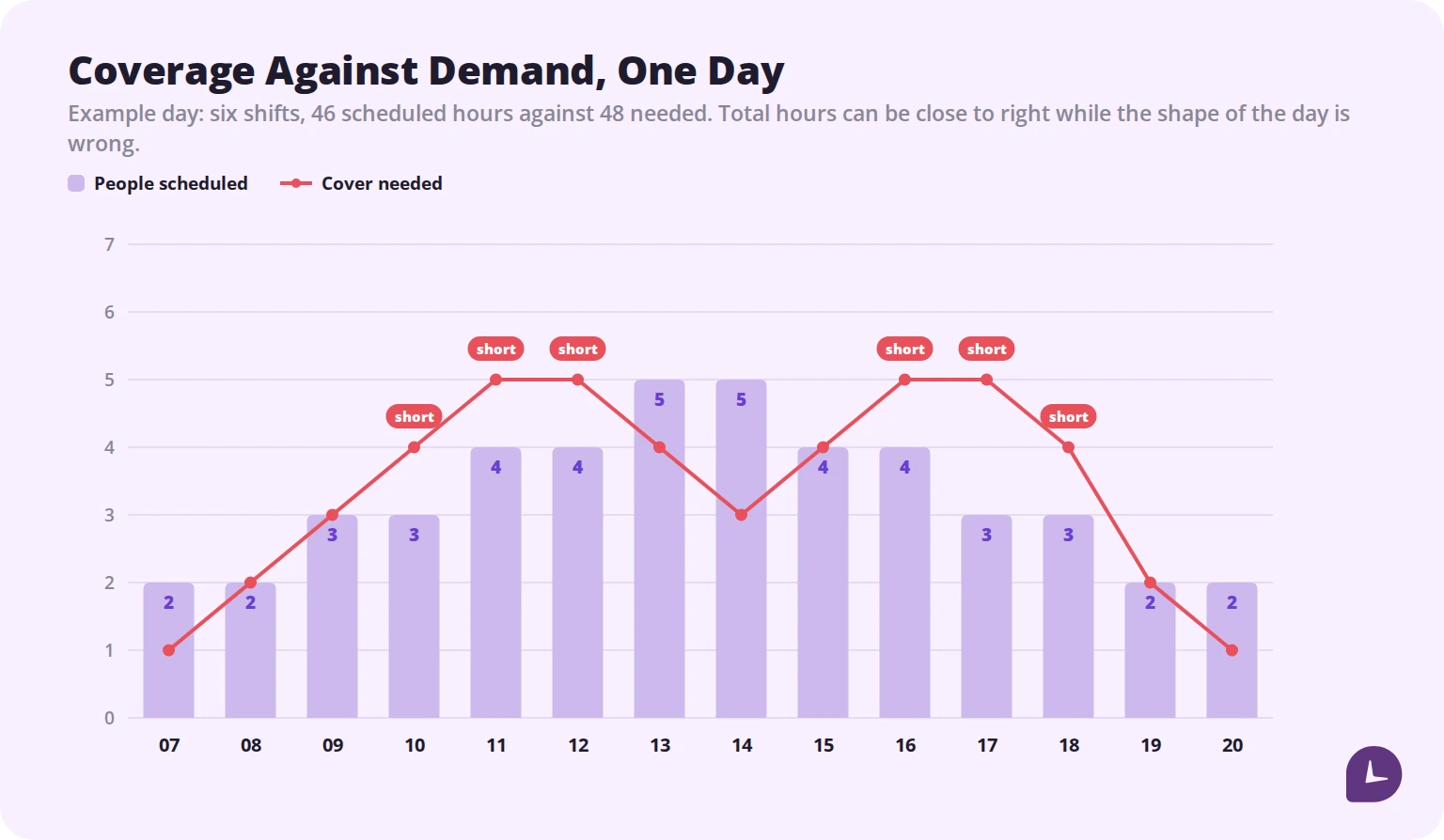
Hours are a budget constraint. Coverage is an operational one, and they are satisfied independently. Two people from 07:00 to 15:00 and two from 14:00 to 22:00 gives you 32 hours and four people on the floor between 14:00 and 15:00, whether or not that hour needs four.
The coverage row in the template makes this visible while you are still building the schedule. Fill in the shifts, then read across: if 13:00 shows two people and you need four, the problem is in front of you before anyone has been told their shift.
Build the demand line first, from whatever data you have. Transaction counts by hour, ticket volume, delivery windows. Then staff to it. Scheduling from headcount habits rather than demand is what produces a day that is simultaneously over budget and understaffed.
The 14-day rule most templates ignore
In most of the United States you can publish a schedule whenever you like. In a growing set of jurisdictions you cannot.
Predictive scheduling laws, also called fair workweek laws, require covered employers to post schedules a set number of days in advance and to pay a premium when they change a posted schedule inside that window. As of 2026, Oregon is the only state with a statewide law, and ten local jurisdictions have their own ordinances:
| Jurisdiction | In force since |
|---|---|
| San Francisco, CA | 2014 |
| Emeryville, CA | 2017 |
| New York City, NY | 2017 |
| Seattle, WA | 2017 |
| Oregon (statewide) | 2018 |
| Philadelphia, PA | 2020 |
| Chicago, IL | 2020 |
| Los Angeles City, CA | 2023 |
| Berkeley, CA | 2024 |
| Evanston, IL | 2024 |
| Los Angeles County, CA (unincorporated) | 2025 |
Nearly all require 14 calendar days’ advance notice. New York City’s retail ordinance is the outlier at 72 hours. Oregon’s window was raised from 7 days to 14 in July 2020.
Coverage is not universal. These laws generally target retail, food service and hospitality, and each sets its own employer-size threshold. Oregon’s applies to employers with 500 or more employees worldwide in those industries. Los Angeles City’s retail ordinance covers businesses with 300 or more employees globally. San Francisco’s applies to chain retail with 20 or more local employees.
Running the same operation in different cities means running different rulebooks. And several states, including Georgia, Florida, Tennessee and Ohio, have passed preemption laws barring their cities from enacting such ordinances at all, so a company can face strict rules in one location and none in another.
What predictability pay costs
The advance notice is only half of it. Changing a posted schedule inside the window triggers a premium.
The structure repeats across jurisdictions with local variation:
- Adding hours or changing a shift typically costs one hour of predictability pay.
- Cancelling or shortening a shift typically costs half the pay for the hours removed.
- Clopening shifts, where someone closes and reopens with fewer than 10 or 11 hours between, usually require written consent plus a premium.
- Employee-initiated changes are generally exempt, which is why documenting who requested a change matters.
Two points that catch employers out.
Paying the premium does not cure the notice violation. Both the failure to post 14 days ahead and the premium obligation can be enforced separately.
Most of these ordinances also carry their own record retention requirement, commonly three years for schedules and payroll records. That is longer than the two-year federal minimum for time records.
This is general information rather than legal advice. Thresholds, industries and premium rates vary and change; confirm the rules for every location you operate in.
Break requirements belong in the schedule
Federal law does not require meal or rest breaks. Many states do, and a schedule built without them creates a violation before the day starts.
California is the strictest common case: a 30-minute unpaid meal period before the end of the fifth hour of work, a second meal period for shifts over 10 hours, and paid 10-minute rest breaks per four hours worked. An 8.5-hour shift with no break scheduled is a premium-pay problem waiting to happen.
Two practical consequences for the template. Enter the break length, because it comes out of paid hours and changes shift cost. And remember that coverage is not reduced by breaks in the template’s count, so if breaks fall at the same time in a small team, actual floor coverage during that hour is lower than the row shows.
Boost your business productivity
Track performance and streamline teamwork
Building a daily schedule in seven steps
- Start from demand, not from people. Write the cover you need for each hour before you assign anyone.
- Place the fixed points. Opening, closing, deliveries, anything that must be staffed by a specific person.
- Fill the peaks. Schedule the busiest hours first; the quiet ones absorb whatever is left.
- Stagger start times. Shifts beginning on the hour create a coverage cliff. Staggering by 30 or 60 minutes smooths the transition.
- Schedule breaks explicitly. Not as an afterthought, and not all at once.
- Check the coverage row against demand. Adjust before publishing, not after.
- Post it, with the date. Record when the schedule went out. If you operate anywhere with a fair workweek ordinance, that record is the evidence.
Choosing a schedule format
| Format | Best for | Watch out for |
|---|---|---|
| Fixed daily | Stable demand, office teams | Wastes labour when demand swings |
| Staggered shifts | Retail, hospitality, support | More complex handovers |
| Split shifts | Two clear peaks a day | Split-shift premiums in some states |
| Rotating | 24/7 coverage | Fatigue, and clopening rules |
| Flexible or self-scheduled | Salaried and remote teams | Coverage gaps nobody owns |
For teams working non-standard patterns, the daily view is only part of the picture. A 9/80 schedule or a DuPont rotation has to be checked across the full cycle, because a single day tells you nothing about whether the pattern is legal or sustainable.
The hourly planner version
The second tab serves the other intent behind this search: one person planning one day.
Half-hour blocks work better than hourly ones for most knowledge work, because the majority of meetings and focused tasks do not fill a clean hour. The priority column exists so the day can be triaged before it starts rather than reordered while it runs.
Two habits make it worth the effort. Block time for the work, not just the meetings, or the calendar fills with other people’s priorities by default. And leave gaps: a day scheduled to 100% has no capacity to absorb anything unexpected, which guarantees it ends behind. Our guide to time blocking goes further on the method.
Common mistakes
Balancing hours instead of coverage. The right total can still be the wrong shape.
Publishing inside the notice window. In eleven US jurisdictions that has a price attached.
Not recording when the schedule was posted. Without that date you cannot show you gave notice.
Leaving breaks out. They change paid hours, shift cost and, in several states, compliance.
Scheduling clopenings without consent. Fewer than 10 hours between shifts triggers a premium in most fair workweek ordinances.
Treating the published schedule as the record of hours worked. It is a plan. What people actually worked is a separate record, and payroll needs the second one.
How Monitask helps
A schedule says what was supposed to happen. Only a record says what did, and the gap between them is where labour cost and compliance problems live.
Monitask records hours as they happen. Employees clock in when they start and clock out when they stop, so nothing runs in the background without their knowledge.
- Scheduled against actual shows where shifts ran long or short, so next week’s schedule is built on evidence.
- Clock-in records give a contemporaneous record of attendance against the posted schedule.
- Hours by day and by workweek feed payroll directly, without retyping from the roster.
- Retained history keeps schedules and hours available for the retention periods that apply.
See how it works: Monitask employee time clock software.
Sources
- Oregon Bureau of Labor and Industries — statewide predictive scheduling law, covering retail, hospitality and food service employers with 500 or more employees worldwide, with the notice window raised from 7 to 14 days effective July 1, 2020.
- US Department of Labor, Fact Sheet #21: Recordkeeping Requirements under the FLSA — federal record retention for time and payroll records.
- US Department of Labor, Wages and the Fair Labor Standards Act — the absence of a federal meal or rest break requirement.
- Jurisdiction list current as of 2026: Oregon plus San Francisco, Emeryville, Berkeley, Los Angeles City, unincorporated Los Angeles County, Chicago, Evanston, Seattle, Philadelphia and New York City.
Related reading
- Choosing the Best Employee Scheduling Software
- 10 Best Staff Scheduling Apps: How to Choose the Right Fit
- What Is Schedule Adherence and Why It Matters for Business Efficiency
- Streamline Scheduling with a Shift Status Schedule System
- The Benefits of Time Blocking: A Guide to Mastering Your Schedule
- Attendance Sheet Template
FAQ
How do I make a daily work schedule in Excel?
List employees down the rows with start time, end time and break. Calculate hours as (end в€’ start) Г— 24 minus the break in minutes divided by 60, then add a coverage row that counts how many people are on shift each hour.
How far in advance must I publish a work schedule?
Federally, there is no requirement. In Oregon and ten US cities, covered employers must post schedules at least 14 days ahead, with New York City retail at 72 hours.
What is predictability pay?
A premium owed when an employer changes a posted schedule inside the advance-notice window. Typically one hour of pay for added or changed shifts, and half the lost hours for cancellations.
What is a clopening shift?
Closing one day and opening the next with fewer than 10 or 11 hours in between. Most fair workweek ordinances require written employee consent and a premium.
Do I have to schedule breaks?
Not under federal law. Many states require them. California requires a 30-minute unpaid meal period before the end of the fifth hour, plus paid rest breaks.
How do I calculate shift cost?
Multiply paid hours, after deducting unpaid breaks, by the hourly rate. The template does this automatically.
What is the difference between a schedule and a timesheet?
A schedule is a plan for hours not yet worked. A timesheet records hours that were. Payroll needs the timesheet.
Can I use this template in Google Sheets?
Yes. Upload the file and open it with Google Sheets. Formulas, dropdowns and the coverage calculation all carry across.