Attendance Sheet: Free Excel Template, Status Codes, and Retention Rules

An attendance sheet records who worked, who was absent, and why, day by day. It sits underneath payroll, absence management and any dispute about hours, which is why the format matters more than it looks.
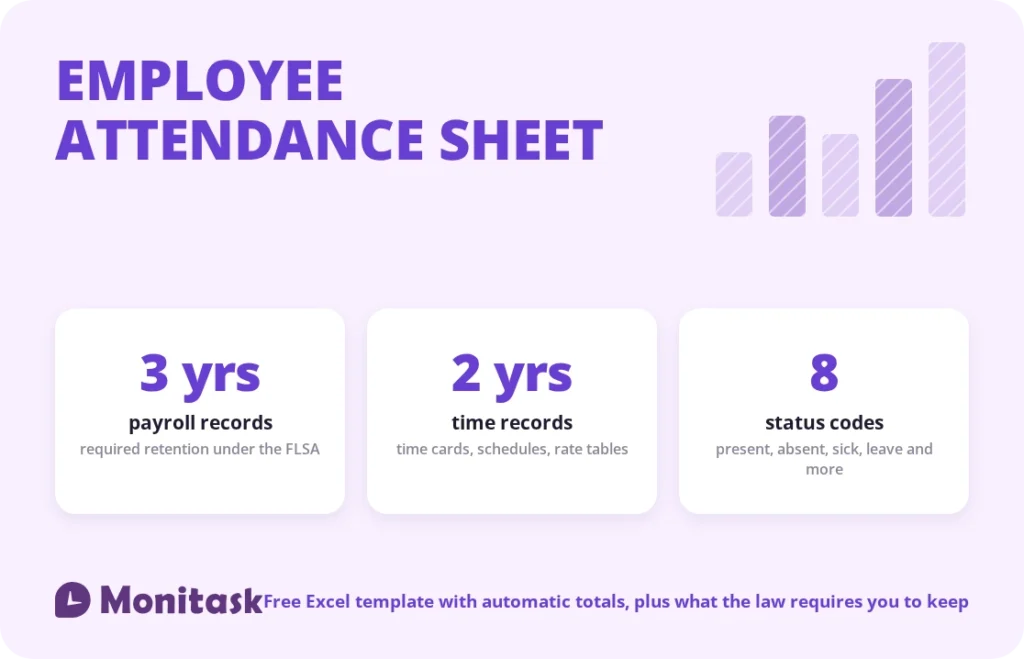
The template below is free, works in Excel and Google Sheets, and totals itself. It also carries the part most attendance templates leave out: the FLSA requires employers to keep payroll records for three years and the underlying time records for two. A sheet you delete at year end does not meet that obligation.
What’s in the template
Three tabs, no macros, no sign-up.
Monthly Attendance. Employees down the side, days one to 31 across the top. Pick a code from a dropdown in each cell and the summary columns count present, absent, sick, vacation and late days automatically, then work out an attendance percentage. Absences shade red, sick and late days amber, vacation green, so a problem month is visible without reading a single number.
Daily Sign-In. Time in, time out, break in minutes, and hours worked calculated for you. Use this when you need actual hours rather than a present-or-absent mark, such as for hourly payroll or client billing.
Codes & Notes. The legend, which cells are safe to edit, and the retention rules with their source.
Cells you fill in are shaded amber. Formula columns are marked and should be left alone. One example row shows the expected format; delete it before you start.
What an attendance sheet must contain
The FLSA does not prescribe a format, and the Department of Labor is explicit that employers may use any timekeeping method they choose. It does prescribe the information. For every non-exempt employee, records must show:
- Full name and Social Security number
- Address including ZIP code
- Birth date if younger than 19
- Sex and occupation
- The time and day of week when the employee’s workweek begins
- Hours worked each day
- Total hours worked each workweek
- The basis on which wages are paid, the regular hourly rate, straight-time and overtime earnings
- Additions to and deductions from wages, total wages per pay period, pay date and period covered
An attendance sheet on its own covers the middle group. Payroll covers the rest. Together they form the record set the DOL asks for on inspection, and those records must be produced within 72 hours of a request.
The bolded item catches people out. It is not enough to record hours; the record must establish when the workweek starts, because that boundary determines when overtime is owed.
Attendance status codes
Codes only work if everyone uses the same ones. The template ships with these:
| Code | Meaning | Counts toward attendance? |
|---|---|---|
| P | Present | Yes |
| R | Remote work | Yes |
| A | Absent, unexcused | No |
| S | Sick leave | No |
| V | Vacation or PTO | No |
| L | Late arrival | Yes, but flagged |
| H | Public holiday | Not counted either way |
| U | Unpaid leave | No |
Two decisions to make before rolling this out.
Is remote work a separate code? Marking it separately answers questions about office attendance that a plain “present” cannot. Merging it into P avoids implying that remote days are somehow lesser. Pick one deliberately.
Does late count as present? The template counts L toward attendance but tracks it separately, so a pattern of lateness surfaces without anyone being recorded absent for a day they worked.
How long you must keep attendance records
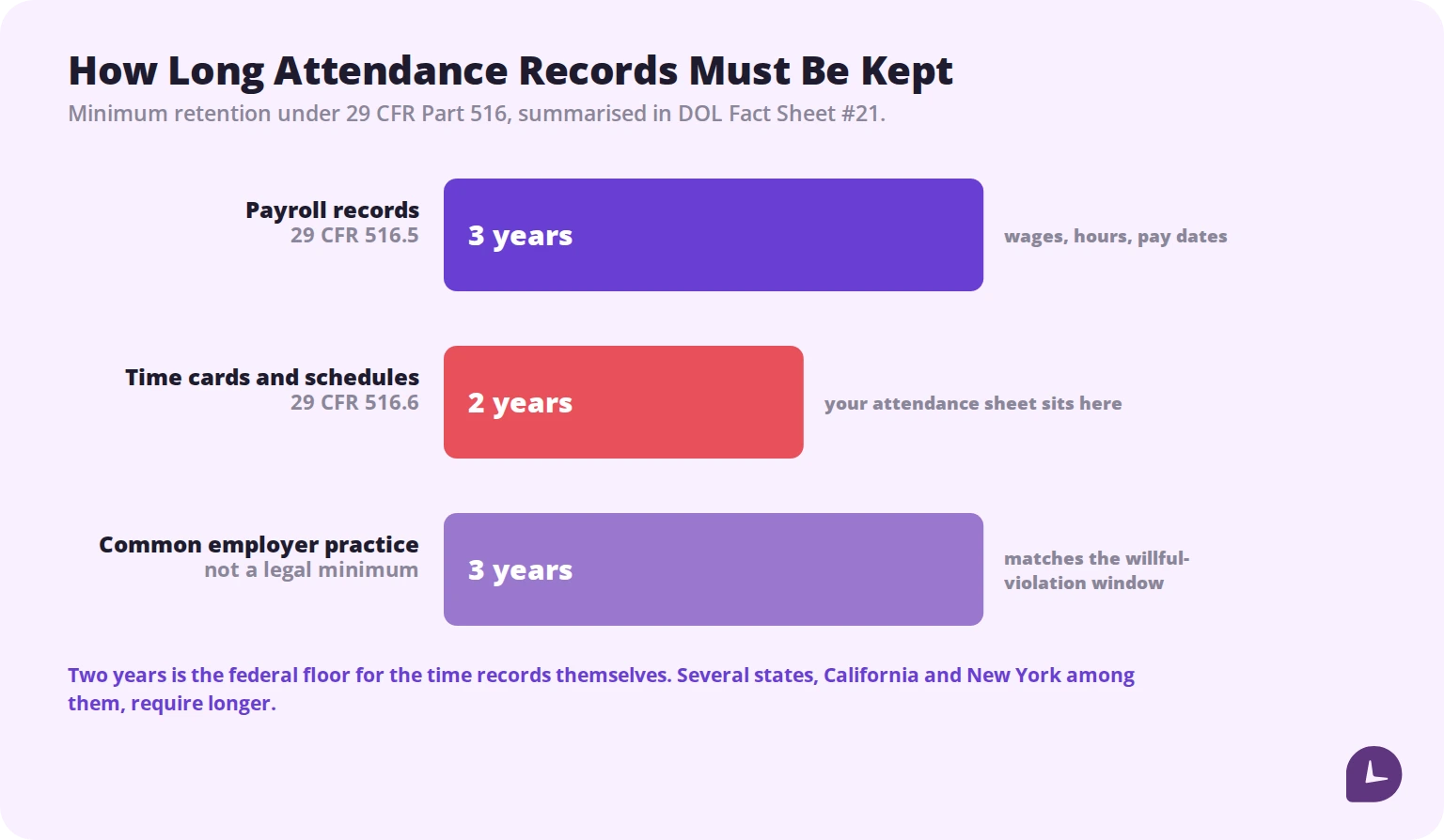
Under 29 CFR Part 516, summarised in DOL Fact Sheet #21:
Three years for payroll records, collective bargaining agreements, and sales and purchase records.
Two years for the records on which wage computations are based, which the fact sheet lists as time cards and piece work tickets, wage rate tables, work and time schedules
, along with records of additions to or deductions from wages.
Your attendance sheet falls in the second category. Two years is the federal floor, and many employers keep everything for three to match the longer limitation period that applies to willful violations. Several states require longer, and California and New York are the usual examples. Check your states rather than assuming the federal minimum is enough.
Format is not prescribed. Paper is fine, spreadsheets are fine, software is fine. What matters is that records are accurate and can be produced for inspection.
Why missing records cost employers cases
This is the part that turns retention from a filing chore into a financial risk.
When an employee claims unpaid hours and the employer has no records, courts do not simply dismiss the claim for lack of proof. Under the standard set in Anderson v. Mt. Clemens Pottery Co. (1946), an employee who shows they performed uncompensated work and produces enough evidence to support a reasonable inference of its extent has met their burden. The burden then shifts to the employer to produce evidence of the precise hours worked.
An employer without records cannot meet that burden. The employee’s estimate stands.
That is the practical case for keeping the sheet, and for keeping it contemporaneously rather than reconstructing it later. A record made at the time is evidence. A spreadsheet assembled after a claim arrives is an argument.
Boost your business productivity
Track performance and streamline teamwork
How to build one from scratch
If you would rather build your own:
- Employees down column A, dates across row 1. This layout scans better than one row per day per person and keeps a month on one screen.
- Add a data validation dropdown to the grid so only valid codes can be entered. Typos break every count downstream.
- Count with COUNTIF.
=COUNTIF(C2:AG2,"P")gives present days for that row. Repeat for each code. - Add an attendance percentage. Present days divided by days marked, formatted as a percentage. Divide by days marked rather than days in the month, so unmarked days do not penalise anyone.
- Conditional formatting on absences. Red for A, amber for S and L. Patterns become visible without analysis.
- Freeze panes at the first date column so names stay in view while you scroll across the month.
- Put the legend on the sheet, not in someone’s memory.
Reading the sheet: patterns worth acting on
A filled-in attendance sheet answers questions a headline absence figure cannot.
Day-of-week clustering. Absences concentrated on Mondays and Fridays suggest something different from absences spread evenly. Neither is proof of anything, but the pattern is worth a conversation.
Frequency versus duration. Eight separate one-day absences and one eight-day absence produce identical totals and mean very different things operationally. Short frequent absences are more disruptive to scheduling and are what the Bradford Factor was designed to surface.
Lateness without absence. Someone at 100% attendance and ten L marks is present but consistently arriving late, which a present-or-absent view hides entirely.
Team-level seasonality. Absence rising every August is a staffing plan problem, not a performance problem.
Act on patterns, not on single months. And write the response into an attendance policy before you need it, so consequences are consistent rather than improvised.
Attendance sheet vs timesheet vs attendance policy
These three get conflated and do different jobs.
| What it records | Primary use | |
|---|---|---|
| Attendance sheet | Whether someone worked and why not | Absence management, staffing |
| Timesheet | How many hours, on what | Payroll, client billing |
| Attendance policy | The rules and consequences | Consistency, defensibility |
A small team can run on an attendance sheet alone. Anyone paying hourly wages or billing clients needs a timesheet as well, because “present” does not tell payroll how many hours to pay. Anyone applying consequences for absence needs the policy, because inconsistent enforcement is where discrimination claims begin.
When a spreadsheet stops working
A spreadsheet is the right tool up to a point. The point usually arrives for one of these reasons:
Self-reporting. The sheet records what someone typed, not what happened. For remote teams this is the weak link.
Reconstruction. Marks entered at the end of the week from memory are exactly the kind of record that fails to satisfy a burden of proof.
Scale. Beyond 20 or 30 people, consolidating monthly sheets across managers becomes its own job.
Version drift. Three managers, three copies, three sets of edits, and no single source of truth at audit time.
Payroll handoff. Retyping attendance into payroll introduces errors at precisely the point where errors cost money.
Common mistakes
Deleting last year’s sheets. Two years is a legal minimum, not a housekeeping preference.
Letting codes drift between managers. One person’s “A” is another’s “U”, and the totals become meaningless.
Calculating attendance percentage against calendar days. Divide by days actually marked, or part-timers and mid-month joiners look worse than they are.
Recording attendance but not the workweek start. The FLSA record set requires it, because overtime depends on it.
Filling the sheet in on Friday for the whole week. Contemporaneous records carry weight. Reconstructions do not.
Treating the sheet as a performance record without a policy. Consequences applied without a written, consistently enforced policy are hard to defend.
How Monitask helps
An attendance sheet is only as good as the data going into it, and self-reported marks are the weakest form of that data.
Monitask records attendance as it happens. Employees clock in when they start and clock out when they stop, so nothing runs in the background without their knowledge.

- Automatic attendance records capture clock-in and clock-out times rather than someone’s recollection of them, which is what a contemporaneous record means.
- Hours by day and by workweek cover the specific items the FLSA record set requires.
- Retained history keeps records available for the retention period without anyone maintaining a folder of spreadsheets.
- Reports across the team consolidate what would otherwise be a monthly reconciliation of separate files.
See how it works: Monitask time tracking software.
Sources
- US Department of Labor, Fact Sheet #21: Recordkeeping Requirements under the FLSA — required records, three-year and two-year retention, and the freedom to choose a timekeeping method.
- US Department of Labor, Recordkeeping and Reporting — overview of 29 CFR Part 516.
- Anderson v. Mt. Clemens Pottery Co., 328 U.S. 680 (1946) — the burden-shifting rule that applies where an employer has not kept adequate records.
Related reading
- Creating an Employee Attendance Policy
- Attendance Point System: A Strategy for Managing Employee Absences
- What Is Absenteeism? How to Manage Absenteeism at Work
- The True Cost of Absenteeism and How to Combat It
- How to Calculate Time Sheets
- Timesheets for Payroll
FAQ
What should an attendance sheet include?
Employee name, the date, whether they worked, and a code explaining any absence. For FLSA purposes the wider record set also needs hours worked each day, total hours each workweek, and the day and time the workweek begins.
How long do you have to keep attendance records?
Two years for the time records themselves under 29 CFR 516.6, and three years for payroll records under 516.5. Some states require longer.
What are the standard attendance codes?
There is no legal standard. Common ones are P for present, A for absent, S for sick, V for vacation, L for late and H for holiday. What matters is that everyone in the organisation uses the same set.
How do you calculate attendance percentage?
Divide days present by days marked, not by days in the month. Fifteen present days out of seventeen marked is 88.2%.
Is an Excel attendance sheet legally acceptable?
Yes. The DOL does not prescribe a format and accepts any timekeeping method, provided records are accurate and can be produced for inspection within 72 hours.
What is the difference between an attendance sheet and a timesheet?
An attendance sheet records whether someone worked. A timesheet records how many hours and on what. Hourly payroll and client billing need the second.
Can I use this template in Google Sheets?
Yes. Upload the file and open it with Google Sheets. The COUNTIF formulas, dropdowns and conditional formatting all carry across.
What happens if an employer has no attendance records?
Under *Anderson v. Mt. Clemens Pottery*, an employee who shows uncompensated work and gives a reasonable estimate of its extent shifts the burden to the employer to prove the actual hours. Without records, the employer cannot meet it.