User activity monitoring, or UAM, is software that records what people do on company devices, applications and networks. That definition is accurate and it hides the thing that matters.
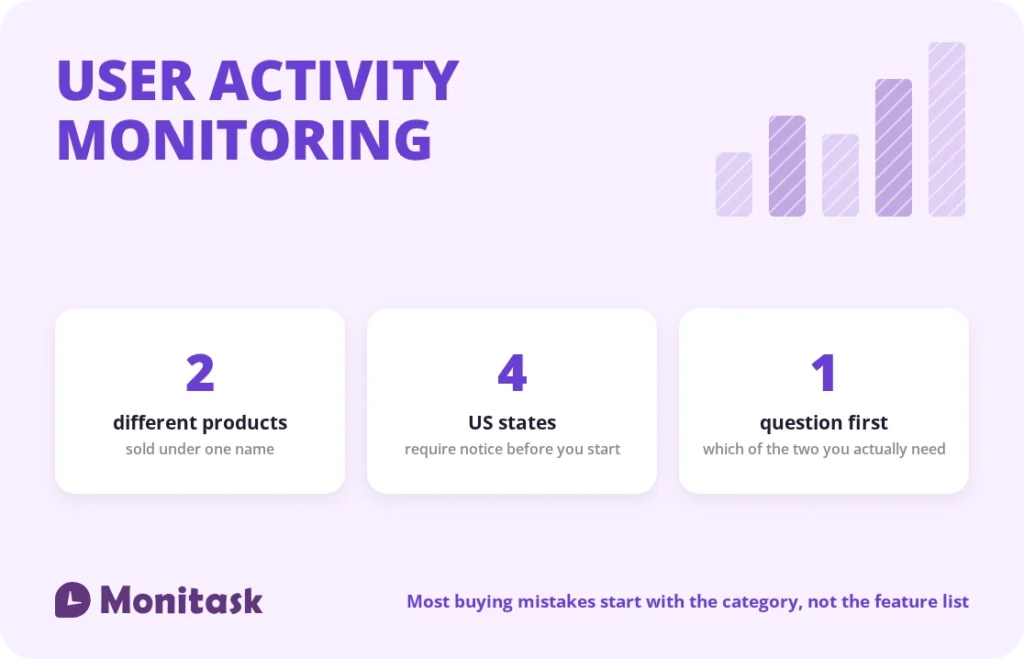
Two distinct product categories are sold under this name. One exists to detect insider risk: it watches data movement, records sessions, and produces forensic evidence. The other exists to show how working time is spent: it records application and website usage and activity levels, and produces reports. They have different buyers, different data, different retention periods and prices that differ by an order of magnitude.
A company with a workforce visibility problem that buys a security platform ends up storing sensitive recordings it never reviews. A company with a data exfiltration problem that buys a productivity tool finds out during the incident that the evidence it needed was never captured.
This guide separates the two, then covers what the law requires either way.
Where the term comes from
UAM is not a marketing coinage. It is a formal term in US government security practice, where user activity monitoring is a required element of insider threat programmes on classified networks, with defined expectations about what must be captured and how it is reviewed.
That origin explains the shape of the category. The heavyweight products, with session recording, keystroke capture and forensic export, were built for environments where an insider with legitimate access is the primary threat model and where the monitoring itself is mandated.
The commercial market then borrowed the term for a much lighter class of product aimed at understanding how time is spent. Same three letters, entirely different job. Every buying decision in this category begins with knowing which one you are actually shopping for.
The two categories
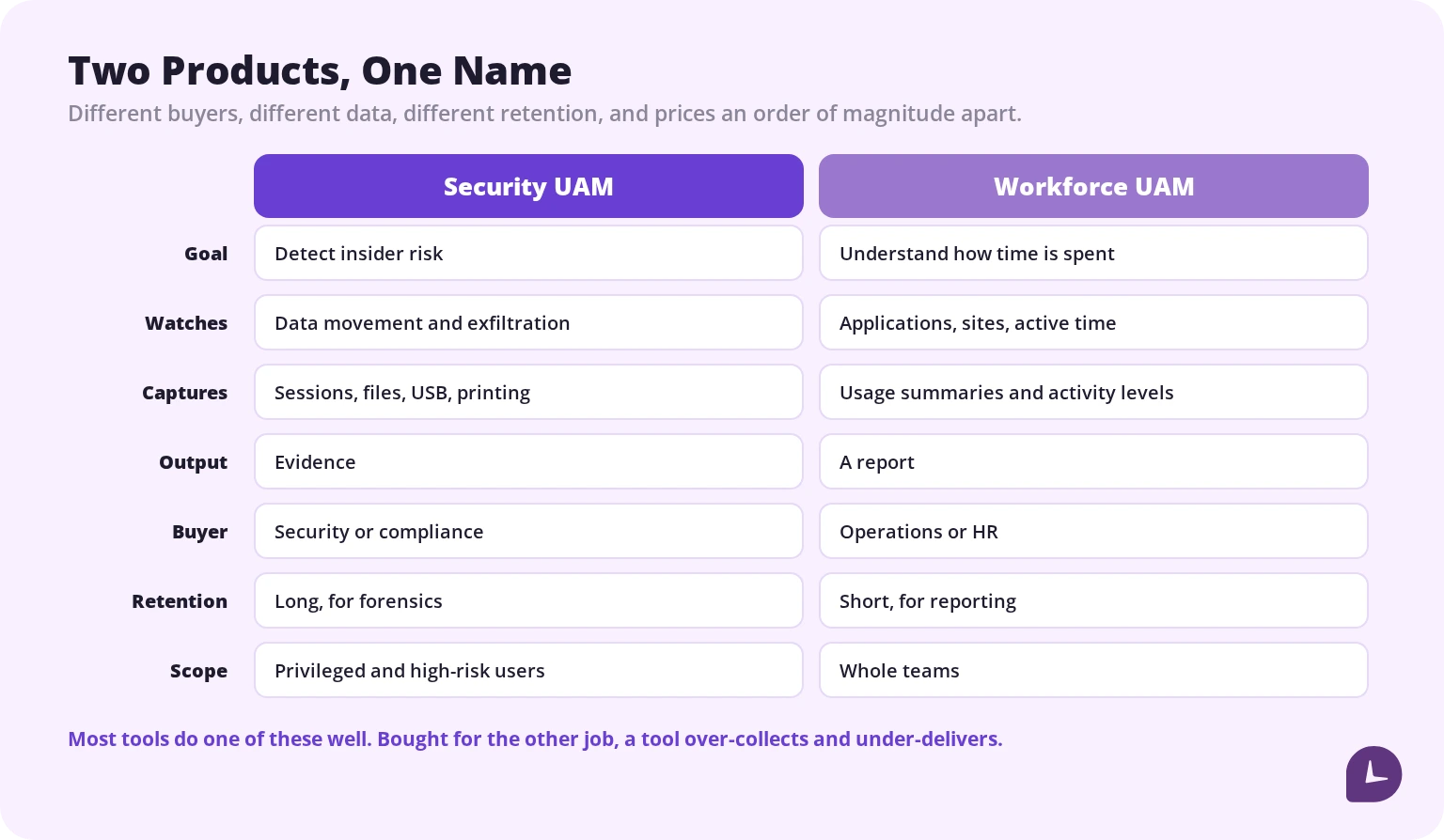
Security UAM answers “is someone taking our data?” It watches file movement, uploads, USB devices, printing and privileged access. It records sessions so an investigator can reconstruct what happened. It retains data long enough to be useful months later, and its output is evidence. The buyer is security or compliance, and it is typically scoped to privileged and high-risk users rather than everyone.
Workforce UAM answers “where is our time going?” It records which applications and websites were used and for how long, and derives activity levels. Its output is a report, not evidence. Retention is short because a six-month-old browsing summary has no purpose. The buyer is operations or HR, and it is applied across teams.
Some platforms claim both. In practice they are usually strong at one and adequate at the other, and the adequate half is where the disappointment comes from.
Which one do you need
Four questions settle it.
What happens if you are wrong? If the answer is a data breach, an IP loss or a regulatory finding, you need security UAM. If it is a project running late or a client under-billed, you need workforce UAM.
Who will read the output? A security analyst investigating an alert needs session-level detail. An operations lead planning capacity needs a weekly summary and will never open a recording.
How long do you need to keep it? Forensics needs months. Productivity reporting needs weeks. Retention is the single largest driver of both cost and risk in this category.
Who is in scope? Security programmes are usually targeted at the users and data that matter. Workforce visibility is applied broadly and shallowly. A tool that only does deep capture of everyone is the worst of both.
If the honest answer is “some of both,” run them as separate programmes with separate scopes rather than pointing one deep tool at the whole company. That is the configuration that generates the most data, the most objection and the least insight.
Depth of capture
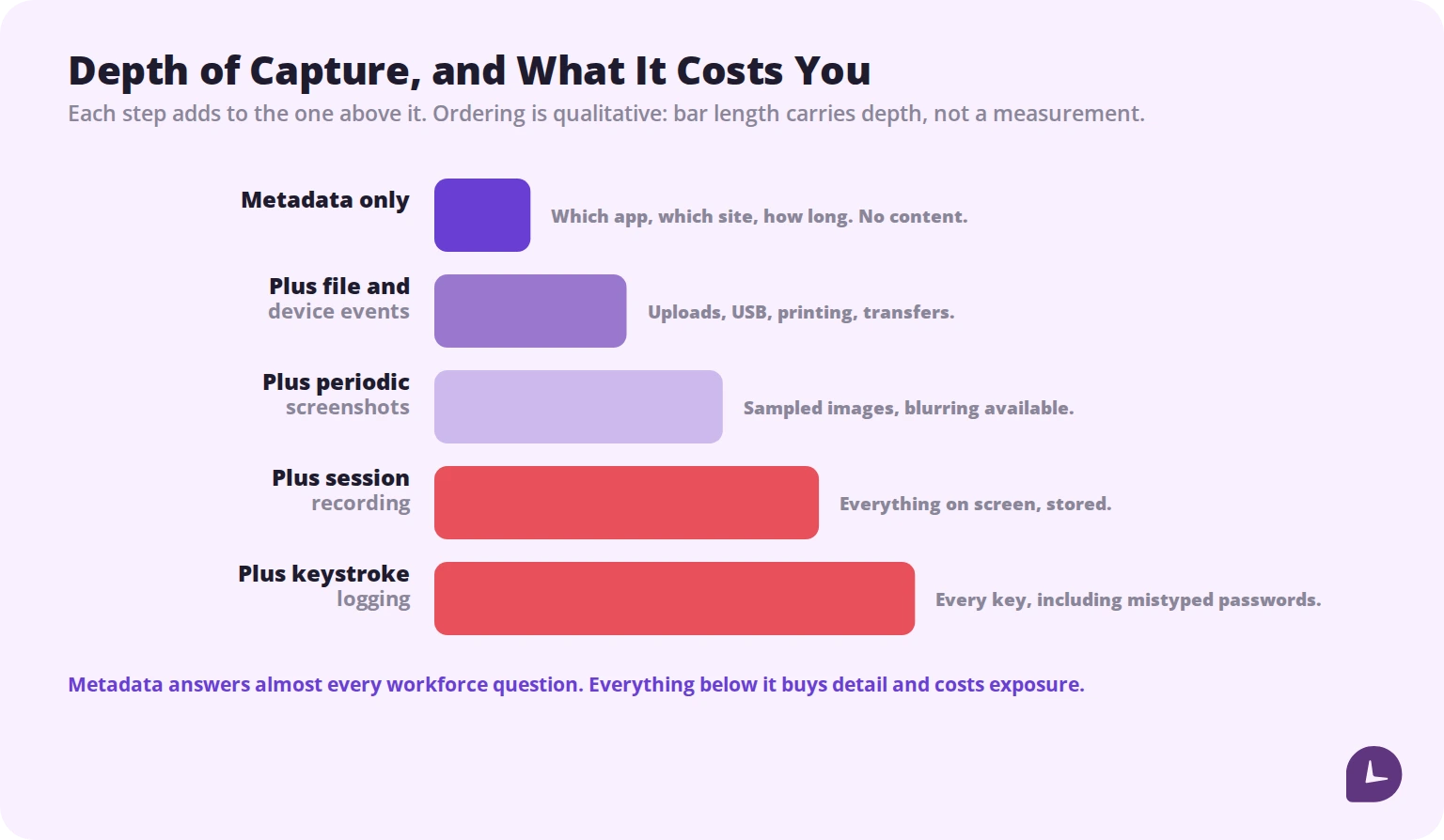
The single most consequential setting in any UAM deployment is how deep the capture goes.
Metadata only. Which application, which site, how long. No content. Sufficient for almost every workforce visibility question, and it creates minimal privacy exposure because it never records what was written or read.
Plus file and device events. Uploads, downloads, USB, printing, transfers. This is the layer that actually detects data exfiltration, and it is metadata rather than content. For a security programme this is the highest-value layer per unit of intrusion.
Plus periodic screenshots. Sampled images at intervals. Useful as proof of work in billing contexts. Should be configurable, ideally blurred for sensitive content, and visible to the employee.
Plus continuous session recording. Everything on screen, stored. Genuinely necessary in some regulated and classified environments. Everywhere else it is a large stored liability that nobody reviews until something goes wrong.
Plus keystroke logging. Every key pressed, which includes passwords typed into the wrong field, personal messages and health information. It is the deepest capture and it is restricted in several jurisdictions. The security value it adds over file-event monitoring is small; the exposure it adds is not.
The general rule: capture the shallowest layer that answers your question. Depth is easy to add later and impossible to un-collect.
What the data can and cannot tell you
Worth being honest about, because vendor material rarely is.
It tells you reliably: which applications and sites were used and for how long, when work started and stopped, when files moved to removable media or personal accounts, and whether access patterns changed.
It tells you unreliably: whether someone was productive. Reading a specification, thinking, and preparing for a difficult conversation all register as low activity. The most valuable hour of a senior person’s week frequently produces the lowest activity score of it.
It tells you nothing about: quality of work, or intent. A file copied to a USB drive is a fact. Whether it was theft or someone working on a plane is not in the data.
The failure mode to avoid is treating activity as performance. Once people know an activity score is being watched, they optimise it, and you have taught them to perform rather than to work. The signals worth measuring are output, cycle time and delivered work.
The legal requirements
Monitoring is lawful in most of the US on company equipment, subject to disclosure requirements that vary by state.
| State | Requirement |
|---|---|
| New York | Written or electronic notice on hire, employee acknowledgment, plus a posted notice. Penalties of $500, $1,000 and $3,000 for successive violations |
| Connecticut | Prior written notice of the types of monitoring plus a posted notice. Penalties from $500 to $3,000. Scope covers information collected by any means other than direct observation |
| Delaware | Daily electronic notice on access to monitored systems, or one-time notice with acknowledgment. $100 per violation |
| Maine | Broader surveillance law taking effect in summer 2026 |
Three points that matter operationally.
The employee’s location governs. A company headquartered anywhere follows New York’s rule for its New York staff.
Biometric authentication changes the analysis entirely. If your UAM includes facial recognition or fingerprint login, Illinois’ BIPA and similar statutes apply, with a private right of action and statutory damages. Our guide to biometric time clocks covers that regime.
Recorded content is a breach liability. Session recordings and screenshots of an employee’s screen contain whatever was on it, including customer data and credentials. That store is now part of your attack surface and part of your breach notification obligations.
This is general information rather than legal advice.
Monitoring employees in the EU and UK
The framework is different and materially stricter.
Monitoring is processing of personal data under the GDPR, so it needs a lawful basis, and consent is generally weak in employment because the power imbalance makes it hard to argue it was freely given. Legitimate interests is the usual basis, and it requires a documented balancing assessment. Continuous or covert monitoring is difficult to justify, and a data protection impact assessment is normally expected before deployment.
In Germany and several other jurisdictions, works councils have co-determination rights over the introduction of technical systems capable of monitoring employees. In practice that means the works council can block a rollout, and the negotiation is part of the project rather than an afterthought.
Our GDPR guide covers the detail.
Boost your business productivity
Track performance and streamline teamwork
Designing a programme people accept
Rollouts fail on trust, not on technology.
Say what the programme is for, specifically. Protecting customer data, or accurate client billing. Not “visibility.”
Publish what is and is not captured. Including what happens outside working hours and on personal devices. Ambiguity is read as the worst case, and usually correctly.
Scope to the risk. Deep capture on privileged users with access to sensitive systems is defensible. The same capture on the whole company is not, and it is what turns a security programme into a surveillance story.
Let employees see their own data. This is the clearest dividing line between a record and surveillance, and it costs nothing.
Set retention deliberately and delete on schedule. Data you no longer need is a liability with no offsetting benefit.
Restrict who can look, and log the looking. Access to monitoring data should itself be audited. Most insider risk programmes eventually have to answer who was watching whom.
Get it acknowledged in writing. Required in New York and Delaware, and worth doing everywhere.
Common mistakes
Buying a security platform to answer a productivity question. You pay for depth you will never use and store data you did not want.
Buying a productivity tool to answer a security question. The evidence you need is not in it.
Enabling maximum capture by default. Depth is trivially added later and cannot be un-collected.
Monitoring without notice. Illegal in four states, and corrosive everywhere.
Keeping recordings indefinitely. A growing liability with a shrinking purpose.
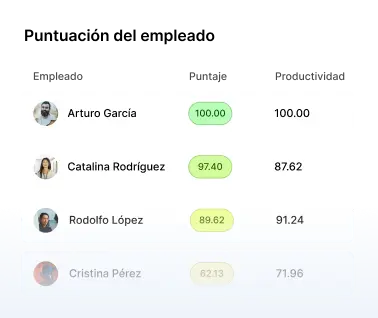
Treating activity scores as performance data. They measure engagement with a device, not value.
Applying deep capture to everyone. Scope to the risk or expect a fight you will lose.
How Monitask helps
Monitask sits deliberately in the workforce category. It answers where time went, not whether an insider is exfiltrating data, and it is built so employees can see what is recorded about them.
Tracking starts when an employee clocks in and stops when they clock out. The keys pressed are never recorded, and there is no continuous session capture.
- Application and website usage at the metadata layer, which is the depth that answers workforce questions without recording content.
- Activity levels without keystroke logging, so engagement is measured rather than transcribed.
- Optional screenshots at intervals, blurrable for sensitive content, with the employee able to see the last one taken.
- Mouse jiggler detection, because activity metrics are gameable and knowing when they have been gamed beats trusting the number.
- Nothing runs outside clocked-in time, which is the setting that resolves most objections before they are raised.
If your requirement is insider threat detection on regulated data, you want a security platform rather than this. If it is understanding how the working day is spent, deep capture is buying exposure you do not need.
See how it works: Monitask computer monitoring.
Sources
- Center for Development of Security Excellence, User Activity Monitoring in Insider Threat Programs — UAM as a required element of US federal insider threat programmes.
- New York Civil Rights Law В§ 52-c — notice on hire, acknowledgment, posted notice and escalating penalties.
- Connecticut General Statutes В§ 31-48d — prior written notice and posted notice, with penalties from $500 to $3,000.
- Delaware Code Title 19 В§ 705 — daily notice or one-time notice with acknowledgment.
- Illinois Biometric Information Privacy Act, 740 ILCS 14 — applies where monitoring includes biometric authentication.
Related reading
- Employee Monitoring Laws
- How to Know If Remote Employees Are Working
- Insider Threat Detection Tools: How They Work and Why You Need Them
- How to Monitor Employees Without Being Overly Intrusive
- GDPR Requirements for Employee Monitoring
- Biometric Time Clock
FAQ
What is the difference between UAM and employee monitoring?
UAM is the broader technical term and includes security use cases such as insider threat detection. Employee monitoring usually refers to the workforce visibility subset.
Is user activity monitoring legal?
Generally yes on company equipment, subject to notice requirements. New York, Connecticut, Delaware and Maine require disclosure, and New York and Delaware require acknowledgment.
Does UAM software record keystrokes?
Some does. It is the deepest layer of capture, adds little over file-event monitoring for security purposes, and creates significant exposure because it captures passwords and personal content. Monitask does not record keystrokes.
What should UAM capture?
The shallowest layer that answers your question. Metadata covers most workforce questions; file and device events cover most exfiltration detection. Session recording and keystroke logging are rarely justified outside regulated environments.
How long should monitoring data be kept?
Long enough to serve its purpose and no longer. Forensic investigation needs months; productivity reporting needs weeks. Retention is the largest driver of both cost and risk.
Can UAM measure productivity?
Not reliably. It measures engagement with a device. Reading, thinking and preparation all register as low activity, and once people know a score is watched they optimise it.
Do I need employee consent for UAM?
In the US, notice rather than consent in most states, with acknowledgment required in New York and Delaware. In the EU and UK, consent is a weak basis and a documented legitimate interests assessment plus a DPIA is the usual route.
What is the difference between UAM and UEBA?
UAM records what users did. UEBA applies behavioural analytics to that record to identify anomalies. UEBA is a layer on top of the data UAM collects.