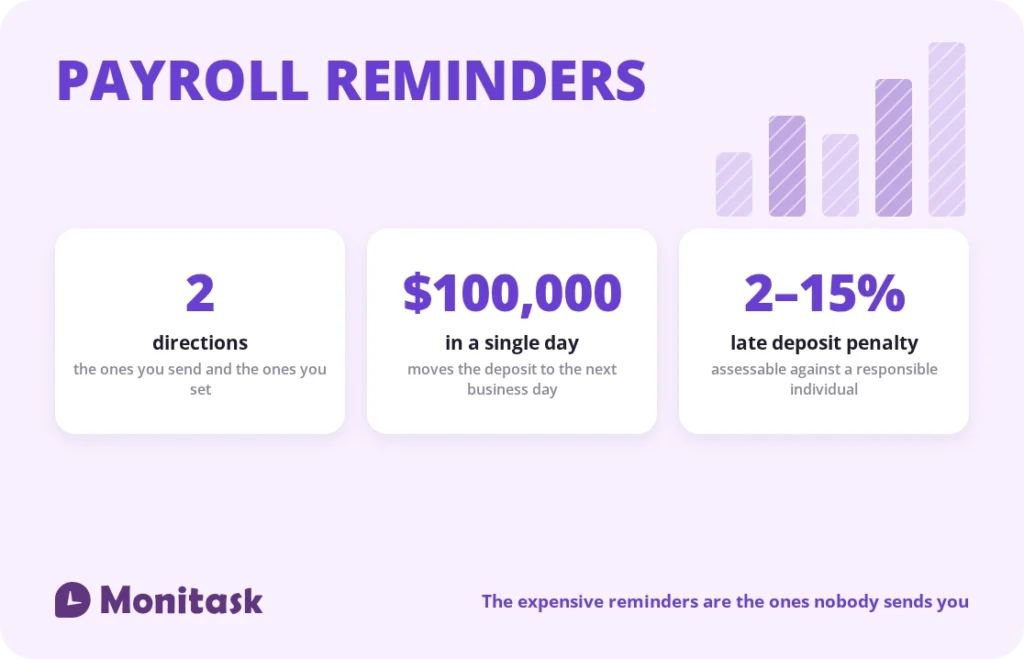
Search for payroll reminders and you get email templates for chasing timesheets. Those matter, and they are the cheap half of the problem. If a timesheet arrives late, payroll is inconvenienced. If a tax deposit arrives late, the penalty runs from 2% to 15% and can be assessed personally against the person responsible.
Payroll reminders run in two directions. Outbound are the ones you send to employees and approvers. Inbound are the ones you set for yourself: deposit deadlines, filing dates, ACH lead times and the bank holidays that quietly move your payday.
This guide covers both, with the inbound calendar first, because that is the half nobody publishes.
Quick answer
| Reminder | When |
|---|---|
| Timesheet submission | 1 day before cutoff, and on the cutoff |
| Manager approval | Morning of the approval deadline |
| Monthly depositor: federal deposit | 15th of the following month |
| Semiweekly depositor: Wed–Fri paydays | Following Wednesday |
| Semiweekly depositor: Sat–Tue paydays | Following Friday |
| $100,000 accumulated in one day | Next business day |
| Form 941 | End of the month following each quarter |
| W-2 to employees and to SSA | January 31 |
| ACH submission for direct deposit | Typically 2 banking days before payday |
The reminders you set for yourself
These are non-negotiable dates with financial consequences, and they are the ones that never arrive in your inbox.
Set each of these as a recurring calendar entry with an alert, owned by a named person with a named backup:
- Federal tax deposit, on your assigned schedule
- State tax deposits, which run on their own calendars and are not covered by federal deadlines
- Quarterly Form 941
- Annual Form 940 for FUTA
- W-2 and 1099 issuance, January 31
- New hire reporting, generally within 20 days of hire depending on the state
- Benefits enrolment windows and any carrier deadlines
- Bank holiday check, at the start of each quarter
- Deposit schedule review, every December for the coming year
One point that catches employers using a payroll provider: the employer remains liable for deposit failures by the provider. Outsourcing the task does not outsource the liability, which is why reviewing deposit confirmations is on this list rather than assumed.
Your federal deposit deadline
The IRS assigns your deposit schedule. You do not choose it.
How it is assigned. The lookback period is the four quarters running from July 1 two years prior through June 30 of the prior year. Add the total tax from line 12 of the four Forms 941 filed in that window:
- $50,000 or less → monthly depositor
- More than $50,000 → semiweekly depositor
For calendar year 2026, the lookback period is July 1, 2024 through June 30, 2025.
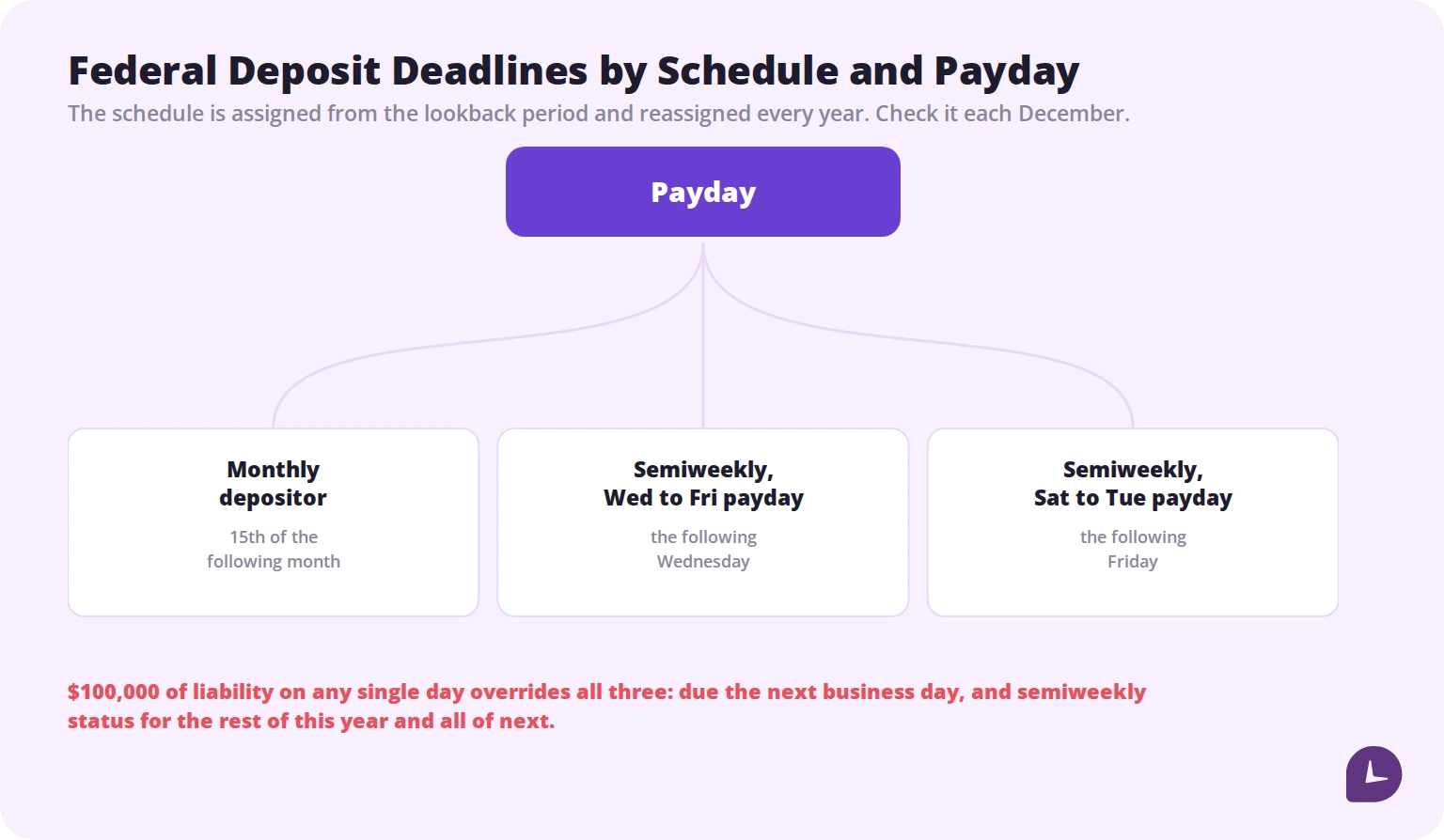
Monthly schedule. Deposit everything accumulated in a calendar month by the 15th of the following month, shifting to the next business day when the 15th falls on a weekend or federal holiday.
Semiweekly schedule. The deadline depends on the payday, not the month:
| Payday falls on | Deposit due |
|---|---|
| Wednesday, Thursday or Friday | Following Wednesday |
| Saturday, Sunday, Monday or Tuesday | Following Friday |
Note what this means in practice. A semiweekly depositor paying on alternating Fridays has a Wednesday deposit deadline every other week, permanently. That is a recurring calendar entry, not something to remember.
New employers default to monthly for their first calendar year, because the lookback period contains no liability.
Small liability exception. Employers whose quarterly liability is under $2,500 may generally pay with a timely filed return rather than depositing.
Mechanics. Deposits must be made electronically, generally through EFTPS. A payment has to be scheduled by 8 p.m. Eastern the day before it is due to post on time, which effectively moves your real deadline back by a day. Paper payments carry a penalty.
Review it every December. The schedule is reassigned annually, and an employer who grew past $50,000 in the lookback period without noticing will miss the first deposit of the new year on the old schedule.
The $100,000 rule
The one that catches growing businesses, and it overrides everything above.
If accumulated payroll tax liability reaches $100,000 or more on any single day, the deposit is due by the close of the next business day — regardless of whether you are a monthly depositor with three weeks until the 15th.
Two consequences, and the second is the one people miss:
Immediate. Next business day, no grace.
Lasting. Triggering the rule converts you to semiweekly status for the remainder of the calendar year and all of the following year.
It is triggered by exactly the events a growing company celebrates: a large bonus run, a commission payout, a severance package, or a burst of hiring. A single payroll that clears $100,000 in combined withholding and FICA changes your filing status for up to two years.
Set a threshold alert in your payroll system. This is not a date to remember; it is a condition to detect, and detecting it a day late is expensive.
Filing deadlines
Deposits and filings are separate obligations. Depositing on time does not file the return.
| Form | Covers | Due |
|---|---|---|
| 941 | Quarterly federal tax return | End of the month following the quarter |
| 940 | Annual FUTA | January 31 |
| W-2 | To employees and to the SSA | January 31 |
| 1099-NEC | To contractors and to the IRS | January 31 |
Two details worth building into the calendar.
The ten-day extension. If all deposits for a quarter were made on time and in full, the IRS allows an extra ten days to file the 941. A useful buffer, and it disappears the moment a single deposit is late.
Weekend shifts. Any deadline falling on a weekend or legal holiday moves to the next business day. January 31, 2027 falls on a Sunday, so the Q4 941, Form 940 and W-2s all move to February 1, 2027.
State deadlines are set separately by each state and do not follow the federal calendar. Every state you employ in needs its own entries.
ACH lead time and bank holidays
The quiet cause of late paydays.
Direct deposit runs on ACH, which takes time to settle. Most providers require the payroll file two banking days before payday, and some require more for next-day funding tiers. That lead time is what actually sets your internal cutoff.
Bank holidays do not shift the payday itself, but they remove a banking day from the runway. A payday falling on or just after a federal holiday needs its file submitted a day earlier than usual, and the holiday that causes the most trouble is the one nobody remembers — a Monday holiday that turns a Wednesday submission into a Tuesday one.
Two things to do about it:
Map the year in advance. At the start of each quarter, mark the paydays affected by federal holidays and move the internal cutoff for each. Our work days calendar for 2026 lists the holidays and the observance shifts, including July 4 falling on a Saturday and being observed on Friday July 3.
Tell employees early. A payday moving because of a holiday needs announcing at least a week ahead, not on the day.
The pay cycle countdown
Rather than remembering individual dates, run the same countdown every cycle. For a Friday payday with a two-day ACH lead:
| When | What | Who |
|---|---|---|
| Payday −6 days | Timesheet reminder to employees | Automated |
| Payday −5 days | Timesheet cutoff; second reminder to anyone missing | Automated, then manager |
| Payday −4 days | Approval deadline; reminder to approvers | Automated |
| Payday −3 days | Payroll review: new hires, terminations, rate changes, benefit deductions | Payroll |
| Payday −2 days | Submit the file to the provider or bank | Payroll |
| Payday −1 day | Confirm funding and check the provider’s confirmation | Payroll |
| Payday | Confirm deposits landed; handle exceptions | Payroll |
| Payday +1 to +5 | Federal and state deposits per your schedule | Payroll |
Written down once, this removes almost all of the improvisation from a payroll cycle. Adjust the offsets to your own lead time and schedule, and put the resulting dates in a shared calendar rather than in one person’s head.
The reminders you send out
Three audiences, and most teams instrument only the first.
Employees. Submit timesheets, confirm hours, update direct deposit or tax details before the cutoff.
Approvers. Approve the hours in front of you. Unapproved timesheets delay payroll exactly as much as unsubmitted ones, and approver delay is invisible unless something surfaces it.
Yourself and your team. The deposit and filing calendar above.
Keep outbound messages to three elements: what is due, by when, and a link. Send them when the person can act immediately — end of the working day on the deadline, or first thing in the morning. Avoid after-hours messages; a payroll deadline is rarely urgent enough to justify one.
For the full set of timesheet chasing templates and an escalation ladder, see our guide to timesheet reminders. The templates below cover payroll-specific messages that guide does not.
Templates
Pay date changing because of a holiday
> Subject: Payday moving to [date] — [holiday]
>
> Hi all,
> Because of [holiday] on [date], this period’s payday moves from [original] to [new date]. Funds should land as usual on the new date.
> Timesheets are due one day earlier as a result: [new cutoff].
Payroll information cutoff
> Subject: Changes to pay details due by [date]
>
> Hi [name],
> If you need to update bank details, tax withholding or benefit elections for the [period] pay run, please do it by [date]. Anything submitted after that takes effect the following period. [link]
Approver reminder
> Hi [name] — [X] timesheets are awaiting your approval and payroll closes [day] at [time]. [link]
Direct deposit verification for a new hire
> Subject: Confirm your bank details before your first payday
>
> Hi [name],
> Welcome aboard. To make sure your first payment lands on [date], please confirm your bank details and tax form here by [cutoff]: [link].
> If we don’t have them by then, we’ll issue a cheque instead and switch you to direct deposit from the following period.
W-2 availability
> Subject: Your [year] W-2 is available
>
> Hi all,
> [Year] W-2s are now available in [system]. Please check that your name and address are correct and tell us by [date] if anything needs amending.
Year-end address check, sent in December
> Subject: Confirm your address before W-2s go out
>
> Hi [name],
> We’ll be issuing W-2s in January. Please confirm the address on file is current by [date] so yours reaches you. [link]
That last one prevents more January work than any other message on this list.
Boost your business productivity
Track performance and streamline teamwork
Payroll reminder memes
The format persists because an image gets processed differently from a line of text, and because payroll deadlines are inherently repetitive. Two rules if you use them.
Never joke about people not being paid. For hourly staff the joke is not hypothetical, and a meme implying a missed paycheck reads very differently on the receiving end.
Never use humour once a message is an escalation. A funny reminder at stage one is culture. A funny reminder at stage three reads as passive aggression.
Anything aimed at the payroll deadline itself rather than at a person is generally safe. Anything aimed at the person is not.
Building the reminder system
Automate the outbound ones. Manual chasing does not scale and makes the reminder feel personal, which is what makes it awkward.
Only remind people who haven’t acted. Reminding the whole team including the compliant is the fastest way to get filtered.
Put inbound deadlines in a shared calendar, not a personal one. Payroll deadlines that live in one person’s head fail during annual leave.
Name an owner and a backup for each recurring deadline.
Set condition alerts, not just date alerts. The $100,000 rule is not a date.
Review the calendar annually, in December, when the deposit schedule is reassigned and the next year’s holidays are known.
Common mistakes
Assuming your payroll provider owns the deadlines. The employer remains liable for deposit failures.
Not rechecking the deposit schedule each December. Growth past $50,000 in the lookback period changes it.
Missing the $100,000 rule after a bonus run. Next business day, and semiweekly status for up to two years.
Confusing deposit deadlines with filing deadlines. They are separate, and on-time deposits earn ten extra days to file the 941.
Forgetting ACH lead time around bank holidays. The payday does not move; the runway shortens.
Tracking only federal deadlines. Each state sets its own.
Keeping the calendar in one person’s head. It fails the first time they take a week off.
How Monitask helps
Every payroll deadline downstream depends on hours being complete and approved on time. When the hours are late, everything after them compresses against fixed dates that do not move.
Monitask records hours as they happen. Employees clock in when they start and clock out when they stop, so nothing runs in the background without their knowledge, and the pay period closes with a record that already exists.

- Automatic timesheets remove the retrospective entry that makes cutoffs slip.
- Approval workflows surface the manager-side delay that otherwise stays invisible until the run.
- Complete hour records let you process on time even when someone hasn’t formally submitted, which matters because hours worked must be paid on the regular payday regardless.
- Period totals by day and by workweek feed payroll directly rather than being retyped.
See how it works: Monitask online timesheets.
Sources
- Internal Revenue Service, Publication 15 (Circular E) — lookback period, the $50,000 threshold, monthly and semiweekly deposit schedules.
- Internal Revenue Service, Topic No. 757: Forms 941 and 944 deposit requirements — deposit due dates by schedule and payday.
- Internal Revenue Service, Notice 931 — deposit requirements for employment taxes, including the $100,000 next-day deposit rule and new employer default status.
- Internal Revenue Service, Employment tax due dates — Form 941, Form 940 and W-2 deadlines, and weekend and holiday shifts.
- US Department of Labor, Wages and the Fair Labor Standards Act — payment of wages for all hours worked on the regular payday.
Related reading
- Timesheet Reminder
- How Many Pay Periods in a Year?
- How to Calculate Payroll: A Complete Step-by-Step Guide
- Unlocking Payroll Efficiency: Choosing the Right Pay Period
- Timesheets for Payroll
- How Many Work Days in a Year?
- Overtime Calculator
FAQ
When are federal payroll tax deposits due?
Monthly depositors deposit by the 15th of the following month. Semiweekly depositors deposit by the following Wednesday for Wednesday to Friday paydays, and by the following Friday for Saturday to Tuesday paydays.
How do I know if I'm a monthly or semiweekly depositor?
Add the total tax from line 12 of the four Forms 941 filed in your lookback period, which runs July 1 two years prior through June 30 of the prior year. $50,000 or less means monthly; more than $50,000 means semiweekly.
What is the $100,000 next-day deposit rule?
If accumulated payroll tax liability reaches $100,000 or more on a single day, the deposit is due the next business day, and the employer becomes a semiweekly depositor for the rest of the calendar year and all of the following year.
When is Form 941 due?
At the end of the month following each quarter. If all deposits for the quarter were made on time and in full, the IRS allows ten extra days to file.
What happens if a payroll tax deposit is late?
Failure-to-deposit penalties range from 2% to 15% depending on how late the deposit is, and can be assessed personally against responsible individuals.
Does a bank holiday change my payday?
Not the payday itself, but it removes a banking day from the ACH runway. The payroll file usually has to be submitted a day earlier than normal.
How far in advance should I send timesheet reminders?
One the day before the cutoff, one on the cutoff, and an individual message to anyone still missing. More than that trains people to ignore them.
Can I withhold pay if someone submits their timesheet late?
No. Hours worked must be paid on the regular payday regardless of paperwork. Repeated lateness is a conduct matter, handled separately from pay.
Who is responsible if a payroll provider misses a deposit?
The employer. Outsourcing the task does not transfer the liability, which is why reviewing deposit confirmations belongs on your own calendar.