Here Are a Few Questions to Ask Yourself When Using Monitask:
It’s important to make sure they are working the expected number of hours. If they are finishing tasks early, they may need additional tasks to fill their time.
The productivity score given by Monitask considers the number of mouse clicks, keystrokes, and the amount of time spent on non-work activities such as social media of unlimited users. This score provides a summary of their performance efficiency.
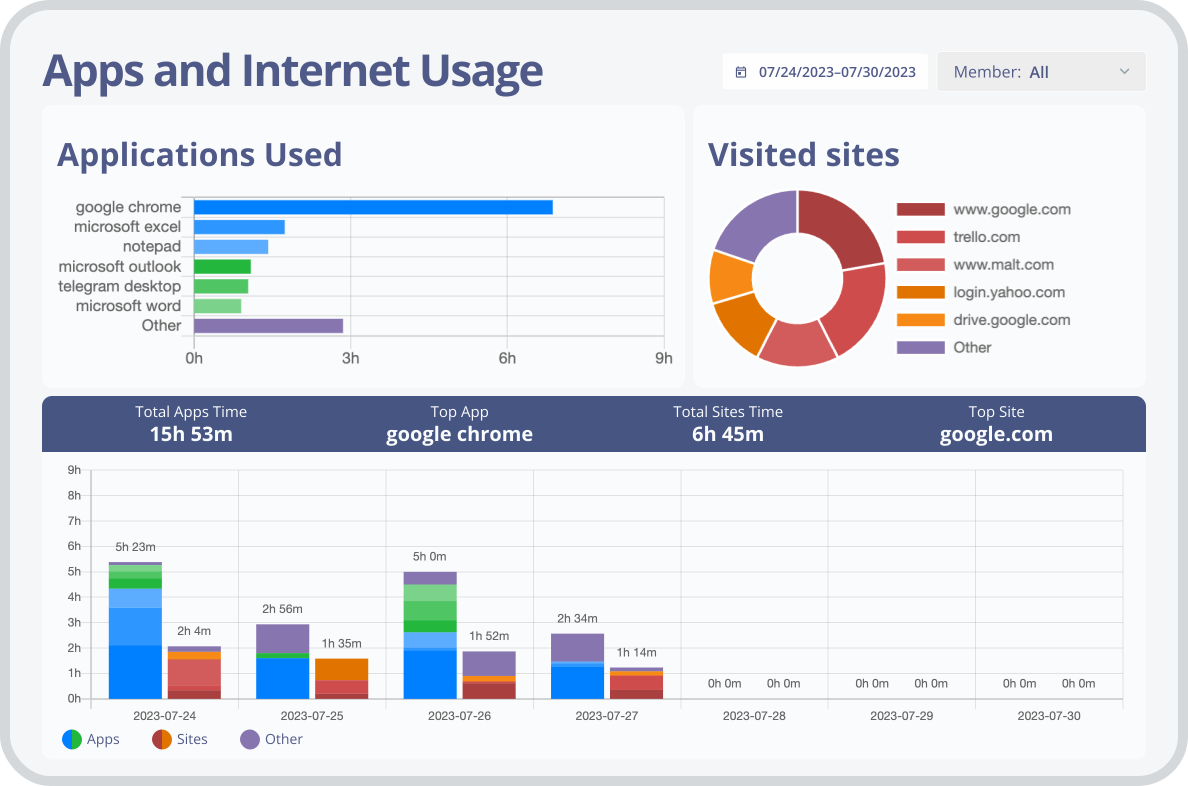
It’s important for team members to prioritize work-related tasks and not spend too much time on social media or browsing the web. If there’s evidence of them frequently visiting websites unrelated to their job, it could be affecting their productivity.
If a team member’s screen is often on apps, webpages, or unchanging, perhaps they are not being productive—or they may be stuck!
How Can I Record Hours Worked?
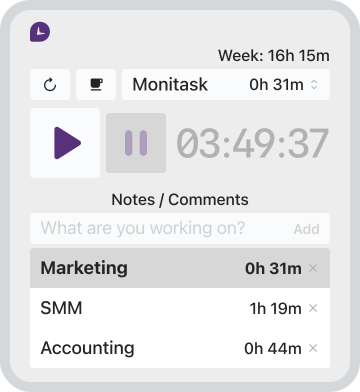
Tracking work hours is as easy as downloading the desktop app and pressing the play button. To start tracking your hours, press the play button to start tracking billable hours. When you need to stop tracking, press the now-turned pause button for you to stop recording on the time tracking app. Once you are ready to resume, press the button again to continue tracking.
As a manager, you can track time by accessing the online dashboard through the web app. The dashboard is user-friendly and updates in real time, ensuring that the time tracking data is always accurate. This allows you to keep track of your team’s productivity and ensure that everyone is meeting their work requirements. With this time tracker, you can easily manage your team’s workload and schedule.
How Do Calculate Work Hours and Measure Work Performance?
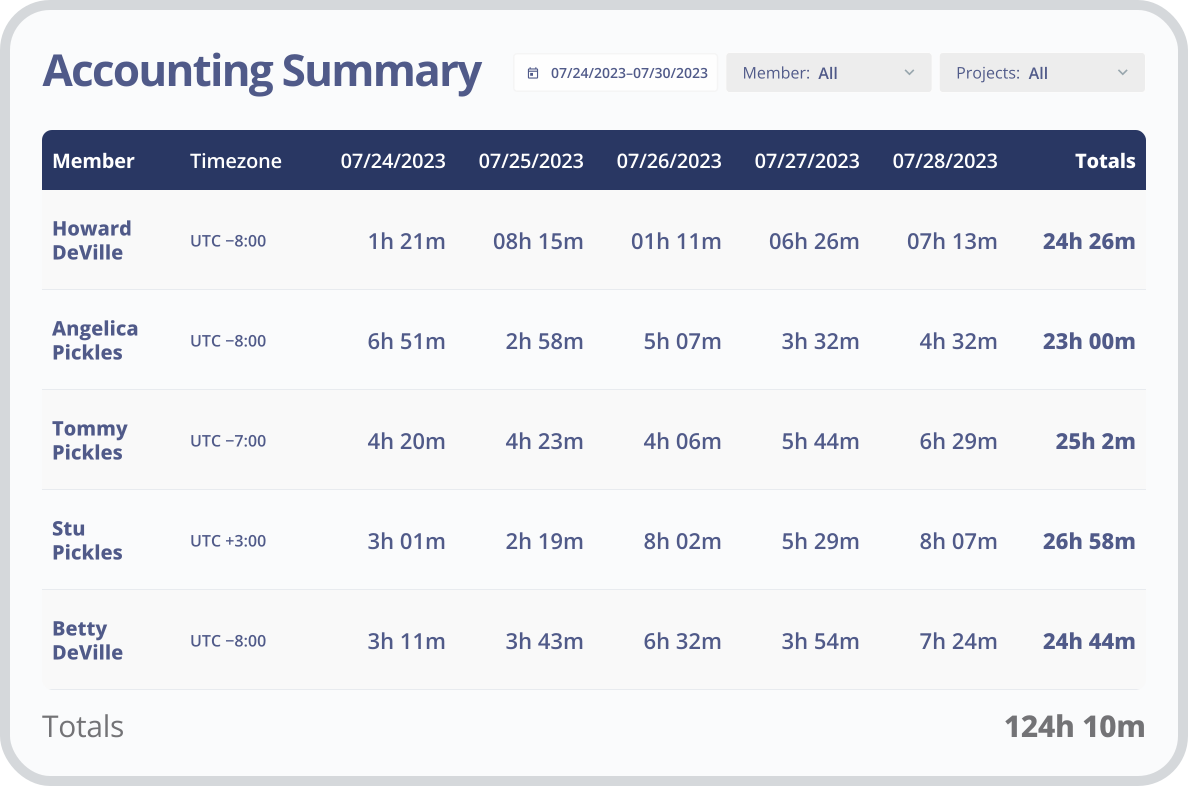
Monitask has powerful tools that can help you measure and track time and work performance of unlimited projects. The productivity score is a great way to get a general overview of how they are doing. Additionally, you can use the metrics to generate timesheets and create invoices accurately. The reporting feature allows you to generate comprehensive reports on the performance of each team member.
The time tracking software can help you accurately track time and prevent any kind of fraud or abuse. With Monitask’s time tracking app, you can keep record of your team’s hours worked and ensure that they are meeting their performance goals. This will help you maintain the productivity of your team and keep an accurate record of their work. We can help you with:
- Time tracking app. Stop wasting time managing manual timesheets.
- Measuring productivity. Monitask provides productivity scores using data that cannot be obtained manually. It tracks movements such as mouse clicks and visited websites, providing insights that were previously unavailable.
- Reporting. Monitask provides user-friendly reporting features that can assist in simplifying reporting tasks.
Monitask’s time tracker is one of the best apps for tracking time and employee monitoring. It provides powerful tools to help keep your team productive and efficient. Get started today and take control of your team’s performance!
Monitask time tracking app can do most of the work for you, giving you more time to focus on your project management. Stay on track of:
- Reviewing work. For you to know that your team members are working to the expected mile. If not, you can offer additional training for improvement.
- Connecting with your team. Building a strong relationship with your team is crucial. By making yourself more accessible, you can enhance teamwork and productivity.
- Strategizing. Having accurate data will help you plan your strategy more effectively. You can learn about your team’s distinct attributes, how to collaborate with them, and how to get ready for present and future business requirements.
How Do You Improve Productivity in Remote Teams?
Using Monitask’s time tracking software, businesses can see an improvement in productivity by 10% to 80%. This time tracker helps organizations identify time-wasting activities and increase focus on productive tasks. Besides using an app that calculates work hours, you can implement a few strategies to maximize remote team productivity.
- Encourage collaboration: Maintaining an open and collaborative environment is essential for good communication and successful teamwork.
- Set measurable goals: Setting and tracking tasks will help you measure team performance and ensure the deadlines are met in an efficient manner.
- Foster a healthy work-life balance: It’s important to provide flexibility for your team members and encourage them to take breaks when needed.
- Provide the right tools: Make sure your team has access to the resources and tools needed for their tasks.
- Monitor progress. Monitoring progress gives you the ability to reward good behavior, modify bad habits, and offer further training when needed.