A timesheet reminder is a short message prompting someone to log and submit their hours before a deadline. It sounds trivial and it consumes a genuinely absurd share of payroll admin time every period.
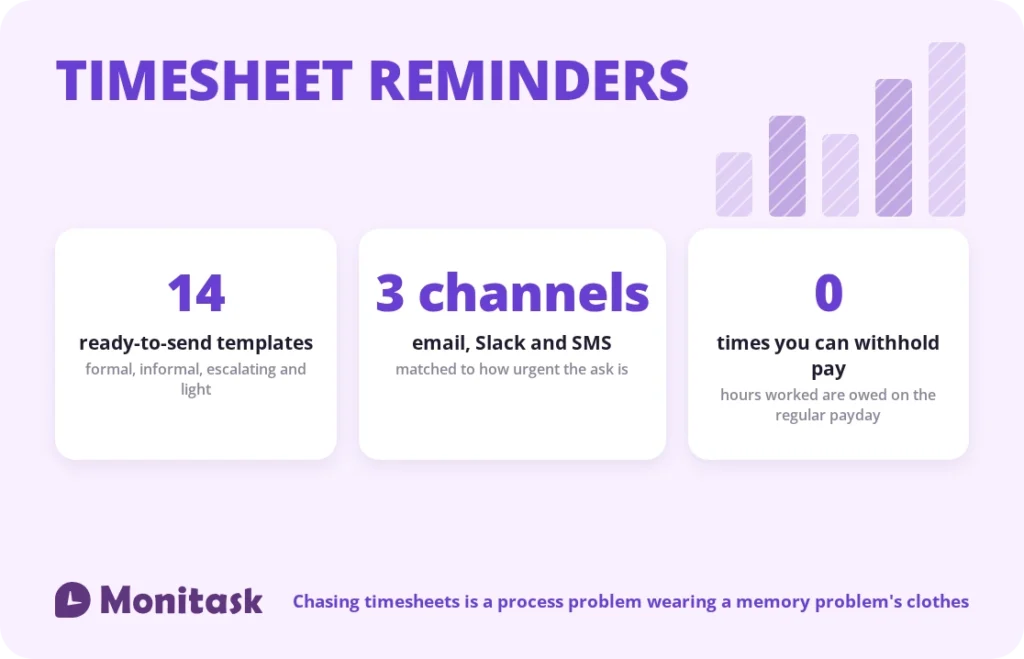
Below are 14 templates you can copy directly — for email, Slack and SMS, formal and informal, first reminder through final escalation — plus the timing that makes them work and the diagnosis to run when the same three names are late every single period.
One thing first, because published advice on this gets it wrong. You cannot withhold pay for a late timesheet. Under the Fair Labor Standards Act, an employee must be paid for all hours worked on the regular payday, whether or not they submitted paperwork. Several widely-read guides on this exact topic suggest telling employees that no timesheet means no paycheck. Saying it is a wage-and-hour risk, and doing it is a violation.
Quick answer
| Question | Answer |
|---|---|
| Best channel | Wherever the team already works. Slack beats email for most teams |
| Best time | When the person can act immediately: end of day Friday, or first thing Monday |
| How many reminders | Two before the deadline, one after. More than that is a process problem |
| Can I withhold pay? | No. Hours worked must be paid on the regular payday |
| Can I discipline for lateness? | Yes, as a conduct matter, separately from pay |
| Best long-term fix | Remove the reason the reminder is needed |
Keep every reminder to three elements: what is due, by when, and a direct link. Anything else is decoration.
Email templates
1. Standard reminder, formal
> Subject: Timesheet due today, [date]
>
> Hi [name],
> Your timesheet for [period] is due today by [time]. You can submit it here: [link].
> If anything is blocking you, reply to this and I’ll sort it out.
2. Standard reminder, informal
> Subject: Timesheets 🙂
>
> Hi [name] — quick one: timesheet for [period] is due by [time] today. [link]
> Takes two minutes.
3. Advance notice, sent the day before
> Subject: Timesheets due tomorrow
>
> Hi [name],
> Reminder that your [period] timesheet is due tomorrow, [date], by [time]. Submitting today means one less thing on your Friday. [link]
4. Overdue, first follow-up
> Subject: Timesheet overdue — [period]
>
> Hi [name],
> Your timesheet for [period] was due on [date] and hasn’t come through yet. Please submit it here: [link].
> If something’s making this difficult, tell me what it is and we’ll fix the process rather than repeating this email.
5. Overdue, second follow-up
> Subject: Action needed: [period] timesheet
>
> Hi [name],
> Your [period] timesheet is now [X] days overdue. I need it by [time, date] so payroll can close on schedule.
> Please confirm when you’ve submitted, or let me know today if there’s a reason you can’t.
6. Resubmission after rejection
> Subject: Timesheet needs a correction
>
> Hi [name],
> Some hours on your [period] timesheet were sent back. The note on the entry explains what needs changing: [link].
> Please amend and resubmit by [date].
7. Contractor or freelancer
> Subject: Hours for [period] — invoice cutoff [date]
>
> Hi [name],
> Please submit your hours for [period] by [date] so they make this payment run. Anything received after that moves to the following cycle. [link]
Note the wording in template 7. It states a payment cycle, not a condition on payment. That distinction matters for contractors and matters much more for employees.
Slack and chat templates
Chat reminders should be shorter than email ones. Long messages in a channel get scrolled past.
8. Channel-wide, before the deadline
> ⏰ Timesheets for [period] are due by [time] today. Two minutes, right here: [link]
9. Channel-wide, day-of
> Timesheets close at [time] today. If yours is in, thank you. If not: [link]
10. Direct message, overdue
> Hi [name] — your [period] timesheet hasn’t come through and payroll closes [day]. Here’s the link: [link]. Anything I can help with?
11. Recurring scheduled post
> Friday reminder: log your hours before you log off. [link]
> Payroll closes Monday [time].
Direct messages consistently outperform channel posts for people who are already late. A channel post is an announcement; a DM is addressed to a person and gets answered.
SMS templates
Reserve SMS for genuinely time-critical reminders. Use it every period and it stops registering.
12. [Company]: Timesheet for [period] due today by [time]. Submit: [link]
13. [Company]: Your timesheet is overdue. Payroll closes [day] [time]. [link]
14. [Company]: Last call — timesheets close in 2 hours. [link]
Two constraints. Text messages to personal phones about work carry consent considerations in several jurisdictions, so confirm your position before setting up an SMS cadence. And if someone is off-shift, a work text at 8pm is precisely the sort of intrusion the right-to-disconnect conversation is about.
Funny timesheet reminders
Humour works when it fits the culture and fails badly when it does not. The rule: it can be light about the reminder, never about the person.
- “Timesheets are due. This is the only nagging you’ll get from me today.”
- “Your timesheet is lonely. It just wants to be filled in. [link]”
- “Roses are red, violets are blue, payroll closes Friday, and this is about you.”
- “Please submit your timesheet so I can stop writing these and go do something useful.”
- “Friendly reminder that your future self, on payday, is counting on your present self, right now. [link]”
On memes: they are effective precisely because an image is processed differently from a line of text, which is why the format persists. Two cautions. A meme that jokes about someone not being paid lands badly, especially with hourly staff for whom the joke is not hypothetical. And a meme reused for the fourth month becomes wallpaper.
Escalation messages should never be funny. Once a reminder is about a repeated failure, humour reads as passive aggression.
Reminders for approvers
The bottleneck is frequently not the employee.
A timesheet submitted on Friday and approved the following Wednesday delays payroll exactly as much as one submitted late. Most teams instrument reminders for submitters and nothing at all for approvers.
Approver reminder
> Hi [name] — [X] timesheets are waiting for your approval and payroll closes [day] at [time]. [link]
Set this to fire automatically a fixed number of days after submission. It surfaces manager-side delays that otherwise sit unnoticed until the payroll run.
The escalation ladder
Reminders without a defined endpoint train people to ignore reminders. Four rungs, and everyone should know them in advance.
| Stage | When | Channel | Tone |
|---|---|---|---|
| 1. Advance notice | Day before deadline | Chat, to the channel | Neutral, informational |
| 2. Deadline reminder | Morning of, or end of day | Chat or email, channel | Neutral, with link |
| 3. Overdue notice | Day after | Direct message or email, individual | Direct, asks what’s blocking |
| 4. Manager escalation | Two periods running | Conversation, then documented | Conduct discussion, not a reminder |
Stage four is the one most teams never define, which is why stages one to three repeat forever. If the same person is late every period, the issue is not that they forgot. Either the process does not work for them or it is a performance matter, and both are conversations rather than emails.
Write the ladder into your time tracking policy and share it when people join. A consequence nobody was told about is not enforceable and is not fair.
What you cannot do about late timesheets
This section is short and it is the most important part of the article.
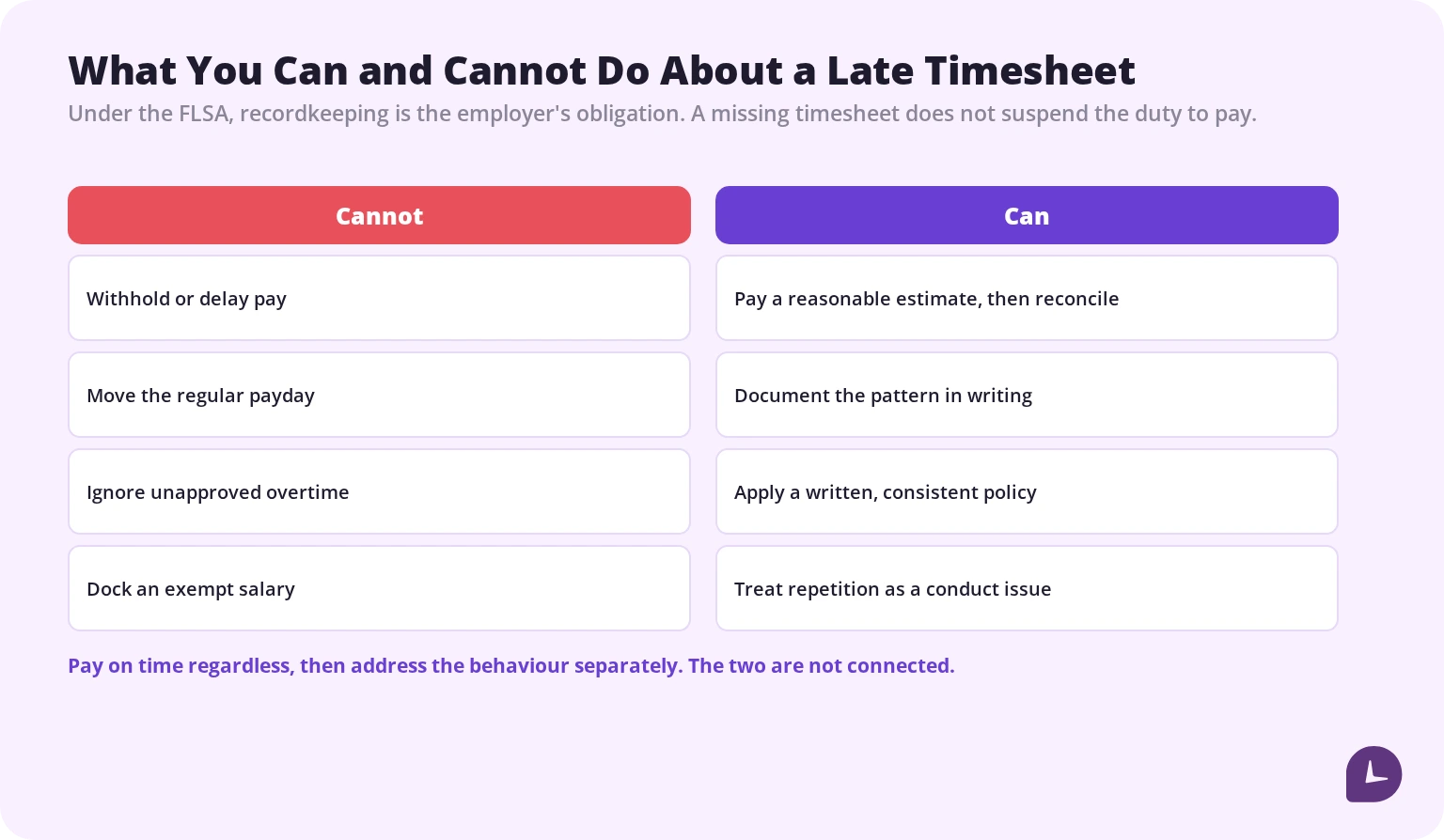
You cannot withhold or delay wages. The FLSA requires payment for all hours worked on the regular payday. A missing timesheet does not suspend that. Where hours are unknown, the employer must make a reasonable estimate and pay it, then reconcile once the timesheet arrives. Recordkeeping is the employer’s legal obligation, not the employee’s — Department of Labor guidance is explicit that the employer must maintain accurate records of hours worked.
You cannot pay only the scheduled hours and ignore the rest. If someone worked overtime you didn’t approve, the overtime is still owed. A policy against unauthorised overtime is enforceable as discipline and not as a reason to underpay.
You cannot dock pay from an exempt employee for a partial-day absence or an administrative failure. Improper deductions can jeopardise the exemption itself, which converts an admin annoyance into a back-overtime claim.
What you can do: treat repeated lateness as a conduct issue through your normal performance process, with the consequences written down in advance and applied consistently.
The practical summary: pay on time regardless, then address the behaviour separately. Guides advising you to tell staff that no timesheet means no paycheck are describing a wage violation.
Boost your business productivity
Track performance and streamline teamwork
When to send
Timing beats wording. The most effective reminder arrives when the person can act on it immediately.
Best windows
- End of the working day on the deadline, while people are still at their desks wrapping up
- First thing in the morning, when administrative tasks get cleared
- Right after someone misses, before the omission settles into embarrassment
Worst windows
- After hours. Several countries and a growing number of companies formally protect the right to disconnect, and correspondence outside working hours is hard to ignore even when no immediate action is expected. A timesheet is never urgent enough to justify it.
- Mid-morning on the deadline, when people are deep in work and will deal with it later, which means never.
- Long before the deadline. Out of sight, out of mind.
Two before, one after is the sensible cadence. Beyond that you are teaching people that reminders are background noise.
Why your timesheets are late
If the same names appear every period, reminders are treating a symptom. Five causes, in rough order of how often they turn out to be the real one.
The deadline doesn’t match the pay period. Timesheets due Friday for a period ending Sunday means guessing at two days. People delay rather than guess, and then forget.
Entry is too slow. A form with twelve required fields, a project picker with two hundred entries, and a login that expires weekly will be deferred every time. Measure how long submission actually takes. Over two minutes is a design problem.
Nobody knows the deadline. Especially new joiners, and especially where the deadline moves around public holidays.
Retrospective entry. Asking on Friday what someone did on Tuesday produces both lateness and inaccuracy. Memories degrade fast, and a hastily reconstructed timesheet is worse than a late one — it is wrong, and payroll and client invoices are built on it.
No visible consequence, in either direction. If nothing happens when it is late and nothing happens when it is on time, the rational choice is to do it last.
Fixing any one of these removes more late timesheets than a better-worded reminder ever will.
Automating reminders
Manual chasing does not scale and it makes the reminder a personal act between two people, which is exactly what makes it awkward.
Good automation has four properties:
It only pings people who haven’t submitted. Reminding the whole team including the people who are already done is the fastest way to get the message filtered.
It fires at a fixed, sensible time within working hours.
It escalates from channel to individual rather than repeating the same message louder.
It also reminds approvers, because the manager-side bottleneck is invisible otherwise.
The better goal is to need fewer reminders at all. Time recorded as it happens does not have to be remembered on Friday, and a timesheet that is already populated needs confirming rather than composing.
Common mistakes
Threatening to withhold pay. Not lawful, and it appears in published advice on this exact topic.
Sending after hours. A timesheet is not urgent enough to override someone’s evening.
Reminding everyone including the compliant. Teaches the whole team to ignore the message.
Reminders with no ladder. Endless stage-two nudges with nothing behind them.
Only reminding submitters. Unapproved timesheets delay payroll just as effectively.
Joking in an escalation message. Reads as passive aggression once the matter is serious.
Fixing the wording instead of the process. If the same people are late every period, the message is not the variable.
How Monitask helps
The most reliable timesheet reminder is a timesheet that filled itself in.
Monitask records hours as they happen. Employees clock in when they start and clock out when they stop, so nothing runs in the background without their knowledge, and the period closes with a record that already exists.

- Automatic timesheets remove retrospective entry, which is the root cause behind both lateness and inaccuracy.
- Clock-in and clock-out records give payroll a complete set of hours even when someone hasn’t formally submitted, which is what lets you pay on time regardless.
- Approval workflows let managers review before the run, and surface approvals that are themselves holding things up.
- Contemporaneous records satisfy the employer recordkeeping obligation that the FLSA places on you rather than on the employee.
See how it works: Monitask online timesheets.
Sources
- US Department of Labor, Fact Sheet #21: Recordkeeping Requirements under the FLSA — the employer’s obligation to maintain accurate records of hours worked.
- US Department of Labor, Wages and the Fair Labor Standards Act — payment of wages for all hours worked on the regular payday.
- US Department of Labor, Fact Sheet #17G: Salary Basis Requirement — limits on deductions from exempt employees’ salaries.
Related reading
- Timesheets for Payroll
- How to Calculate Time Sheets
- Unlocking Efficiency: How Automated Timesheets Transform Business Time Management
- Attendance Sheet Template
- How Many Pay Periods in a Year?
- Small Business Time Tracking
- Overtime Calculator
FAQ
How do I remind employees to submit timesheets?
Send an advance notice the day before, a deadline reminder on the day, and an individual message if it is still missing. Keep each to what is due, by when, and a direct link.
What should a timesheet reminder say?
Three things only: the period covered, the deadline, and a link that takes the person straight to submission. Everything else reduces the chance it gets read.
Can an employer withhold pay for a late timesheet?
No. The FLSA requires payment for all hours worked on the regular payday regardless of paperwork. Where hours are unknown, pay a reasonable estimate and reconcile afterwards.
Can an employee be disciplined for submitting timesheets late?
Yes. Repeated lateness can be handled as a conduct matter through your normal performance process, provided the consequences are written down in advance and applied consistently. That is separate from pay, which is owed either way.
When is the best time to send a timesheet reminder?
When the person can act immediately: end of the working day on the deadline, or first thing in the morning. Avoid after-hours messages.
Are funny timesheet reminders effective?
They can be, if the humour matches the culture and targets the task rather than the person. Never use humour in an escalation message, and avoid jokes about people not being paid.
How often should I send timesheet reminders?
Two before the deadline and one after. If you need more than that regularly, the process is the problem rather than the reminders.
How do I stop chasing timesheets altogether?
Remove the reasons they are late: align the deadline with the pay period, cut submission to under two minutes, and record time as work happens so the timesheet is confirmed rather than reconstructed.
Should I remind managers too?
Yes. Unapproved timesheets delay payroll exactly as much as unsubmitted ones, and approver delays are invisible unless something surfaces them.