Employee attendance tracking software records when employees start and finish work, how many hours they log, and whether they follow their schedule. It replaces manual timesheets with automatic time capture, real-time dashboards, and payroll-ready reports — for both on-site and remote teams.
No credit card · Free 10 days · Cancel anytime
 4.8 on G2
4.8 on Capterra
4.8 on G2
4.8 on Capterra
Monitask is employee attendance tracking software that helps teams automate clock-in and clock-out, track work hours accurately, and generate payroll-ready timesheets — for both on-site and remote employees.
1000+ clients worldwide increase workforce productivity with Monitask





From sign-up to your first report in four steps — no setup headaches.
Click "Invite your team" from the dashboard and add your team members’ email addresses. You can add an unlimited number of employees to your account.
Your team members will need to download the time-tracking app and start using it to track the time spent on work items. Company owners, administrators, and managers do not need to install Monitask, as data is accessible via the web-based real-time dashboard.
See hours worked, screenshots, and websites visited in the web-based dashboard. The dashboard updates in real time, so you know that the data is always accurate.
Automated clock-in/out, timesheets, and payroll-ready reports — without surveillance.
Track work hours with a one-click timer and automatic activity capture. Time is logged against the right project and task, so nothing slips through.
Learn more →Hours roll up into accurate timesheets automatically — no spreadsheets, no end-of-week reconstruction.
Learn more →Optional screenshots at random intervals, blurred for sensitive content. Captured only while clocked in, and the keys pressed are never recorded.
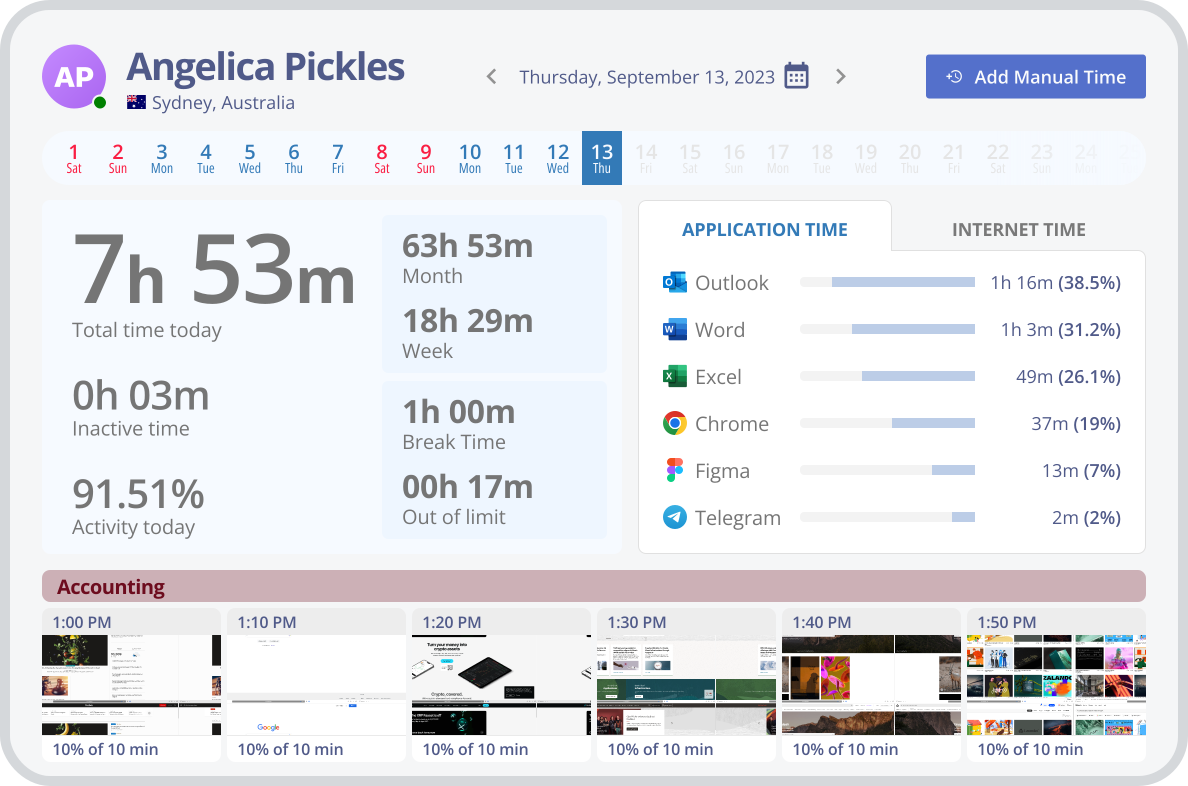
Learn more →See activity levels, idle time, and which apps and sites take up the day — useful data, not surveillance.
Learn more →Set schedules, track overtime, and get alerts when employees miss clock-in times.
Learn more →Measure how long work really takes, compare it to estimates, and keep projects on budget.
Learn more →Simple clock-in and clock-out for your team, with optional PIN or QR code, and real-time attendance logs.
Learn more →Desktop apps for Windows, macOS and Linux, mobile for Android and iOS, plus Chromebook.
Most monitoring tools feel like surveillance. Monitask gives you the visibility you need while keeping employees in control.
Employees start and stop tracking themselves. No keystroke logging, ever.
Clock-in/out and optional proof-of-work, without installing spyware.
Plans from $6.49/user/month, billed annually.
Six languages and apps for every major OS.
Native integrations plus Zapier for 1,000+ more apps.
See how Monitask fits your industry.
Real results from teams that switched to transparent time tracking.
"As a Sales and Marketing Manager on FBA Prep 4U. I am using Monitask 5 days a week because I need not extend 40 hours of my weekly working hour. Monitask made it easy for me to monitor time and show my productivity thru their screenshot features. It helps me to gain the trust of my boss who is also checking my timeline. I would highly recommend this software to my colleagues who are looking for reliable employee timesheet monitoring."
"It is a must-have tool for companies allowing remote work. 80% of our employees work from remote locations, and tracking their work efficiency was a big challenge for us. we had at a point also decided to create a tool for time tracking, however, once we heard about monitask, and used it for 10 days with the free trail. it was an instant GO for us ad we have been using the same since then."
"As an entrepreneur, I often feel guilt that I'm not spending "enough" time working on various projects. Once I started using Monitask, everything became objective and my time has started to become more valuable. Things that get measured get improved. This objective feedback on how I'm spending my time has given me so much encouragement and motivation. I can see progress happen, and I'm able to feel better about the work I do."
We lined up the attendance trackers teams shortlist most. Here's where Monitask fits — clock-in/out and proof of work in one tool, without separate add-ons.
| Monitask | Clockify | Toggl Track | TimeCamp | Harvest | |
|---|---|---|---|---|---|
| Best for | Attendance + proof of work in one | Budget-conscious teams | Freelancers & agencies | Budget teams | Invoicing-first teams |
| Starting price | $6.49 /user/mo | Free | Free | Free | Free* |
| Free trial | 10 days | Free tier | 30 days | 30 days | 30 days |
| Automatic clock-in/out | ✓ | — | — | Limited | — |
| Online timesheets | ✓ | ✓ | ✓ | ✓ | ✓ |
| Billable rates & invoicing | ✓ | Paid plan | Paid plan | Paid plan | ✓ |
| Reports & analytics | ✓ | ✓ | ✓ | ✓ | ✓ |
| Activity & productivity insights | ✓ | — | — | Limited | — |
| Proof-of-work screenshots | ✓ | Paid add-on | — | Paid plan | — |
| Integrations | ✓ | ✓ | ✓ | ✓ | ✓ |
| Platforms | Win, Mac, Linux, iOS, Android, Chromebook | Web, Win, Mac, Linux, mobile | Web, Win, Mac, Linux, mobile | Web, Win, Mac, mobile | Web, Win, Mac, mobile |
Everything in one place — no switching between tools.
Automatic time capture with one-click timer. Hours logged against the right project and task automatically.
Accurate timesheets generated automatically from tracked hours — payroll-ready.
Screenshot capture, app and website usage tracking — only while clocked in.
See activity levels, idle time, and which apps and sites take up the day.
Set schedules, track overtime, and get alerts for missed clock-ins.
Track time by project and task, compare to estimates, keep budgets on track.
Simple clock-in and clock-out with optional PIN or QR code for your team.
Desktop apps for Windows, macOS and Linux, mobile for Android and iOS, plus Chromebook.
From $6.49 / user / month
Free 10-day trial · No credit card required · Cancel anytime
See all plans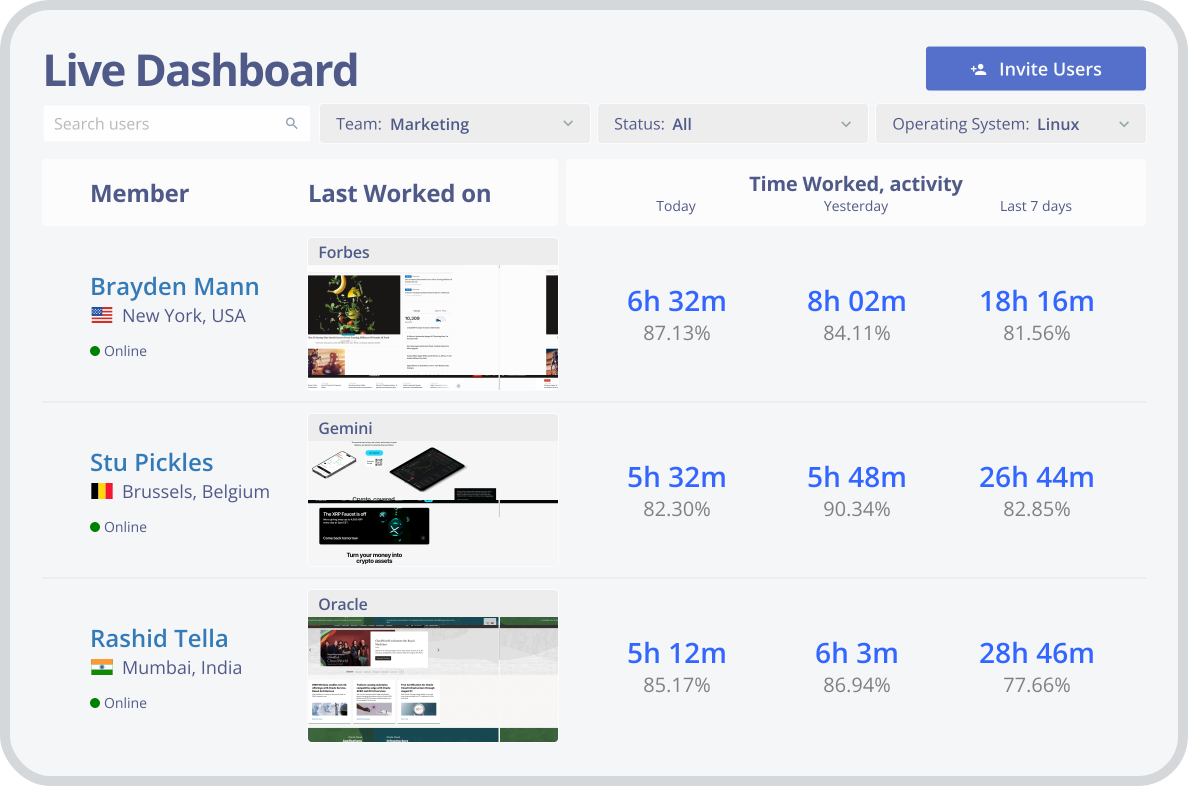
Attendance recording software is a tool used by companies to monitor and manage the attendance of their employees. These systems allow employers to keep track of the time an employee arrives at work, leaves work, and takes breaks. Additionally, these systems can provide valuable data for HR departments, allowing them to identify patterns of attendance, unexpected absences, and tardiness. Some common features of these systems include:
Tracking employees time can provide valuable insights into their work ethic. It can help employers analyze trends, increase productivity, and ensure employees are following attendance policies. Most businesses can benefit from monitoring their staff’s attendance for several reasons:
With an employee attendance tracker, employers can reward those who come to work on time and consistently show up. This helps boost morale among the team and encourages employees to follow the company’s attendance policies. As well, it’s an opportunity to show appreciation for their work and dedication.
Addressing employees with poor attendance can help identify any personal issues they may be facing that are impacting their work. This can help managers assess their team’s productivity gaps and make improvements or take corrective action. Also, it’s a great way to provide support and understanding, leading to improved attendance and job performance.
Accurate attendance records can be used as a factor when considering promotions and raises. Employees who have shown reliability and commitment to their job through good attendance are often viewed as better candidates for advancement.
Employee attendance software can provide in-depth insights into employee behavior, which can inform decisions on promotions, performance reviews, and salary adjustments. By understanding your staff better, you can make more informed decisions that benefit both the company and its employees.
Time clocks are electronic devices that employees can use to track time, record attendance, and clock in and out of work. They can be used with a punch card or a biometric scanner that verifies the employee’s identity. This method is reliable and accurate, and it can help prevent time theft.
Timesheets are paper or electronic records that employees use to track their hours worked. They are typically reviewed and approved by a supervisor or manager. While this method is less expensive than a time clock, it’s more prone to errors and can be manipulated in many ways such as buddy punching.
GPS tracking is a method that employs the use of GPS technology to track employee’s attendance who work outside the office or offsite offering information such as location and attendance. This can be used to monitor employee activities such as time spent at client sites or on the job. GPS tracking is reliable and accurate, but it can be expensive to implement.
Mobile apps can provide employees with an easy way to clock in and out of work. They can also be used to track employee location, hours worked, and overtime. This method is convenient and can save time for both employees and managers.
In every business plan, managers and employers should choose a method of tracking employee attendance that works best for their needs and budget. It’s important to ensure that the method is accurate, reliable, and easy for employees to use.
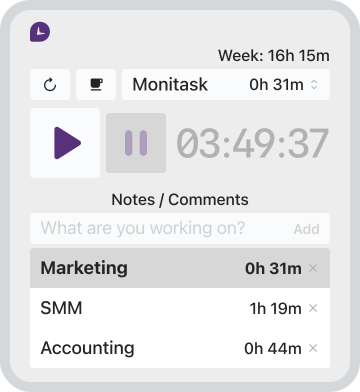
There are several options available for tracking time and attendance of remote employees, and one such software is Monitask. Monitask is a time tracking and employee monitoring software designed to help businesses manage and track their remote workforce. The company’s purpose is to provide an easy-to-use and reliable solution for businesses to manage their remote teams effectively. Here are some features of Monitask:
Since Monitask is one of the best employee attendance tracker in the market, it allows employers to track the time consuming by their remote employees on various tasks. This feature helps businesses to measure productivity and ensure that employees are working efficiently.
Monitask attendance tracking software captures screenshots of employees’ computer screens at random intervals to ensure that they are working and not wasting time. This feature is especially helpful for remote teams as it allows employers to monitor their progress without having to be physically present. Monitsk offers smart blur for screenshots, which ensures that sensitive information remains confidential.
Monitask is also equipped with automatic reminders for employees that are nearing their allotted working hours. These reminders help to ensure that employees do not work overtime or put in too many hours. This feature is a great way to keep track of employee attendance and manage remote teams effectively.
Monitask attendance tracking features can monitor employees’ activity levels to determine if they are idle or working. This feature helps managers to understand how their remote teams are performing and identify tasks or projects that require more attention. This feature helps to identify any potential time-wasting activities and address them proactively.
Monitask is a great attendance tracker, especially when hiring hourly employees. The system automates the payroll process by calculating the hours worked by each employee and generating reports. This feature saves time and reduces the chances of errors in the payroll process.
Employee attendance recording is an important part of managing a business, but it requires compliance with labor laws and respect for employee rights. Employers should always ensure that they are using ethical and safe practices when collecting data and monitoring employees with attendance tracking software. Some of the key steps employers should take to ensure ethical and safe employee attendance tracking include:
Fully inform employees of any policies regarding time tracking This includes informing them of their right to privacy concerning data collection, how it will be used, and who will have access to it
Ensure that any systems or software used for monitoring are secure and comply with industry standards
Guarantee that data is collected in a way that respects employee rights and privacy
Make sure employees are given the opportunity to challenge inaccuracies or incorrect information at any time
Have a clear policy regarding when and how attendance can be monitored, and ensure that it is communicated clearly to all employees
Set up your team in minutes. First 10 days free, no credit card.