Time Tracking Software for Accountants
Track time, prove work, and get paid faster, Monitask is the accountants’ smart productivity tool.
Trusted by Thousands of Users


4.8/5 (149 reviews)

4.8/5 (149 reviews)

4.8/5 (150 reviews)

4.8/5 (100 reviews)
1000 + clients worldwide increase workforce productivity with Monitask






Key Features of Monitask for Accountants
Simple Start-and-Stop Time Tracking for Accurate Billing
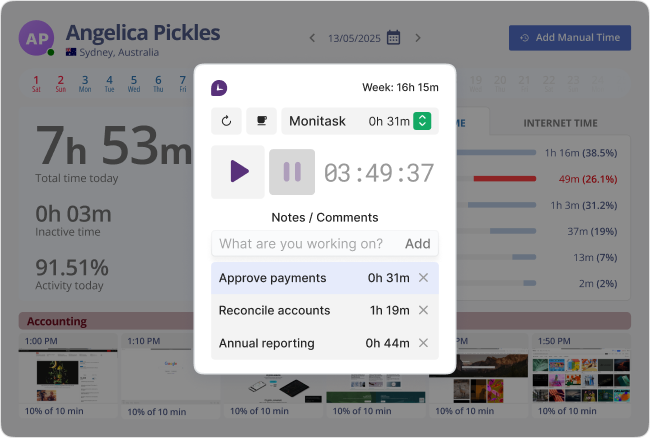
Monitask allows accountants to track time with a single click—no manual logging or guesswork needed. Whether preparing tax documents, reconciling accounts, or reviewing financial statements, the intuitive start/stop timer ensures every billable minute is captured accurately. This helps accountants focus on client work instead of administrative details, improving productivity and accuracy in client billing and project costing.
Transparent Work Monitoring with Automatic Screenshots
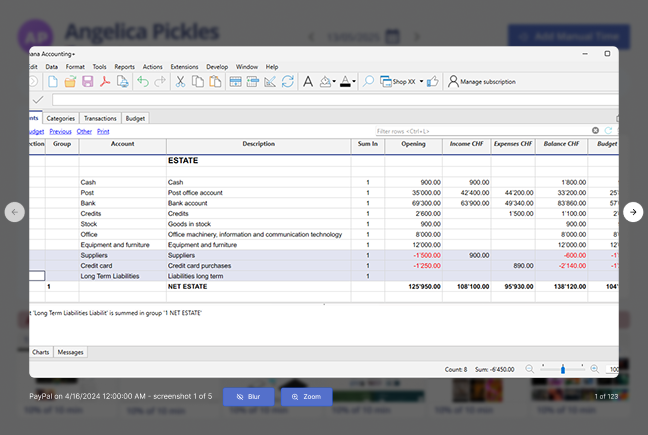
For accountants managing multiple clients or working remotely, Monitask’s automatic screenshots provide clear proof of work and ensure transparency. Screenshots are captured at random intervals, allowing managers or clients to verify work progress without constant check-ins. This builds trust, reduces disputes about hours worked, and maintains accountability—especially useful during audit preparation or when collaborating with a distributed finance team.
Organized Time Management by Project and Task
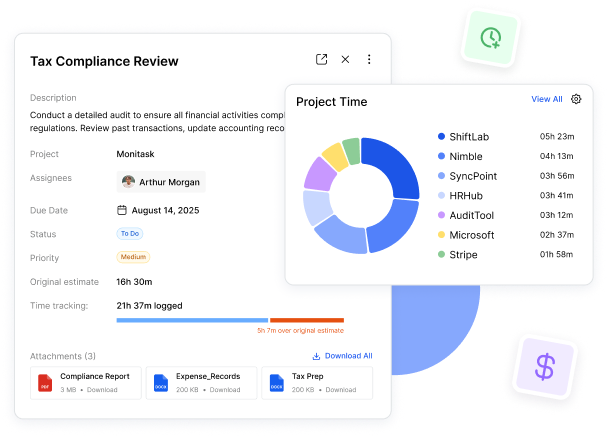
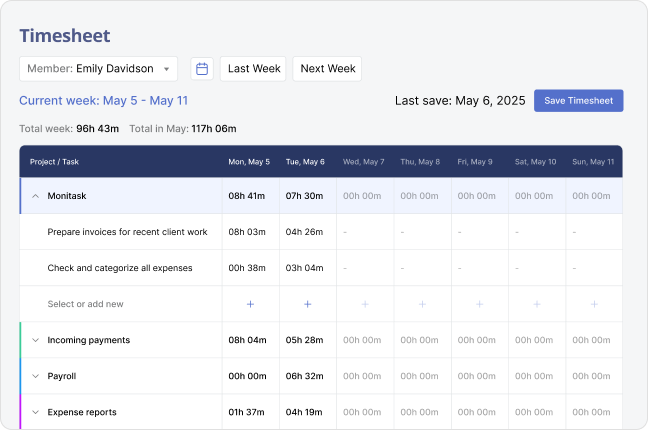
Monitask enables accountants to categorize time entries by specific projects or clients—such as bookkeeping, payroll, tax filing, or audits. This structured logging helps identify which tasks consume the most time and where efficiency can be improved. For firms, it simplifies workload management and allows easy tracking of profitability per client or accounting service type.
Insightful Reports and Hassle-Free Timesheet Exports
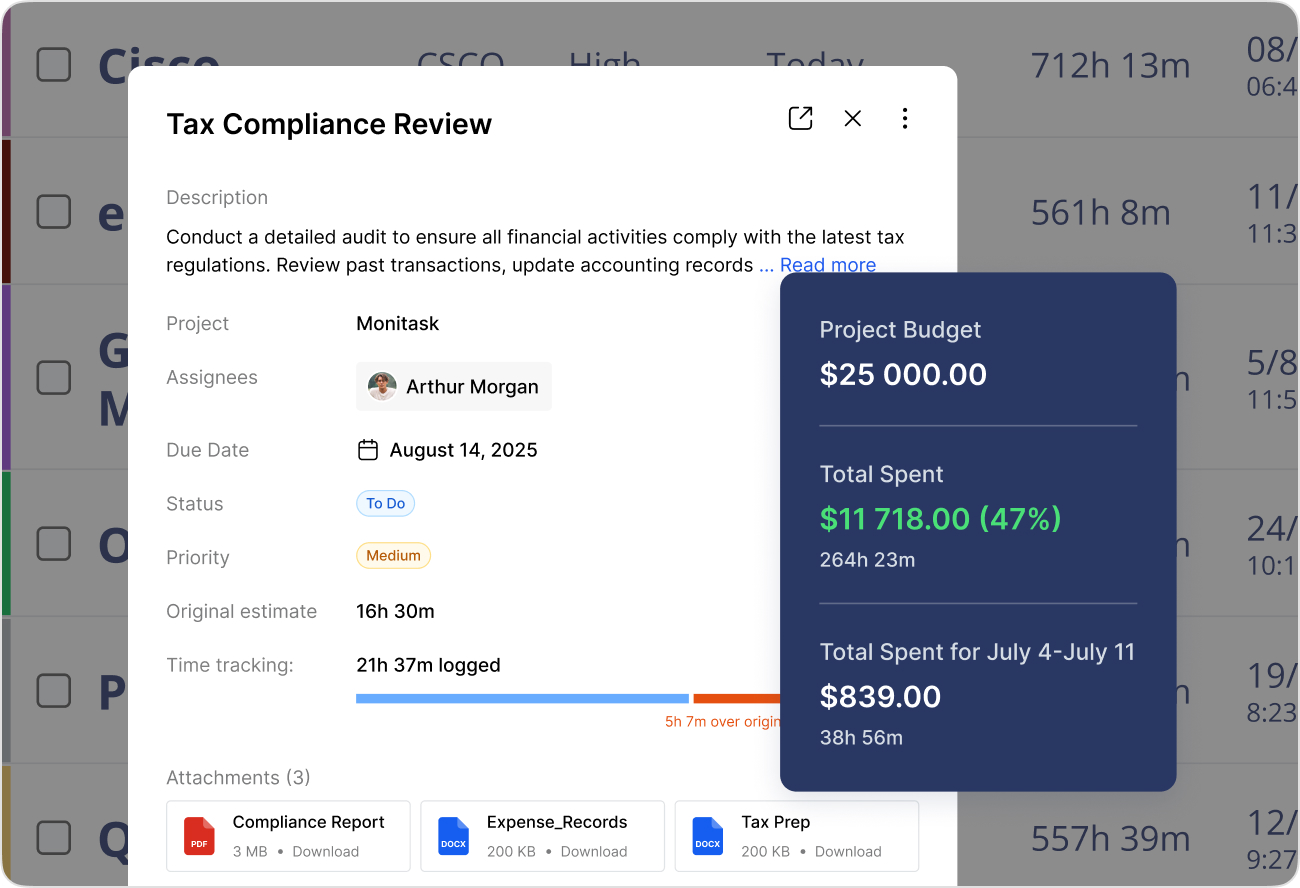
Monitask generates detailed, professional reports and exportable timesheets that accountants can use for client billing, payroll processing, or internal reviews. With just a few clicks, they can analyze productivity, compare time spent versus project budgets, and ensure compliance with firm policies. Reports can be exported in various formats, making it simple to integrate with accounting software or share with clients.
Automated Invoicing and Smarter Workflow Management
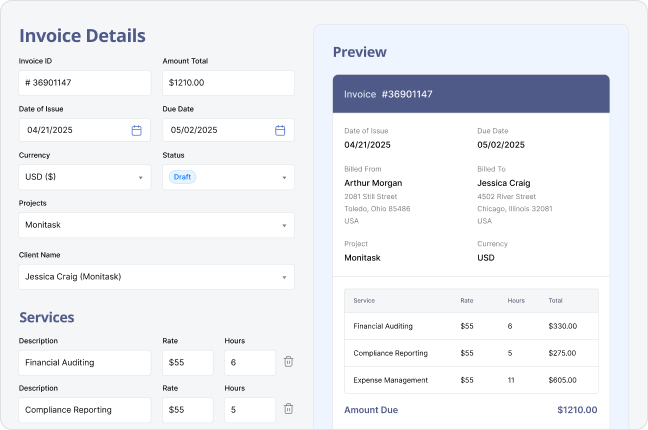
With Monitask’s built-in invoicing tools, accountants can automatically convert tracked hours into professional invoices—eliminating the need for manual entry. This feature helps streamline cash flow management, reduce errors, and ensure timely payments. Combined with workflow insights, accountants can optimize their daily routines, balance workloads across clients, and maintain better financial oversight for both themselves and their clients.
Benefits of Time Tracking for Accountants

Accurate and Transparent Client Billing
Time tracking ensures accountants bill clients precisely for the hours spent on audits, bookkeeping, payroll, or tax preparation. This level of accuracy builds transparency and trust while preventing underbilling or disputes over service costs, especially when managing multiple clients or complex financial projects.

More Reliable Project Estimates
By monitoring how long specific accounting tasks take, professionals gain valuable data to create more precise estimates for future engagements. This helps in setting fair pricing, allocating resources wisely, and improving overall profitability for accounting firms or solo practitioners.

Boosted Productivity and Focus
Tracking time helps accountants identify where their hours are spent, whether on analysis, client meetings, or administrative work. This awareness promotes smarter time management, reduces distractions, and increases efficiency during peak tax seasons or month-end closings.

Achieving a Healthier Work-Life Balance
Accountants often face long hours during reporting cycles and audits. Time tracking highlights patterns of overwork, helping professionals set healthier limits, manage workloads, and maintain balance between client obligations and personal well-being.

Detailed and Professional Reporting
Modern tools like Monitask generate clean, professional reports that can be shared with clients or supervisors. These reports demonstrate accountability, document project progress, and provide insight into where time and effort are being invested most effectively.

Detection of Low-Value or Unprofitable Work
Time tracking helps accountants pinpoint which clients, tasks, or services consume excessive time relative to their billing rate. With this data, accountants can refine their pricing strategy, streamline processes, and focus on higher-value, more profitable engagements.